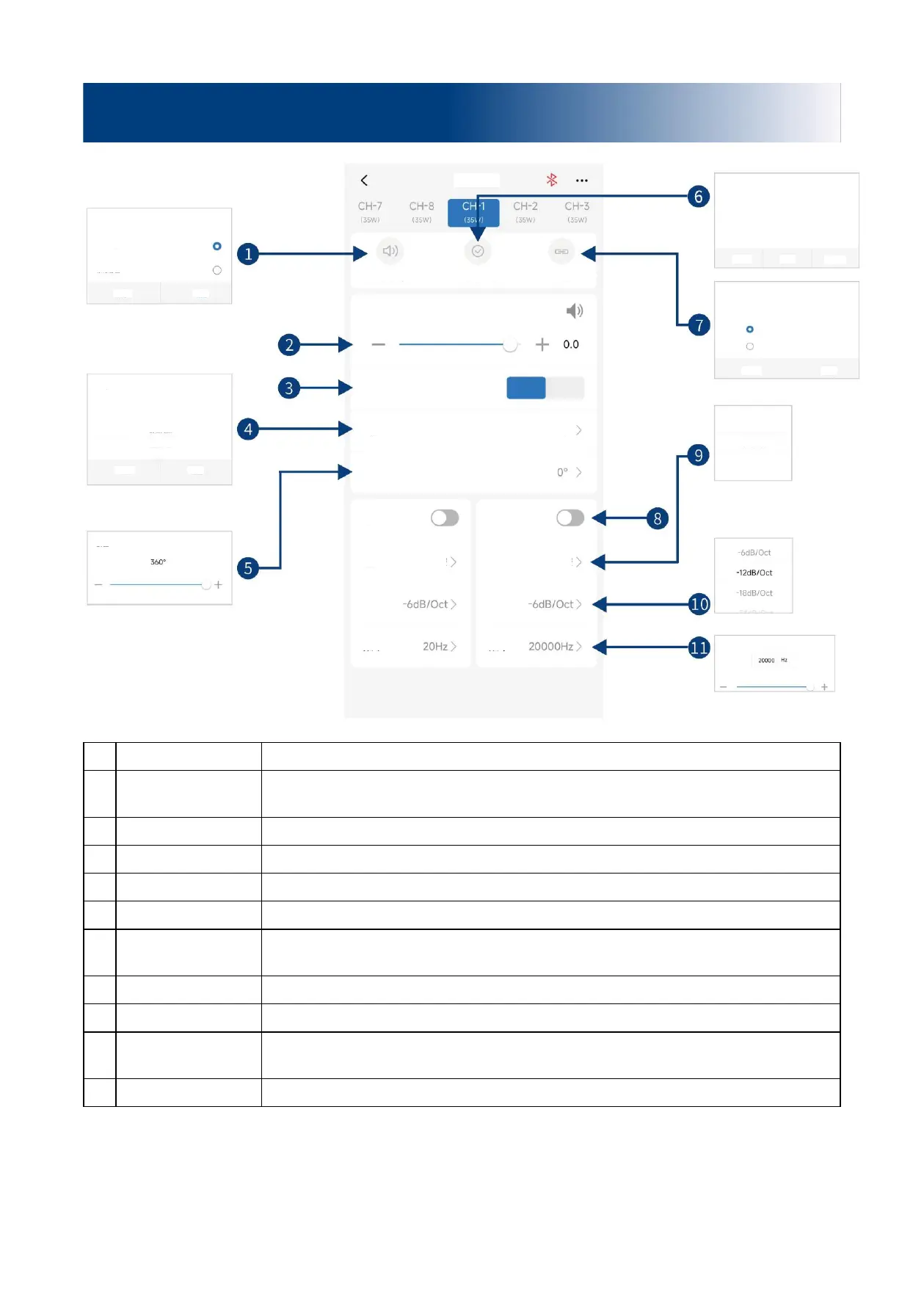
Select mute or unmute all channels with just one key.
Push the fader left and right to adjust the channel volume in the range of -60dB ~ +6dB;
click the speaker button to mute.
Select the channel phase (normal phase or reverse phase).
Select the channel type in the pull-down menu.
Adjust the low pitch phase of output channel in the range of 0° ~ 360°.
You can set the current channel type as Factory setting.
Select the debugging modes, including “Copy channel EQ / volume from left to right” or
“Copy channel EQ / volume from right to left”.
Turn on or off High-pass/Low-pass.
Select filter type (Linkwitz-Riley, Butterworth or Bessel).
Select the divider slope (-6dB/Oct, -12dB/Oct, -18dB/Oct, -24dB/Oct, -30dB/Oct, -
36dB/Oct, -42dB/Oct, or -48dB/Oct).
Select the divider frequency (between 20Hz and 20kHz).
Description of mobile APP - Channel
Reset prompt
After system reset, the output mode of the power
amplifier will change. Please confirm that the channels
of the high pitch speakers after system reset are the
same with those of the current system, then increase the
volume and listen, so as to prevent the speakers from
burning out!
Please select the debugging mode
Copy channel EQ / volume from
Left to Right
Copy channel EQ / volume from
Right to Left
Front left full frequency
Front left high frequency
Front left medium frequency


 To Next Page