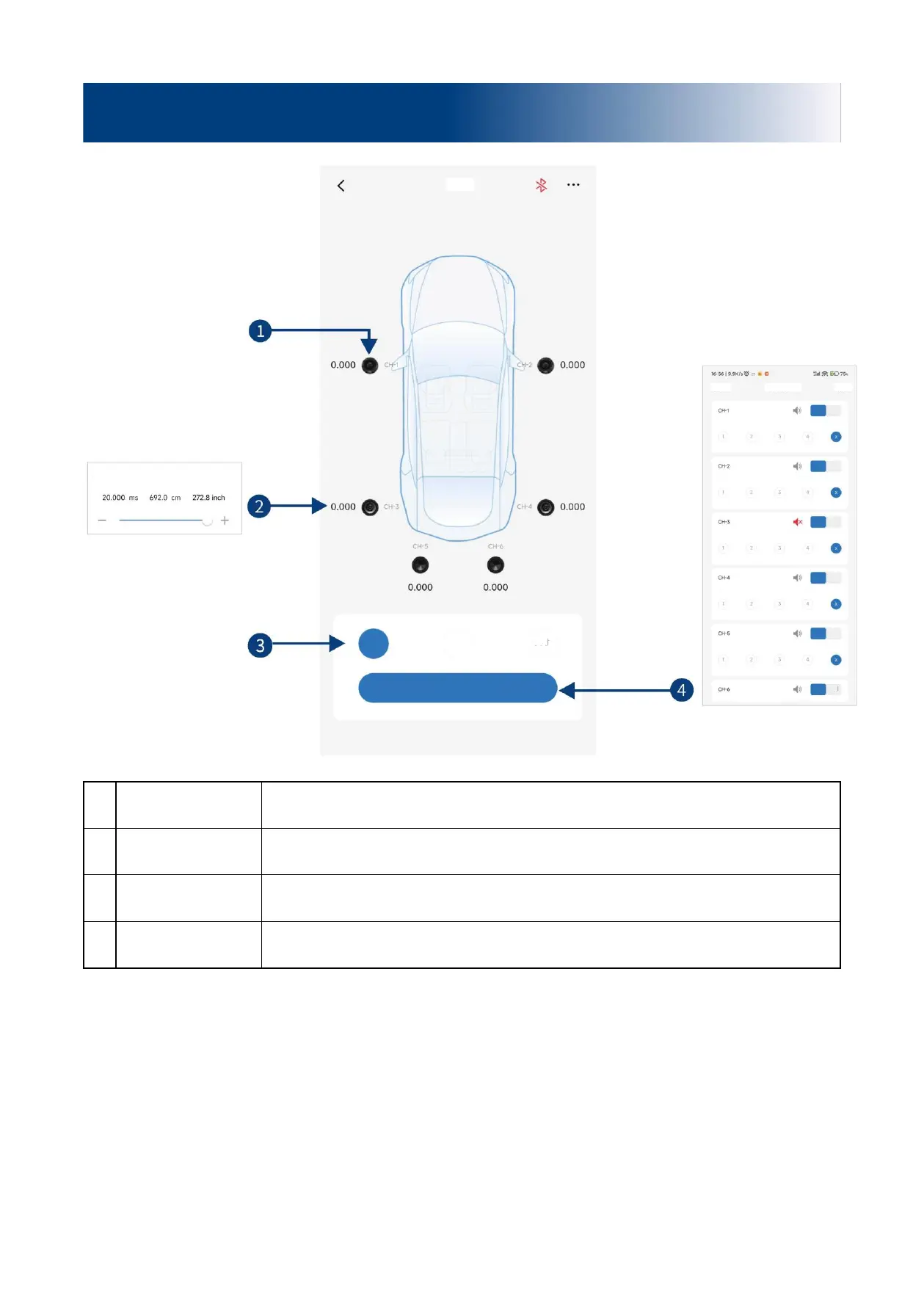
Select the speaker of the corresponding channel, click the speaker to mute it, click it again
to cancel mute.
Select the corresponding speaker, push the fader left and right on the pop-up window to
adjust the delay, or click "+" and "-" to adjust the delay.
Units of delay to choose from include ms, cm, and inch. Adjusting range: 0.000 ~ 8.000
milliseconds, 0 ~ 277 centimeters, and 0 ~ 109 inches.
There are 4 delay groups to choose from for each channel. You can mute the channels
and adjust the normal phase and reverse phase.
Description of mobile APP - Delay
Front left full
frequency
Front right full
frequency
Rear right full
frequency


 To Next Page