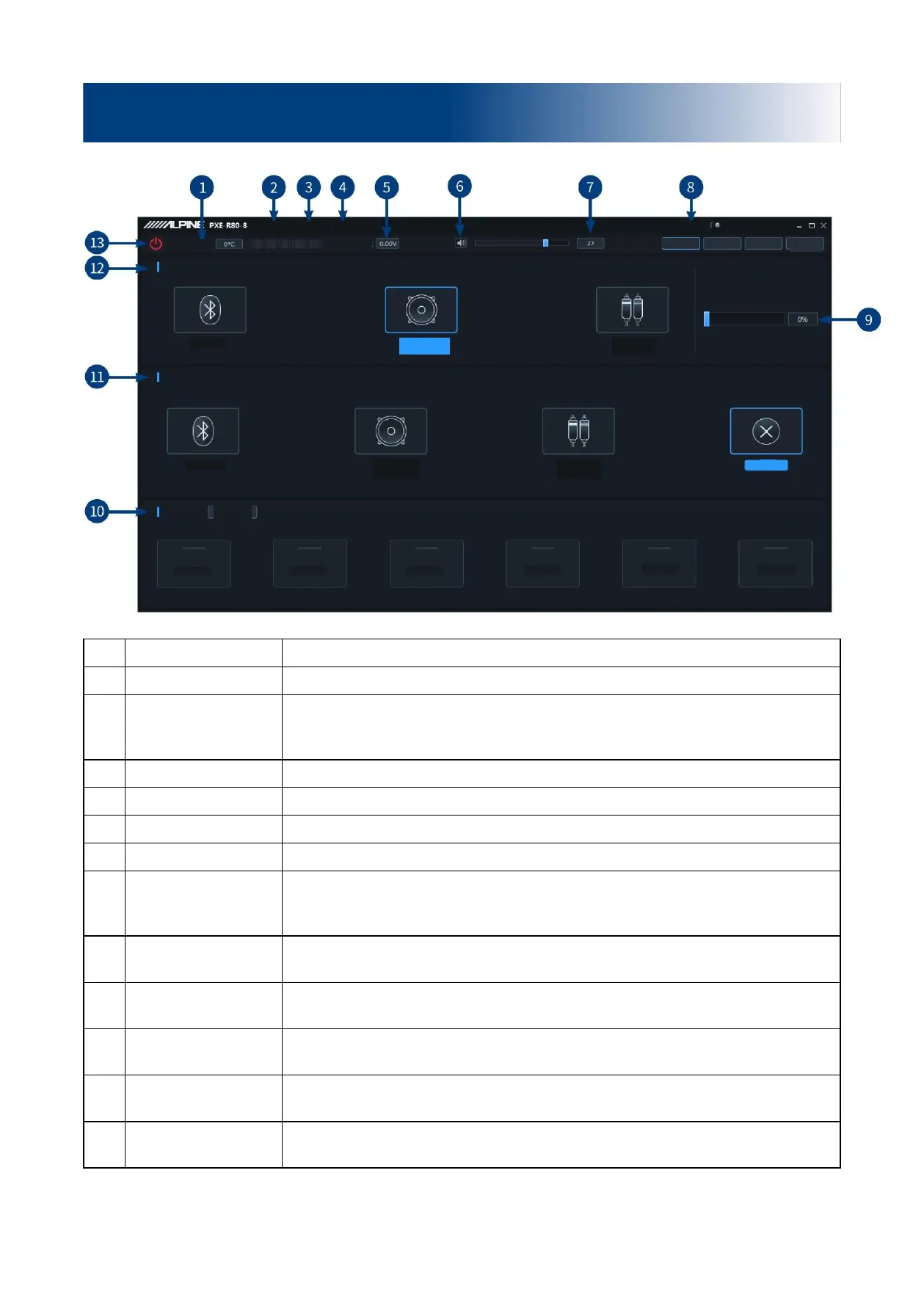
Detect the temperature on the device surface.
Load or save scene files on PC, and load or save all scene files.
DSP treble protection, firmware update, noise gate, built-in power amplifier, X-Over
divider data (with channel setting data available), restore factory settings, shutdown
delay, switch between English and Chinese, check the version number.
Enter a 6-digit password to encrypt the tuned sound effect data.
Detect the system operation voltage.
Push the fader left and right to adjust the master volume in the range of 0 ~ 35.
Clipping distortion
indicator
When the clipping distortion indicator shows yellow, it reminds the user to adjust the
device to make the signal balanced and in a distortion-free state. When the adjustment
is completed, the indicator shows gray (gray by default).
Master audio source
attenuation
The higher the attenuation of master audio source, the lower the master volume is.
The range of attenuation is 0% ~ 100%.
Multiple sets of pre-set sound effects can be saved or recalled, and recall of online
sound effects is supported.
Auxiliary audio source
selection
Switch auxiliary audio source (Bluetooth, high voltage level, low voltage level and
off).
Master audio source
selection
Switch master audio source (Bluetooth, high voltage level and low voltage level).
Connect the PC and the host machine with a USB cable. Open the software to connect
the device. Click it again to turn off the connection.
Description of PC software - Homepage
Master audio source selection
Auxiliary audio source selection
Master audio source attenuation
Clipping distortion indicator
* Click the right mouse button to delete pre-set sound effects.


 To Next Page