EasyManua.ls Logo

Alpine PXE-R80-8 - Description of PC Software - Frequency; Combination

Alpine PXE-R80-8
22 pages
Print Icon
To Next Page IconTo Next Page
To Previous Page IconTo Previous Page
Loading...
18
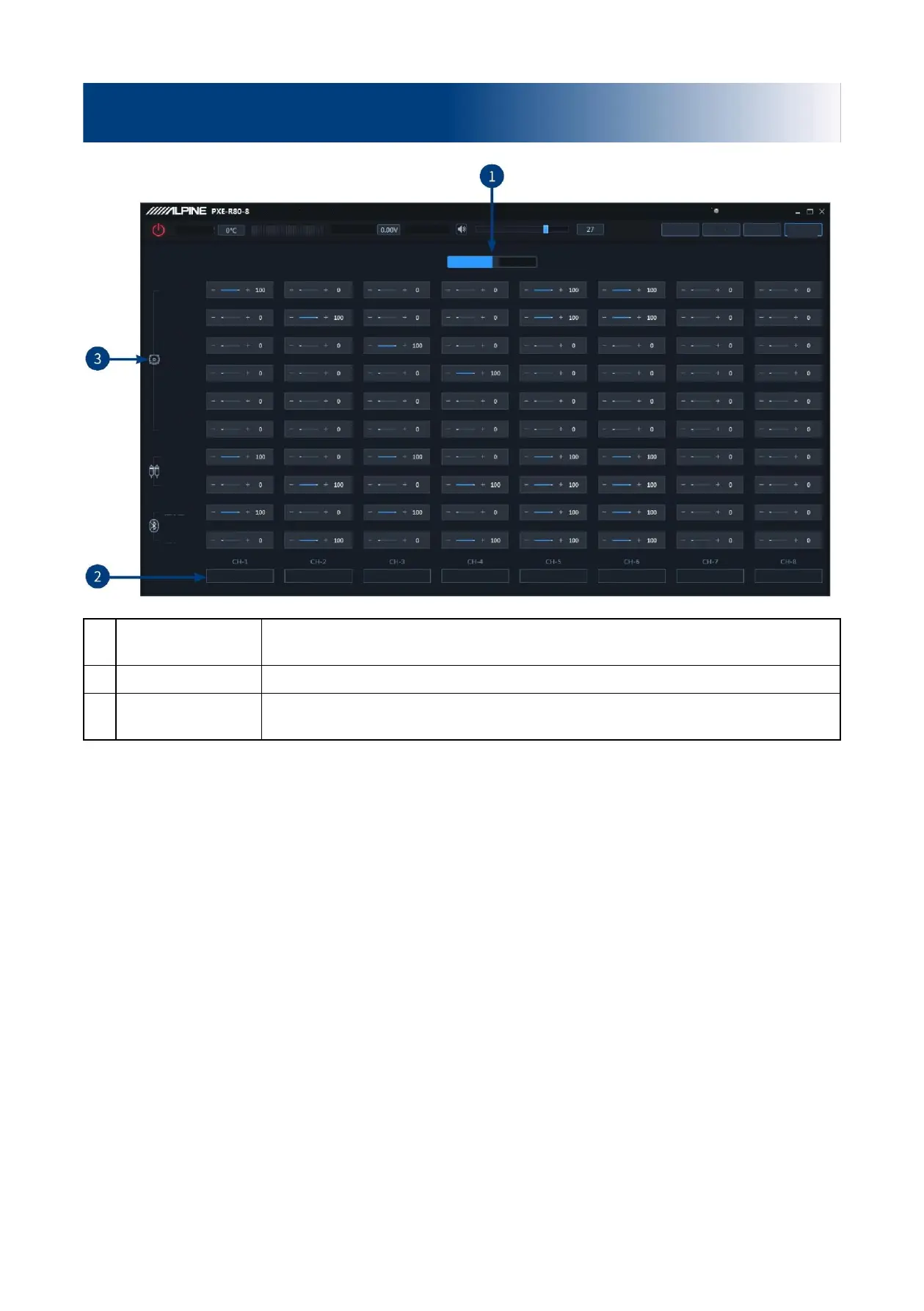
1
Active or passive
output
Keep the default setting as "Passive".
Warning: if changed, you will lose the sound mixer setting of this channel.
2
Channel type
The settings of channel type selection are supported.
3
Input channel
Push the fader left and right or press "+" and "-" to adjust the volume of each audio source
in the channel to achieve the purpose of sound mixing and frequency mixing.
Caution: It is strongly recommended to set the total volume of a channel to 100 to avoid clipping.
Description of PC software - Frequency combination
High voltage
level 1
High voltage
level 2
High voltage
level 3
High voltage
level 4
High voltage
level 5
High voltage
level 6
Low voltage
level left
Low voltage
level right
Bluetooth Left
Bluetooth Right
Front left full frequency
Empty
Empty
File
Encryption
Clipping distortion indicator
Homepage
Delay
EQ
Options
Device voltage
Temperature
Frequency
combination
Master volume
Passive input
Active input
Front right full frequency
Rear left full frequency
Rear right full frequency

Left ultralow frequency
Right ultralow frequency