23
FIOPTICS+ - Universal Search, Jump Channels, Fioptics+ Streaming App
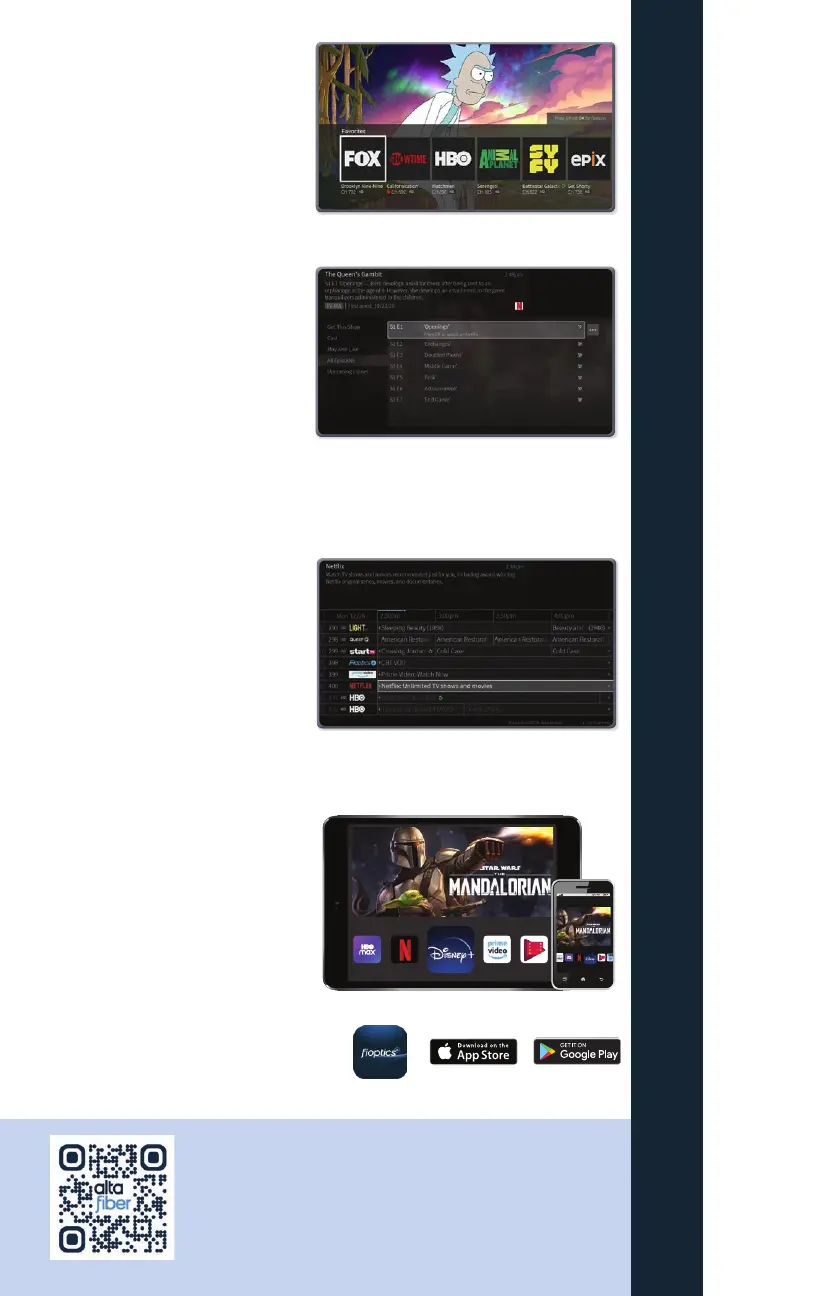
Favorite Channels
Skip The Surfing
To jump to one of your favorite
channels while watching TV, press
PAUSE to bring up the TrickPlay
controls, then press DOWN to bring
up your favorite channels.
Universal Search
When you search or browse for
movies or individual episodes of a
series, your results include videos
available to stream from your
selected video apps like Netflix and
Prime Video — no need to switch
to a different input.* You can launch
directly into an episode without the need to search in the app menu.
*Subscription to apps like Netflix and Prime Video are not included in Fioptics+, and would require a separate subscription.
Jump Channels
Jump Channels are channels in your
guide that allow you to launch your
favorite content where it is. You can
launch apps like Netflix, Prime Video,
HBO MAX and more. Or launch the
Fioptics+ Video On Demand library to
find great free and PPV content.
Fioptics+ Streaming App
Download the Fioptics+ streaming
app to your popular devices (Firestick,
Apple TV 4K, Android TV, Apple and
Android mobile devices). Access and
manage your Cloud DVR recordings,
content and more.
9:45 AM
100%
iPad
QUICK TIP
Scan this code with your smartphone’s camera app for
Fioptics+ self-help tutorials and more.



 To Next Page