4
FIOPTICS+ - My Shows, What to Watch, Apps & Games
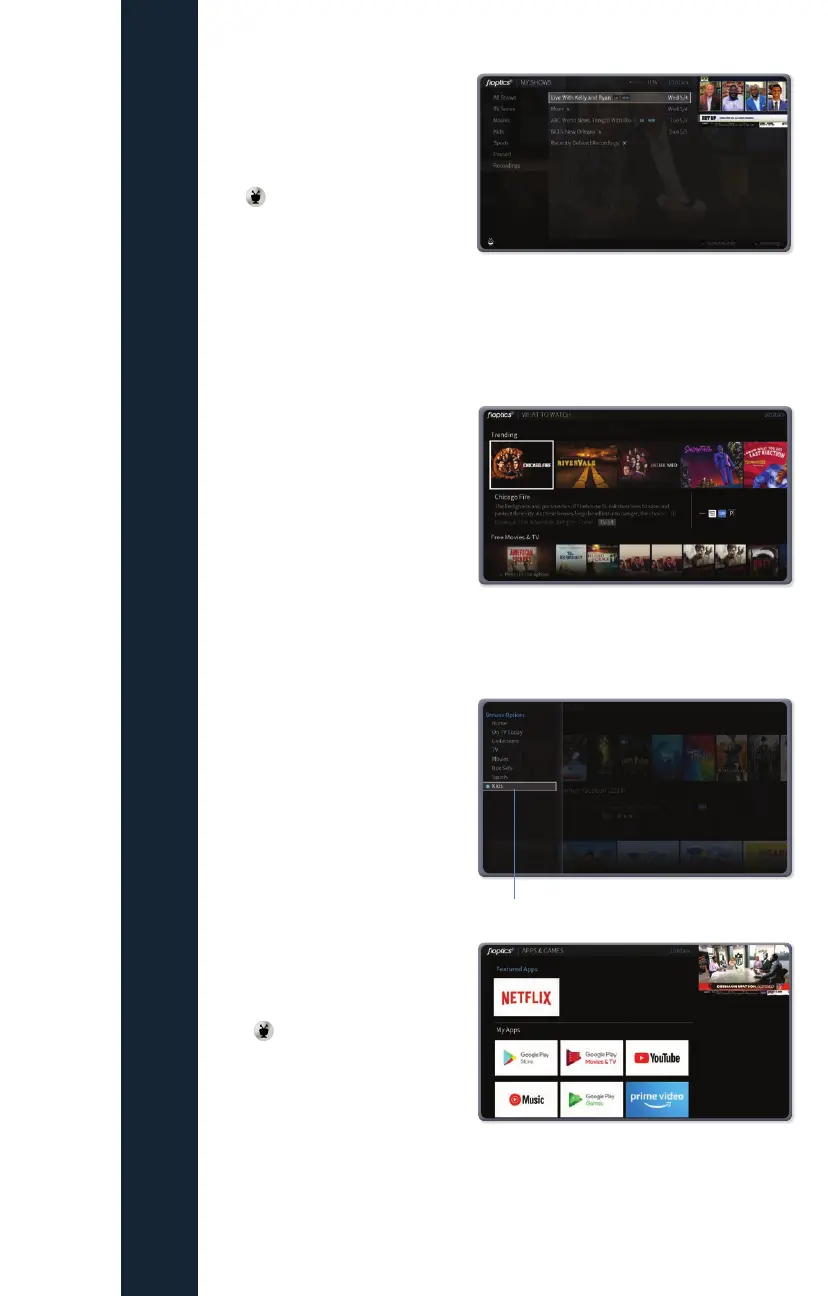
My Shows
Find. Watch. Repeat.
All of your recordings and
streaming videos appear in the My
Shows list. To get to the My Shows
list from any menu screen press
the button and scroll to My
Shows.
Filters in the left column of My
Shows let you narrow your choices instantly. As you highlight a filter, your My
Shows list will update automatically. Filters include TV Series, Movies, Kids, and
more.
What to Watch
What to Watch lets you browse
shows available to stream, watch
live, record, or bookmark. From
the Home screen, select What to
Watch.
Shows are categorized for easy
browsing. Look for options like On
TV Now, Movies on Later, Sports
on Now. You’ll even find curated
collections, like Oscar Winners or
Westerns.
Note: To filter your What to Watch
options and jump quickly between
categories, press LEFT on your
remote control when you are at the
beginning of a strip. This will reveal
the Filter column.
Apps & Games
To launch the Apps & Games
menu, simply press and hold the
TiVo
button.
At first, the apps on this screen
include the video providers you
selected when you set up your TiVo
device (e.g., Netflix). These providers appear in your Video Provider List and are
automatically included when searching or browsing using the TiVo menus. (For
more information on your Video Provider List, see User Preferences).
Filters



 To Next Page