17
FIOPTICS+ - Mobile Streaming App, Favorite Channels
» My Shows
» Search
» OnePass Manager
» Restart & Catch Up
» Content Detail Screens
» To-Do List
How many Mobile or Streaming devices can be
registered to my account?
Each account may have as many as 8 personal devices registered to the
account at one time (does not include Fioptics+ set top boxes). Only 5 of these
devices may stream Fioptics+ content at the same time.
*
Once a 9th personal device is registered to an account, the device that has the
oldest last used date will be removed from the registered devices list. You may
re-use this device again by logging back into the app the next time it is used.
NOTE: you may need to clear the Fioptics+ app’s cached data on
this device once it is re-registered to ensure all functionality is
returned.
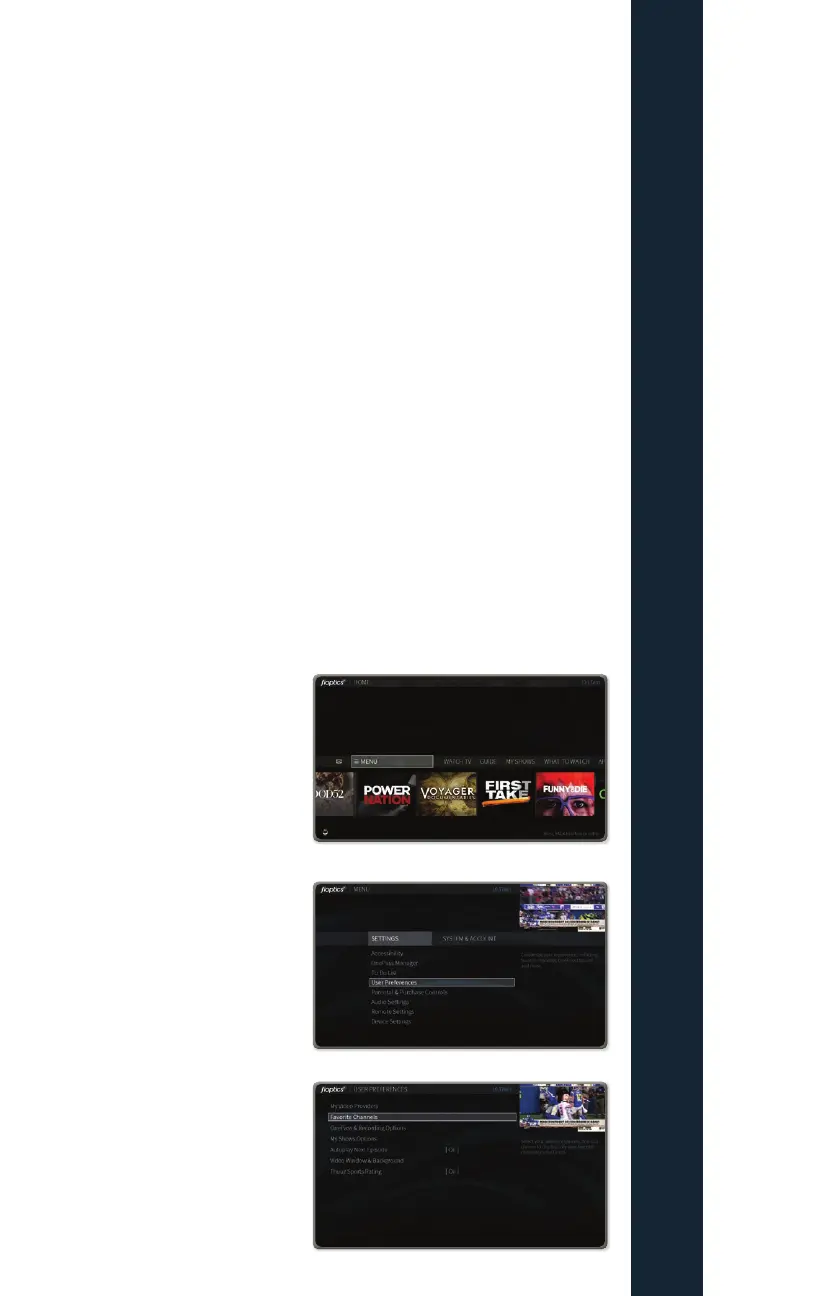
Favorite Channels
How to set up and activate your favorite channels
The Fioptics+ set top box allows
the user to switch their Guide from
a full subscription display (displays
all channels subscribed to) or a
favorite channel display (only displays
channels that the user selects to
display).
Press the TiVo button on the remote
control. Move the cursor to Menu and
press the OK button.
Highlight User Preferences and
press the OK button on the remote.



 To Next Page