19
FIOPTICS+ - Apps and Games, Parental Controls
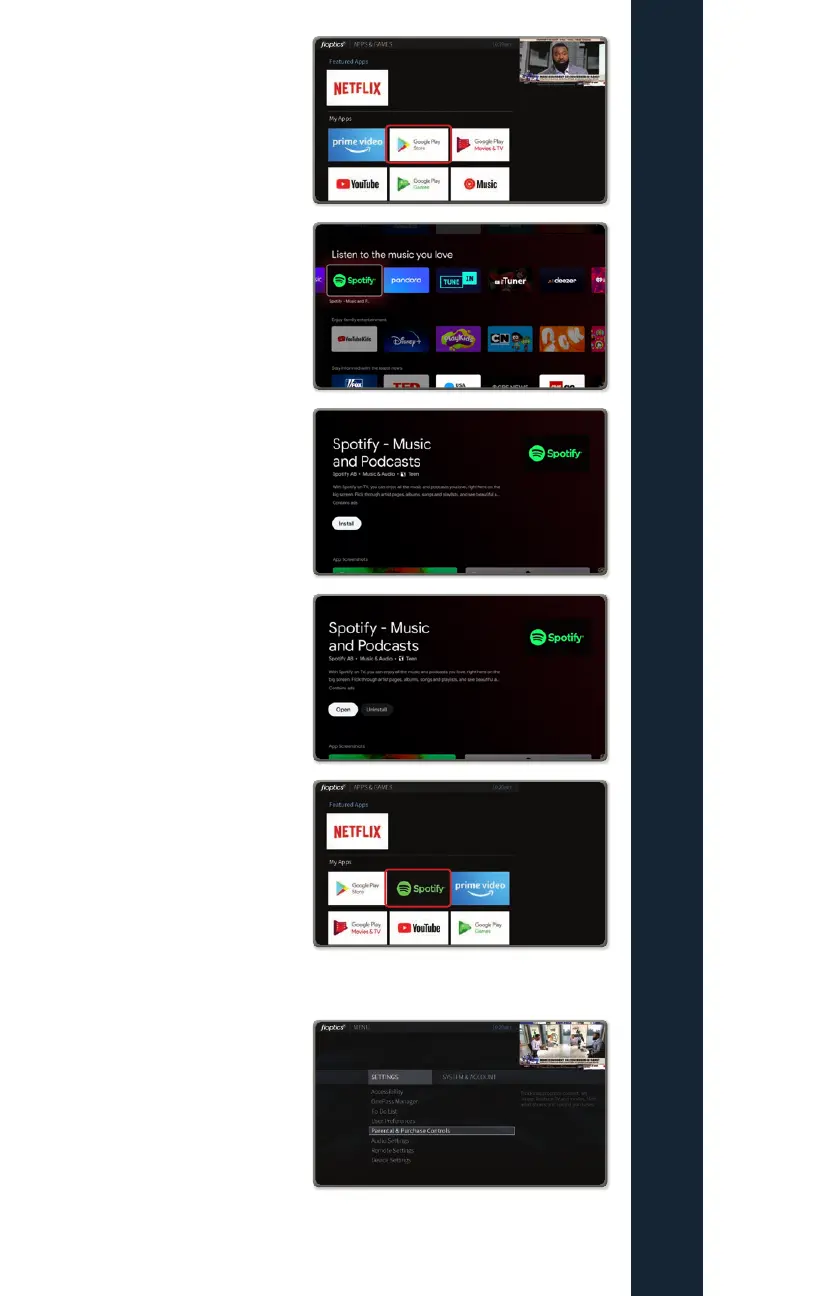
2. Open Google Play store
3. Search for your favorite
apps and press OK to
open
4. Press OK to install on your
Fioptics+ set top box
5. Once downloaded, you can
open and sign in or set up
an account
6. You will now see your new
apps in the Apps and
Games menu
Parental Controls
How to access Parental Controls
Press the TiVo button on the remote
control. Then scroll left to Menu and
press the OK button. Scroll down to
Parental Controls and press the OK
button to enter the Parental Controls
options.
By default, the Parental Controls
are set to Off. To enable them, highlight Parental
Controls and press the OK button.



 To Next Page