9
it won’t be recorded. Likewise, if you choose Only SD and a show is only
available in HD, it won’t be recorded.
» Keep At Most: Set the maximum number of recordings to be saved.
» Keep Until: Choose how long to keep a recording (or each episode of a
repeating recording). Space Needed is the default setting, or choose As
Long as Possible and your TiVo device won’t delete this episode to record
something new. Note that shows will be deleted automatically when they
expire, regardless of this setting.
» Start Recording: Start recording up to ten minutes before a show is
scheduled to begin. (This option is available only before recording starts.)
» Stop Recording: Some shows
consistently run past their
scheduled end times. Use
the Stop Recording option to
choose when the TiVo device
stops recording: at the shows
scheduled end time, a few
minutes after its scheduled
end time, or even hours after its scheduled end time. You can change
this setting when you set up the recording, or while the recording is in
progress.
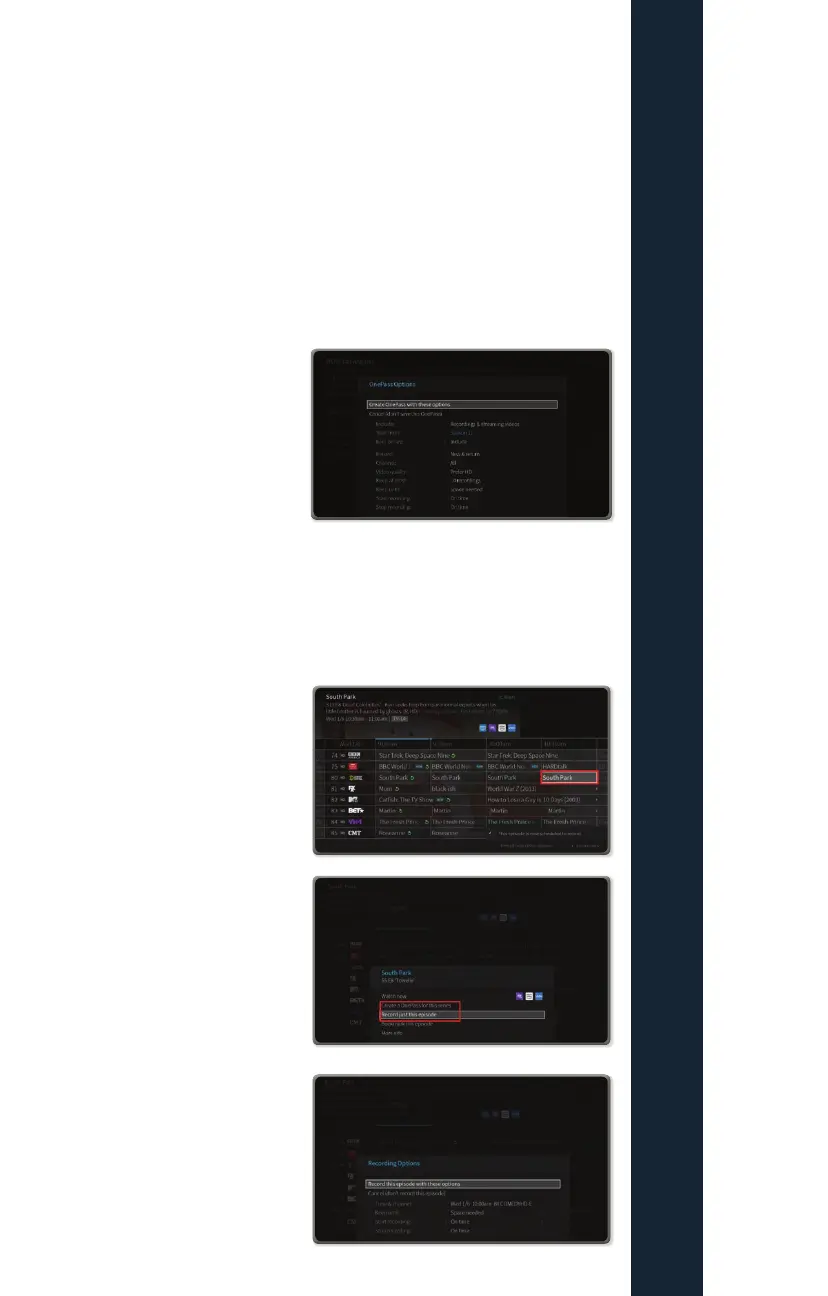
How to set up a single or series recording through
the guide
There are a few ways to initiate a
recording of a single program. The
first is through the GUIDE. Select a
show in the GUIDE that is not currently
airing.
Next select whether you would like to
record this single episode or set up a
OnePass for the series, or you could
choose to what this episode now if
available on OTT or VOD assets.
If recording just a single episode,
select the options desired for that
recording
FIOPTICS+ - Recordings



 To Next Page