42 | P a g e
© Copyright 2012 Altech UEC (Pty) Ltd
17 SCHEDULED LIST
17.1 VIEWING
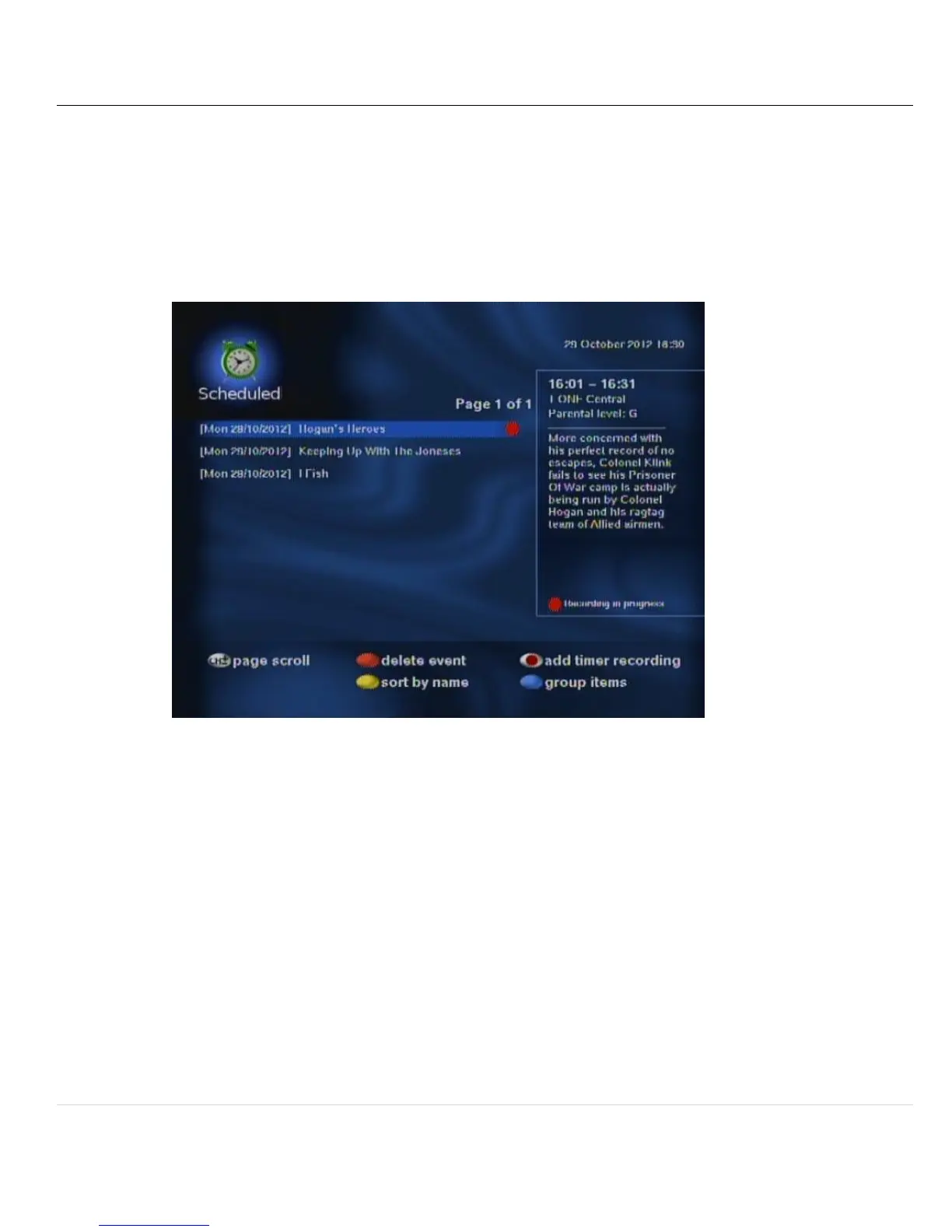
17.1.1 The scheduled list contains a list of programs that will be recorded in the future.
17.1.2 A maximum of 200 programs can be scheduled for recording at one time.
17.1.3 To display the playlist press PVR while watching TV or listening to the radio.
17.1.4 Select Scheduled and press OK.
17.1.5 Use the up and down arrow keys to move through the list.
17.2 DELETE EVENT
17.2.1 Programs can be deleted by pressing the red button on the selected program.
17.3 SORTING
17.3.1 To sort the list in alphabetical order, press the yellow button.
17.3.2 To sort the list according to recording start time, press the yellow button again.


 To Next Page