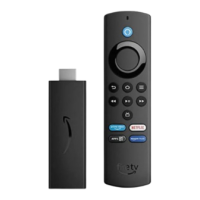
About USB Storage for Amazon Fire TV
With Amazon Fire TV you can save games and apps to a USB flash drive for added storage space.
Amazon Fire TV devices feature a USB port you can use for external storage.
This gives you the option to insert a compatible USB flash drive (one you already own, purchased
separately) if you need more storage space for apps and games on your Fire TV.
Compatible USB Storage Devices
Amazon Fire TV supports USB 3.0 flash drives up to 128GB in size and formatted as FAT32
For a list of supported devices, check out: .
To add a USB flash drive:
Insert your compatible USB flash drive into the USB port on the back of your device.
Select Continue.
If your USB device is not compatible, a notification displays on-screen instead. You'll see an option to Eject the
device or to Format USB Drive to the compatible FAT32 format to use it with your Fire TV. If you choose the
option to reformat, this permanently erases any data already saved to your flash drive.
Once your USB flash drive is connected, your device scans for any installed Fire TV apps and notifies
you when the scan is complete.
You're then ready to start saving apps and games to USB storage.
Manage USB Storage
When USB storage is attached, you can select specific games and apps to move to your flash drive:
Go to Settings > Applications > Manage Installed Applications.
Select the app or game you want to move and then select Move to USB Storage.
To view all the apps and games saved to your USB flash drive, select Settings > Applications > Manage
Installed Applications > USB Storage. From here, you can uninstall apps or games to remove them from
your USB storage device.
Content saved to external storage can't be transferred to other devices—you can't add apps and
games saved to your USB flash drive to another Amazon Fire TV device or copy content from one USB
device to another.
Some critical apps, like Amazon Appstore, cannot be moved to USB storage. Each game and app on
your Fire TV uses a small amount of internal storage, even if it is also stored on your flash drive.
Some apps and games are configured with a default installation location. The "Technical Details"
section on the overview page specifies whether the app or game will automatically install to internal
storage or your external storage device.
If you run out of storage space on your USB flash drive, a notification displays on-screen when you try
to save new content. You can switch to a different flash drive or remove saved content from your flash
drive.
Safely Remove USB Storage
If you need to remove your USB flash drive, first make sure to eject it from your Amazon Fire TV, following
the steps below.


 To Next Page