Compatible Bluetooth Accessories for Amazon
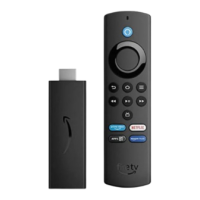
Fire TV
Your Bluetooth accessory must have a compatible profile to pair with your Amazon Fire TV.
On Fire TV Stick, you can only connect compatible Bluetooth game controllers. See Pair a Remote or Game
Controller for more info.
You can have up to seven Bluetooth accessories and Amazon remotes actively connected to your Amazon Fire TV
at any time.
If you are trying to display your mobile device screen on your Amazon Fire TV, go to Use Display Mirroring on
Amazon Fire TV . You cannot connect your phone to Amazon Fire TV using Bluetooth.
Bluetooth microphones, microphone-enabled headsets, and low energy (also known as Bluetooth Smart) devices
are not supported.
Compatible Bluetooth Profile Description
Advanced Audio Distribution
Profile (A2DP)
Streams audio to compatible Bluetooth headphones. Only one pair of Bluetooth
headphones can be connected to Amazon Fire TV at any time.
Human Interface Device
Profile (HID)
Supports external accessories, such as:
Keyboards
Some third-party remotes
Wireless mice
Mice and keyboards can be used in a limited number of games and apps. Go to
Use a Keyboard or Mouse with Amazon Fire TV.
Serial Port Profile (SPP)
Supports external accessories, such as wireless game controllers. Go to Pair a
Remote or Game Controller for more information.


 To Next Page