34
www.amcelettronica.com
KX series v.1.70
Up to a maximum of 8 keypads can be connected. (8 for X series and 4 for K series)
The keypads must be connected to the BUS-485 line with the respective terminals A, B, +12V and -.
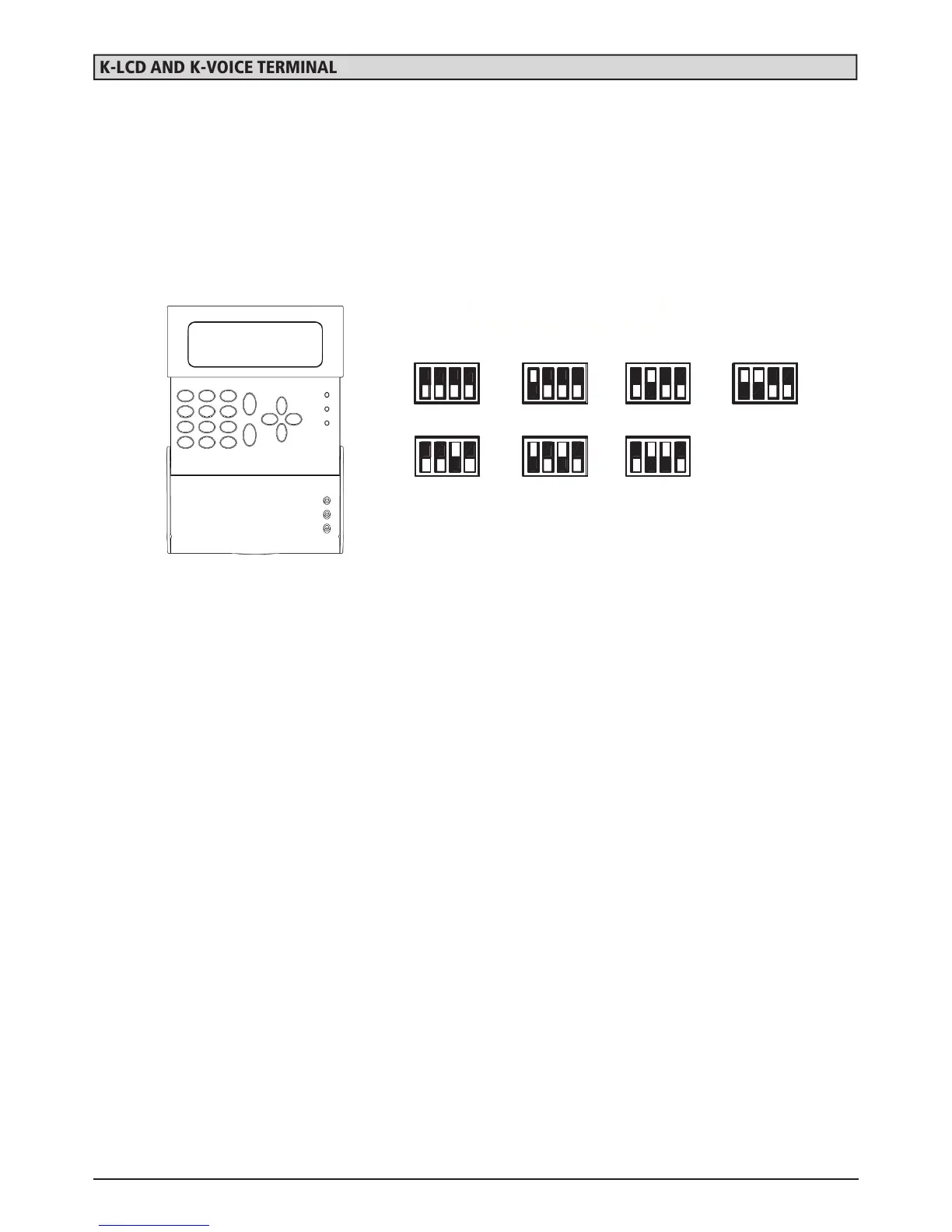
Before providing power to the system, in order to differentiate the peripherals, you must address the keypads using their micros-
witches (DIP-SWITCHES), referring to the following figure.
To connect the K-LCD VOICE keyboard audio, we recommend using an external conductor on the bus cable to avoid any distur-
bances. The cable must be connected between the PHONE terminals side (see board figure) and the SPK terminal on the K-LCD
VOICE keyboard.
note: To enable anti-opening protection, open the jumper on the back of the board


 To Next Page
 Loading...