Basic Features
20 Intellex® Ultra
Updating License Information
To upgrade your license information:
1 From the Utility Options, click About Intellex, then System.
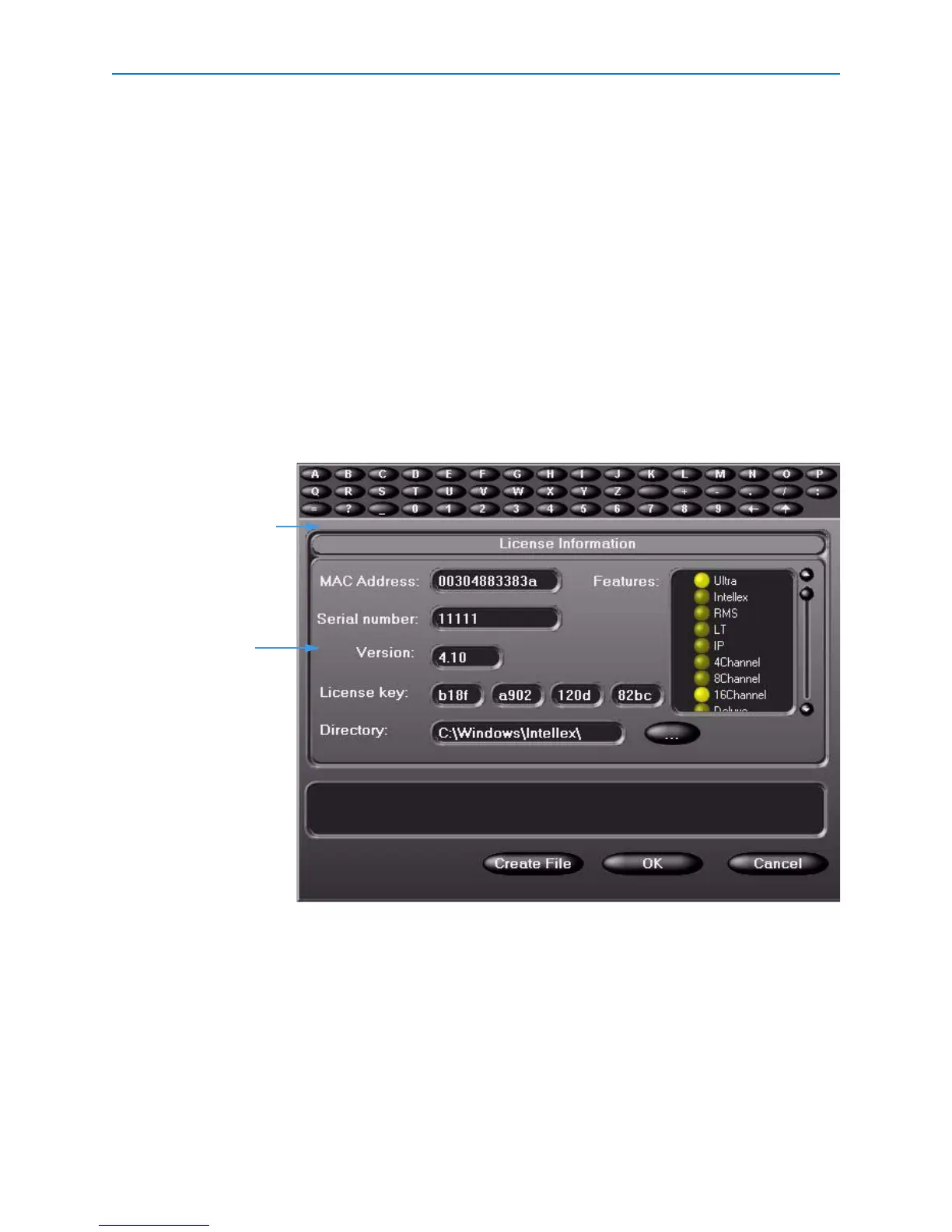
2 Click Upgrade, and the License Information screen appears.
3 From the Features box, you can select the product type:
• Ultra
• Intellex
•RMS
•LT
•IP
Depending on the product you select, you can then select the number of cameras (4, 8, or 16)
and features (Deluxe or Premier) associated with that product.
4 To get a new license key for the upgrade, call Tech Support, and supply the MAC Address.
They will provide you with the new license key number. Click Create File to create the upgrade.
Provide this
number to Tech
Support
Tech Support will
give you new
license key
number


 To Next Page