USING THE OTOWAVE 302+
23 OTOWAVE 302+ INSTRUCTION FOR USE
When marked with a *, the profil has been modified.
Tympanometry: 226 Hz, 200 daPa/s speed
Ipsilateral Reflexes: always measure, 0.5, 1, 2 kHz (Multilevel, 100 dB in 5 dB steps, autostop
enabled, 0.03 ml threshold)
Contralateral Reflexes: Disabled
Tympanometry: 226 Hz, 200 daPa/s speed
Ipsilateral Reflexes: only measure when peak found, 0.5, 1, 2 kHz (Multilevel, 100 dB in 5 dB
steps, autostop enabled, 0.03 ml threshold)
Contralateral Reflexes: Disabled
Tympanometry: 1000 Hz, 300 daPa/s speed
Ipsilateral Reflexes: only measure when peak found, 0.5, 1, 2, 4 kHz (Multilevel, 5 dB steps to
100 dB, autostop enabled, 0.02 ml threshold)
Contralateral Reflexes: Disabled
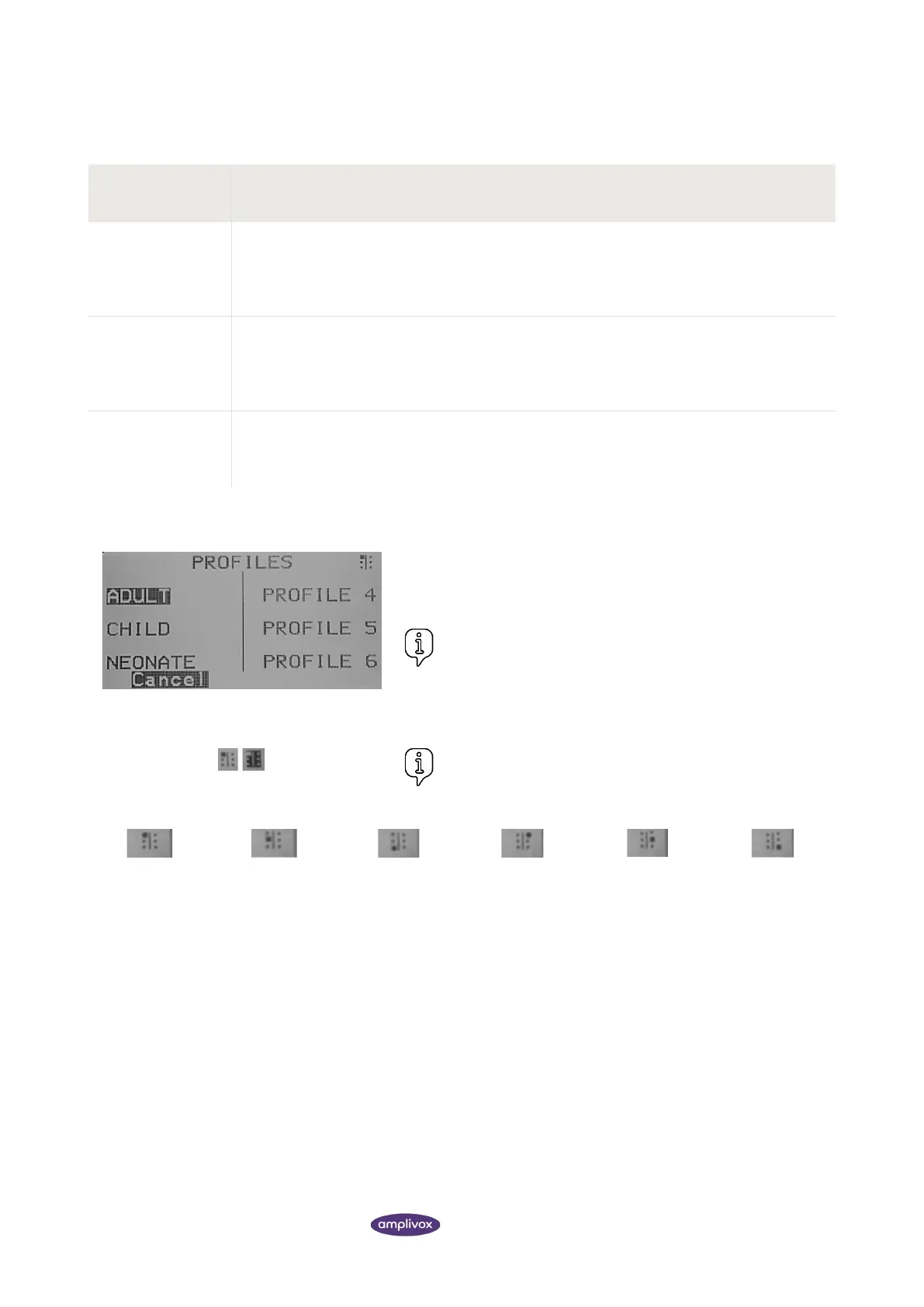
When the start-up sequence is complete the PROFILE selection
screen is displayed. Select a profile to be brought to the MAIN
MENU.
Please note: Profiles can be swapped at any point, selecting
S6 in the MAIN MENU.
The current selected profile can be identified by the profile icon in
the upper right corner in the display.
Please note: An inverted profile selection icon indicates that
the soft keys are currently disabled.
4.4.3. COPY PROFILE SETTINGS FROM ONE TO ANOTHER
In order to transfer test settings from one profile to another, use the COPY function. It is important to note that
individual settings can be copied (e.g. only the tympanometry or only the reflex settings) or a complete profile with all
its settings.



 To Next Page