USING THE OTOWAVE 302+
25 OTOWAVE 302+ INSTRUCTION FOR USE
RESET ONLY 1 SETTING (SWEEP OR REFLEX)
1.) To reset just one setting, access the sweep or reflex settings. In there you will find a DEFAULT function.
2.) Choose the profile you want to reset: the current selected one or all available profiles. After selection, confirm
the overwrite.
4.4.5. DISPLAY MODE
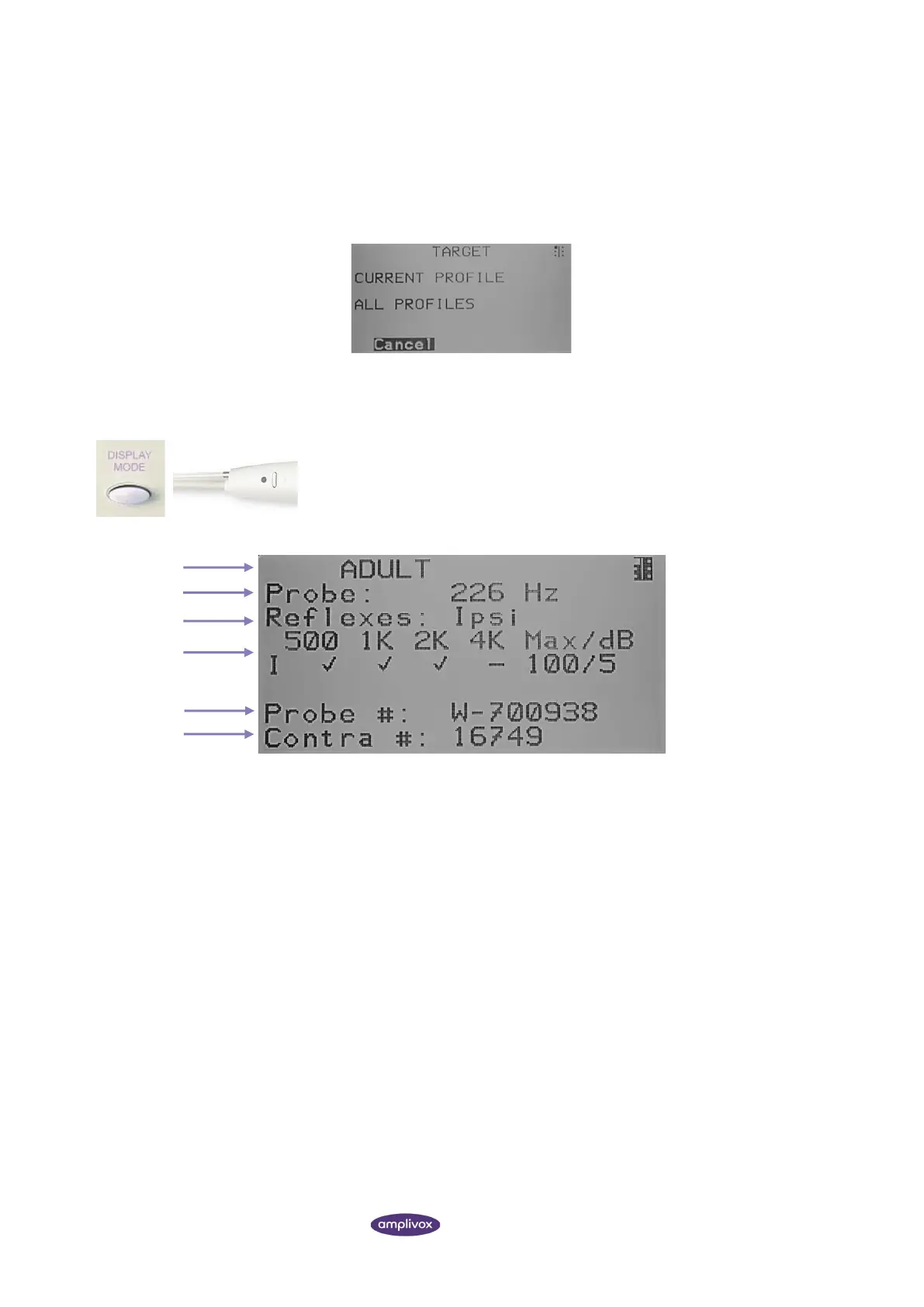
To view the current selected profile, ensure that the MAIN MENU is displayed and
then press and hold the function button on the probe to display the TEST
SETTINGS screen as shown below.
Frequency being used for tympanometry (226 or 1000 Hz).
Reflexes tested (ipsilateral or contralateral or both).
Selected frequencies for reflex testing (marked with a when selected), max.
level to test and step size.
Serial number of probe used.
Serial number of contra phone calibrated to equipment.



 To Next Page