USING THE OTOWAVE 302+
40 OTOWAVE 302+ INSTRUCTION FOR USE
4.12. DATABASE
4.12.1. GENERAL
Amplivox YouTube video is available for assistance on how to process test data.
Up to 36 tests can be stored in the Otowave 302+ internal database.
Records stored in the database of the Otowave 302+ can be listed,
viewed, printed or deleted using the DATABASE.
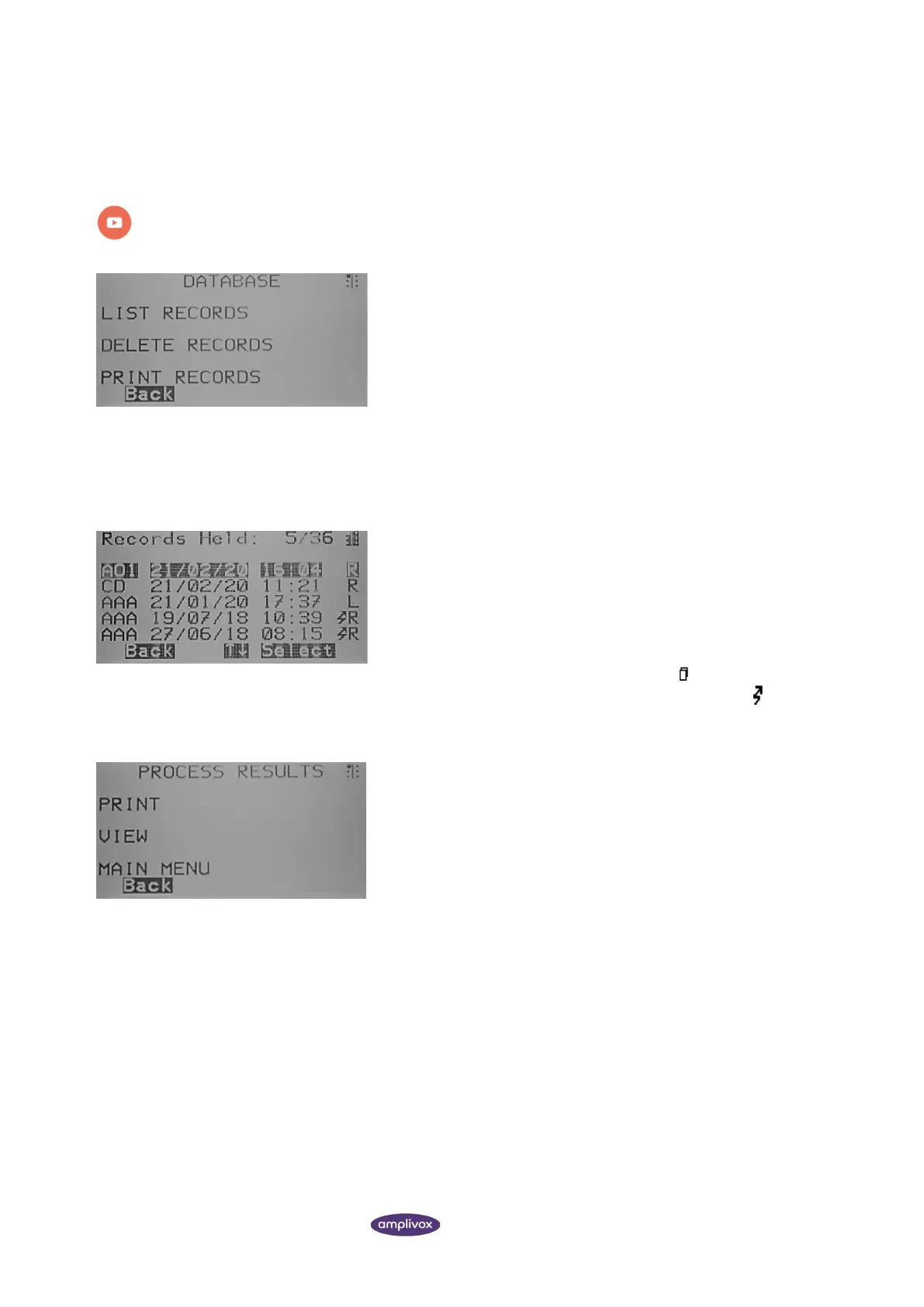
From here the following options are given:
• Review all stored records (view, print, delete single record)
(S1)
• Delete stored record (S2)
• View the record again (S3)
4.12.2. LIST RECORDS (VIEW, PRINT, DELETE)
LIST RECORDS displays the stored tests, 6 at a time, most recent first.
The overview contains the following information to help identify the
test result status:
• The three-letter patient identifier entered when the test
was stored
• Date and time of the test
• Whether the test has been printed ( )
• Whether the test has been sent to a computer ( )
• Whether the test is for the Left (L), Right (R) or both (2) ears
When a record is selected the PROCESS RECORD menu will be
displayed. This accesses the following functions:
• View the selected record (S1)
• Print the selected record (S2)
• Delete a record (S3)



 To Next Page