USING THE OTOWAVE 302+
39 OTOWAVE 302+ INSTRUCTION FOR USE
4.11. (RE)VIEW THE LAST TEST(S)
The Otowave 302+ offers a short-term memory that allows you to
store the last test that has been conducted and is automatically
overwritten by the next new test.
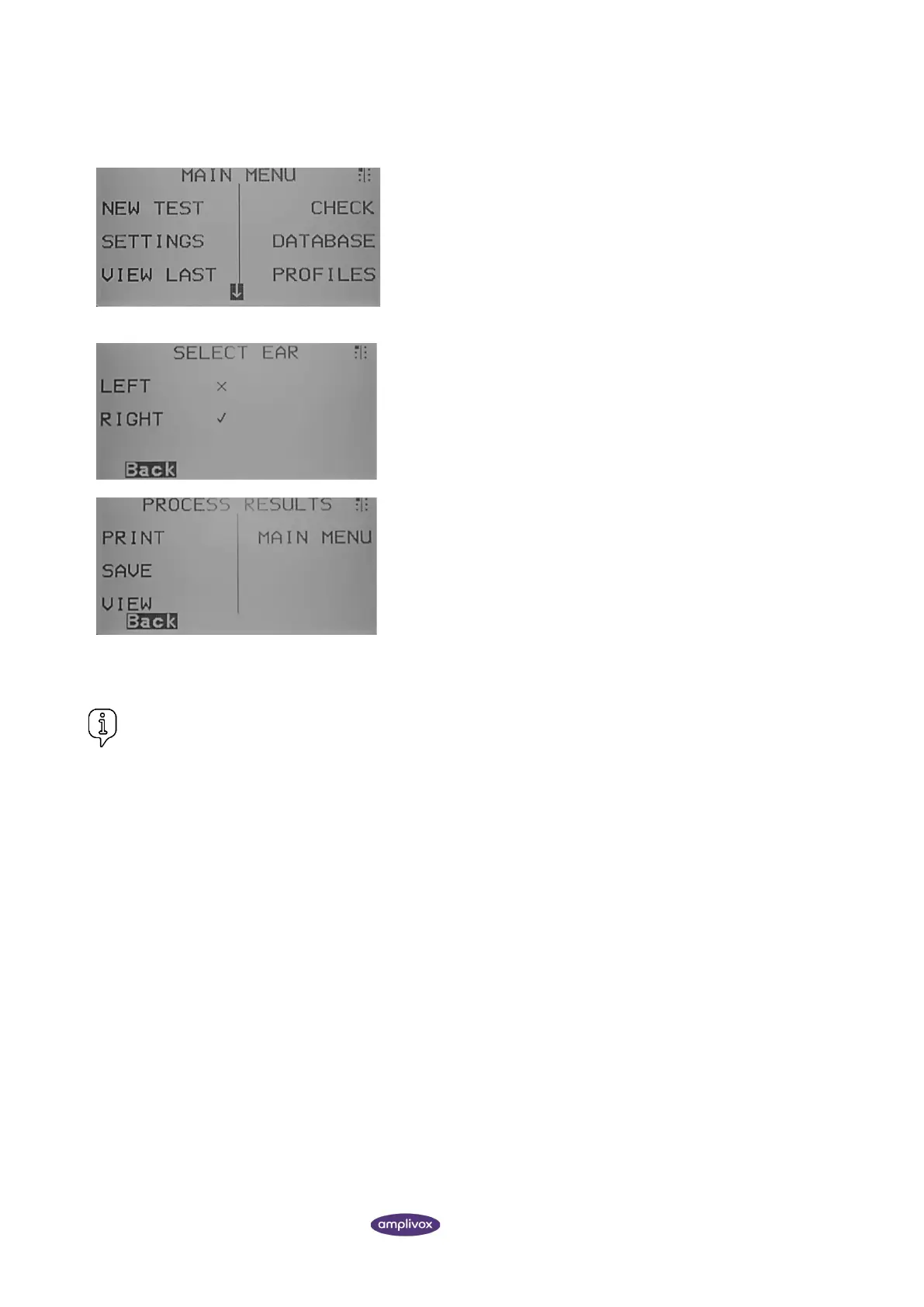
The symbols ✓ or X are used to signify whether results are available
for each ear. Only test results with a ✓ can be selected for review.
From the test result screen select the right navigation key ► until
the PROCESS RESULTS screen is reached.
From here the following options are available:
• Print the current record
• Save the current record
• View the record again
• Return to the MAIN MENU
Please refer to section 4.12.2 for further steps on how to proceed
from the PROCESS RESULTS screen.
Please note that the last test may already be stored and still show in the short-term memory. In this case the
function SAVE is disabled.



 To Next Page