USING THE OTOWAVE 302+
24 OTOWAVE 302+ INSTRUCTION FOR USE
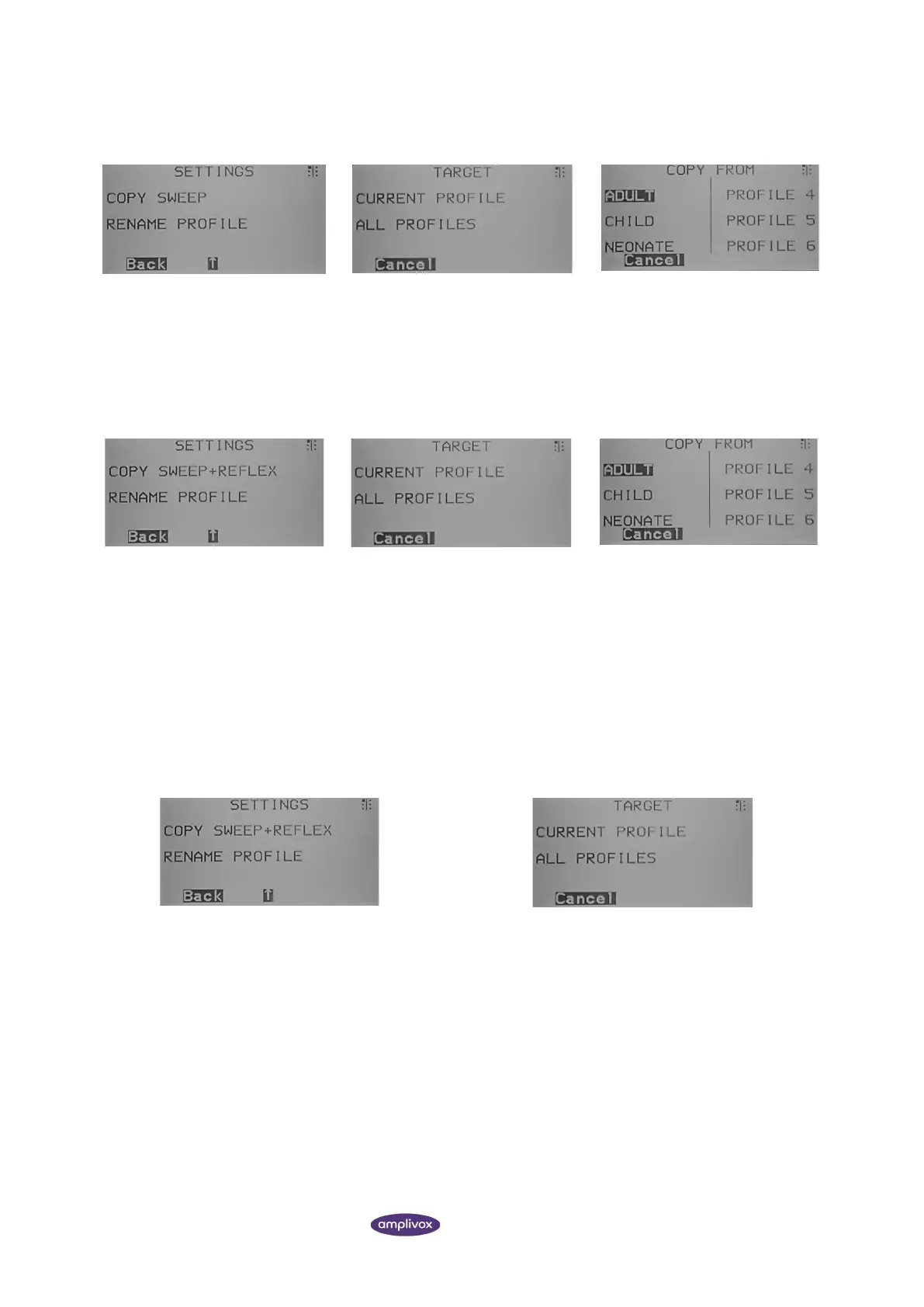
COPY ALL SETTINGS (SWEEP + REFLEX)
1.) To overwrite all settings, access
the COPY function from the MAIN
SETTINGS and select ‘COPY
SWEEP+REFLEX’.
2.) Choose the profile you want to
overwrite: the current selected one
or all available profiles.
3.) Select the profile you want to
copy the settings from. Confirm the
overwriting afterwards.
COPY ONLY 1 SETTING (SWEEP OR REFLEX)
1.) To overwrite just one setting,
access the sweep or reflex settings.
You will find the COPY function.
2.) Choose the profile you want to
overwrite: either the current
selected one or all profiles.
3.) Select the profile you want to copy
the settings from. After selection,
confirm the overwrite.
4.4.4. RESET PROFILE SETTINGS TO FACTORY DEFAULT
In order to reset test settings in one profile or all, use the DEFAULT function. It is important to note that individual
settings can be reset (e.g. only the tympanometry or only the reflex settings) or a complete profile with all its settings.
RESET ALL PROFILE SETTINGS BACK TO FACTORY DEFAULT
1.) To overwrite all settings, access the DEFAULT
function from the MAIN SETTINGS and select ‘DEFAULT
SWEEP+REFLEX’.
2.) Choose the profile you want to reset: the current
selected one or all available profiles. After selection,
confirm the overwrite.



 To Next Page