USING THE OTOWAVE 302+
33 OTOWAVE 302+ INSTRUCTION FOR USE
As soon as the probe is removed from the ear, the test result
for the ear measured will be displayed on the screen.
Please note: If BOTH EARS had been selected to be tested,
the test on the other ear will be performed after the test review
screen. Selecting the right navigation key ► will start the test
procedure on the other ear.
Selecting ◄ will cancel the procedure and return to the ear selection menu.
After the test has been successfully performed, three different options (print, store, review) can be taken. Selecting the
right navigation key ► will bring you to the PROCESS RESULTS screen from where the data can be printed, stored or
reviewed again.
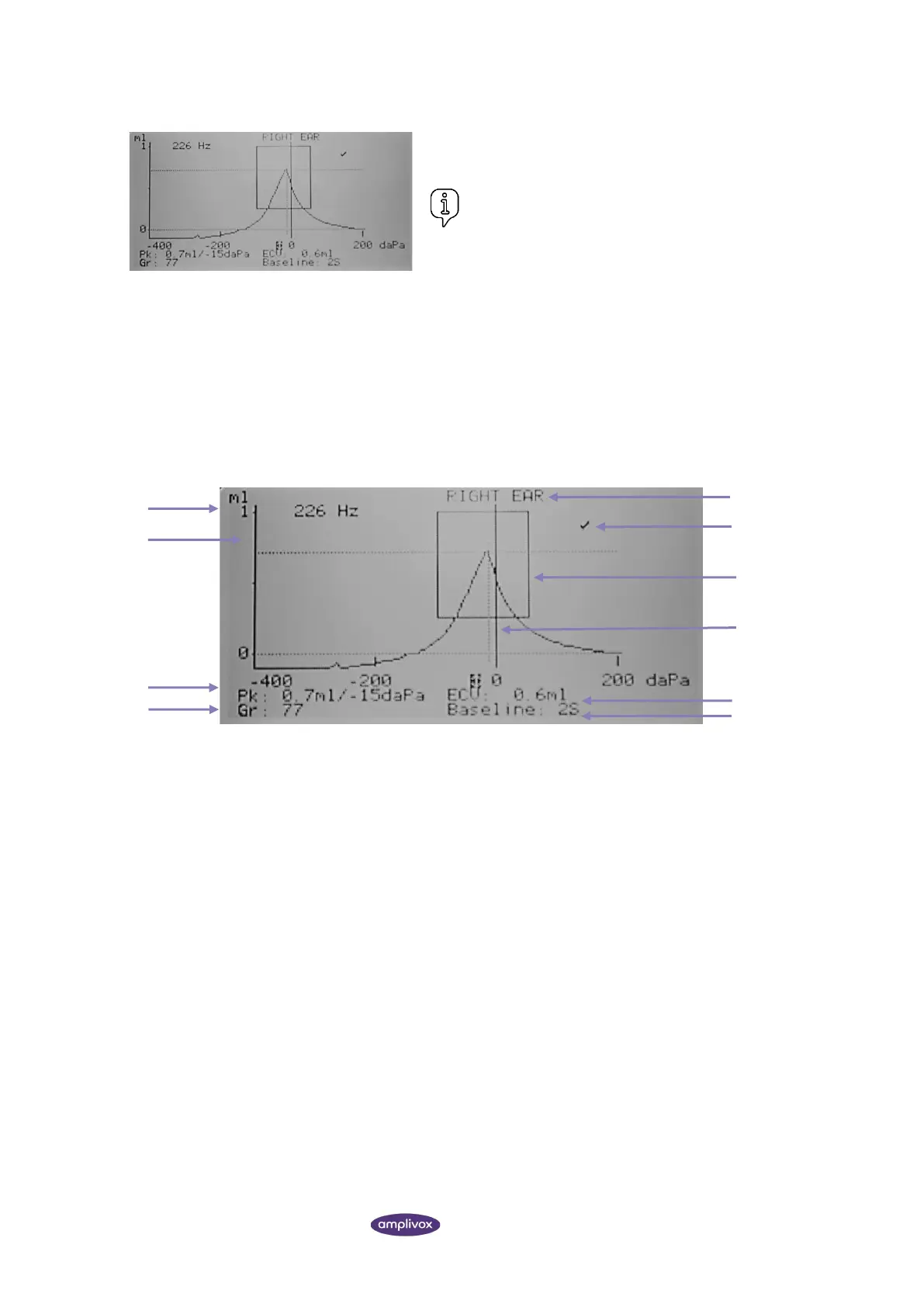
4.9.3. UNDERSTANDING THE TYMPANOMETRY TEST RESULT
y-axis label, in ml for 226 Hz and mmho for 1000 Hz.
y-axis, ranging from 0 to 1 ml in this example.
x-axis, default baseline offset, ranging from -400 daPa to +200daPa in this example.
Values defining compliance curve based on cursor position and the Baseline Mode
• Pk (Peak): Volume in ml or mmho, pressure in daPa
• Gr (Gradient): Width of compliance curve at half of peak compliance in daPa
Ear side, L for left and R for right.
Normative box (not available for 1000 Hz tympanometry).
Pressure cursor to be operated with up▲ and down ▼ navigation keys.
The Ear Canal Volume (ECV) in ml measured at the Baseline Mode.
Baseline Mode to show tympanogram
• 226 Hz: Y-only compensation, 2S or 4S mode (scalar mode).



 To Next Page