SM-4 Series Stereo Microscope
AmScope Proprietary Page 8 of 37
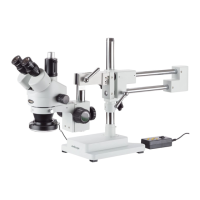
6. There is a large hole in the sliding section of
the arm. Slide the arm onto the pillar through
the hole. The knob should be closer to the
bottom than the top.
7. The knob on the arm controls the horizontal
movement of the arm. It swings around 360°.
Loosen the knob to adjust. Tighten the knob to
secure.
8. The lever on the arm controls the
horizontal movement of the arm
along the boom. Loosen the knob
to adjust. Tighten the knob to
secure.
2.2.2 Assemble the Focusing Rack
1. Remove the focusing rack pillar from the box.
2. Remove the lock knob.













 To Next Page