Chapter 3: Configuration Options
Task Builder Page
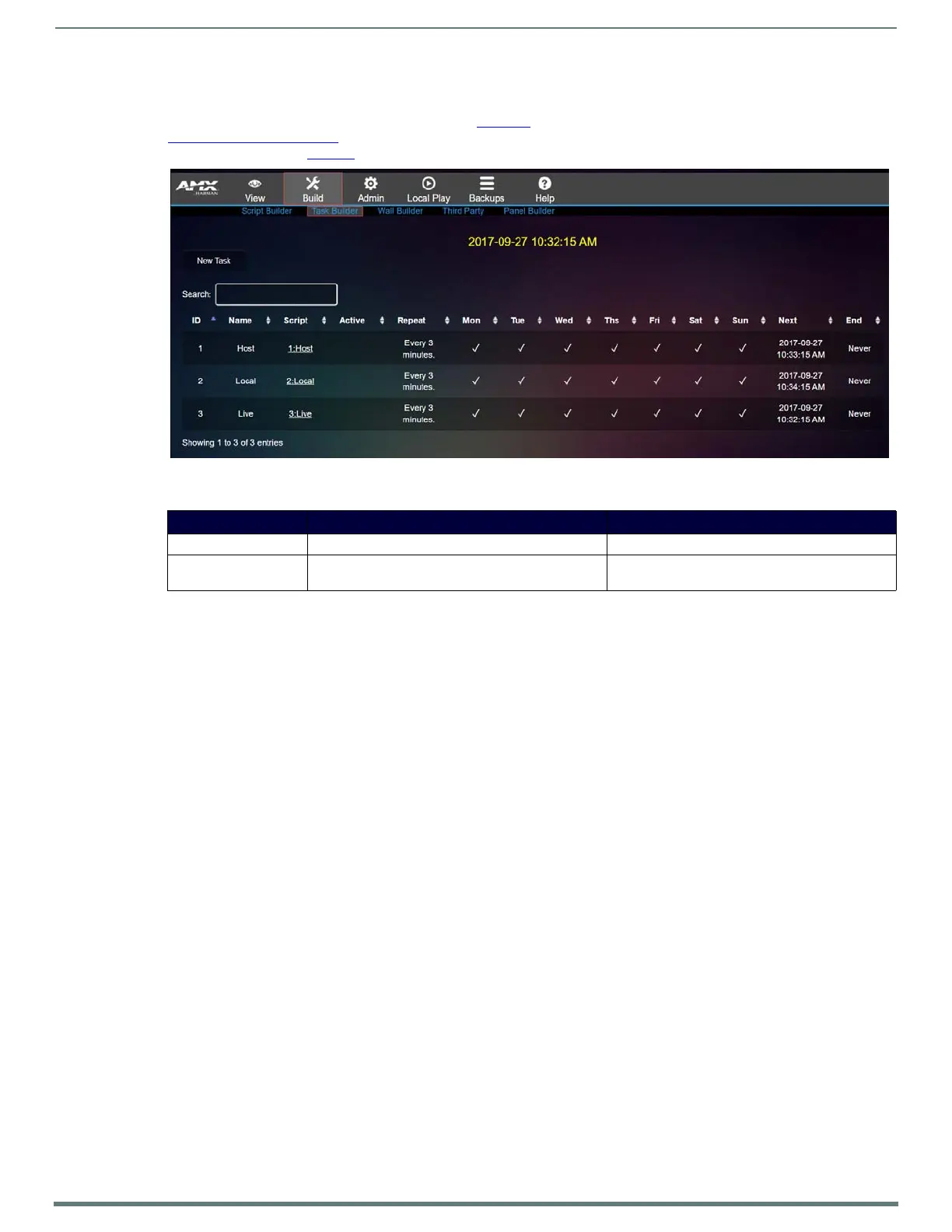
Click Build > Task Builder to access the page shown in Figure 18. After you have created scripts (as discussed previously in the
Script Builder Page on page 21) use Tas k Builder to schedule when those scripts will be executed. Click on a day to schedule a task.
Options are described in Ta ble 12
.
FIG. 18
Task Bu i lder Page
TABLE 12 Task Builder Option Descriptions
Option Description Notes
New Task button Click to add a new task to the selected day.
Search field Enter the name of a script to search. This searches every field in the table, including tasks
and script names.









 To Next Page