Chapter 3: Configuration Options
System Settings Page
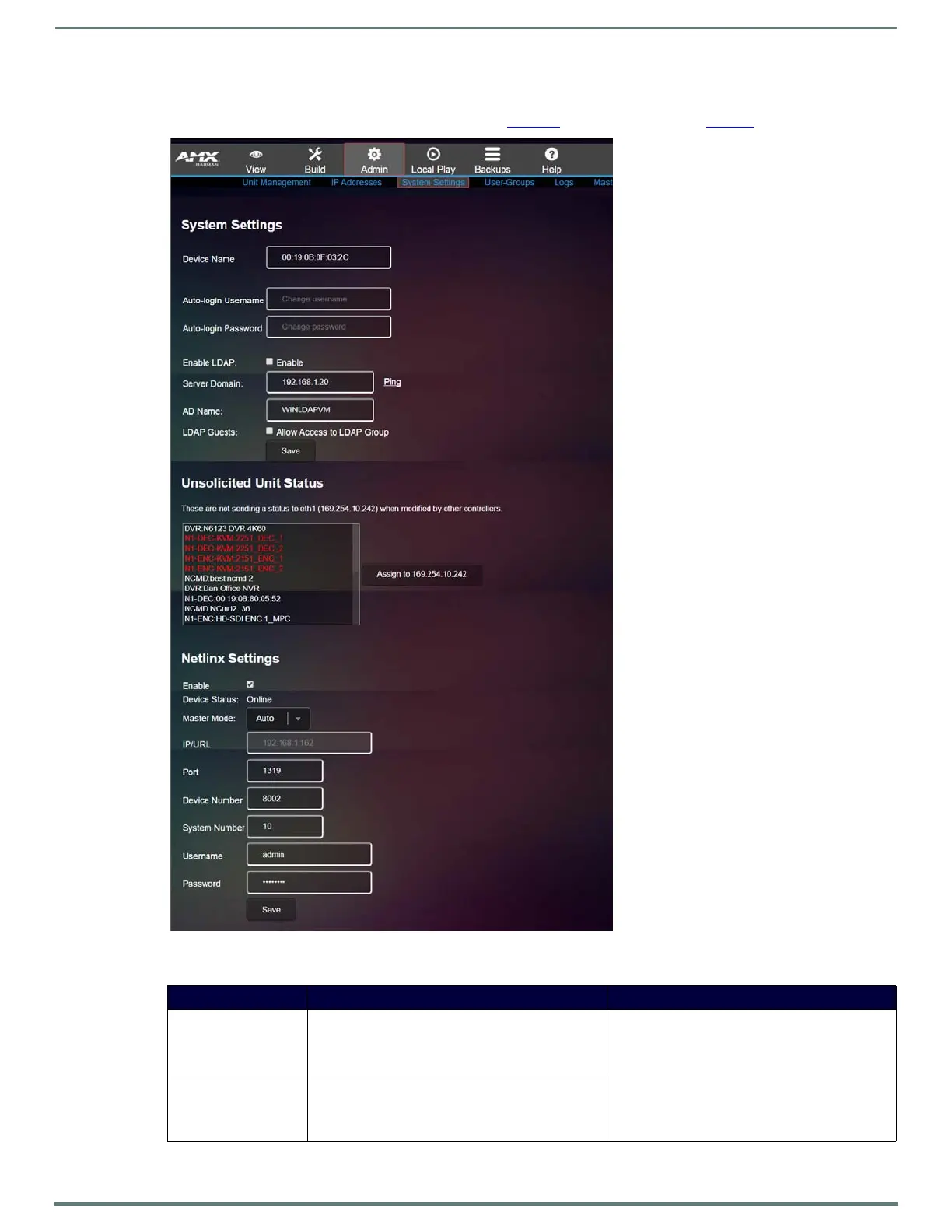
Click Admin > System Settings to access the page shown in Figure 25. Options are described in Tabl e 1 6.
FIG. 25
System Settings Page
TABLE 16 System Settings Option Descriptions
Option Description Notes
Device Name Enter a user-friendly name for the unit. More descriptive names in this field help you organize
and manage the N-Series system efficiently. Names
based on the unit’s location and function are very
useful.
Auto-login Username In most cases, leave at default setting (admin). Mostly for use with legacy products. If a unit does not
support self-hosted web pages, N-Command will try
to log in to display the web page using the given
username and password.


 To Next Page
 Loading...