13
7-4 Before operating the pipette
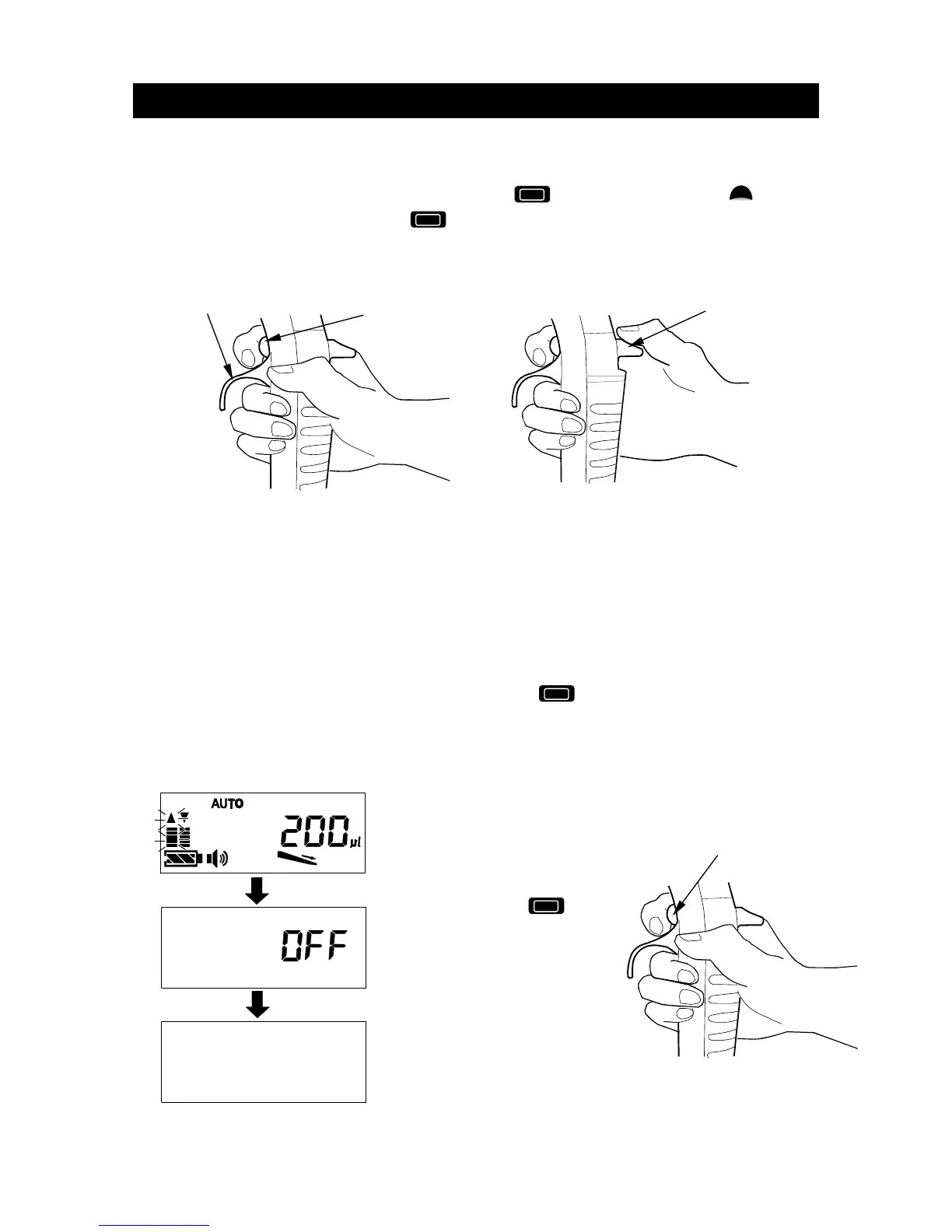
Holding the pipette
- Hold the pipette so that the finger hook is between a forefinger and middle finger.
- To aspirate or dispense a liquid, operate the Operation key or the Up key
below the display. Operate the Operation key using the forefinger, as shown in
the figure below.
- Operate the eject button by using the thumb to remove the tip.
Operating mode and standby mode
- The pipette goes into standby mode to reduce the battery wasting to minimize
battery use if the pipette is idle for 10 minutes.
- When off, the pipette can be returned to the operation mode by pressing any key,
and information such as setting volume will be displayed on the display (Refer to
example of the display), enabling dispensing. At this time, the pipette automatically
positions the built-in piston to the initial default position.
- While in the operating mode, holding down the Operation key for approx. five
seconds will turn the pipette off.
Operation
Turning the power off manually
(The display is example.)
Press and hold the
Operation key on the pipette for
at least five seconds until OFF
is displayed on the display.
Buzzer sounds (Three times),
and the pipette turns the
power off (OFF).
Operation key
Operation key
Finger hook
Eject button



 To Next Page