32
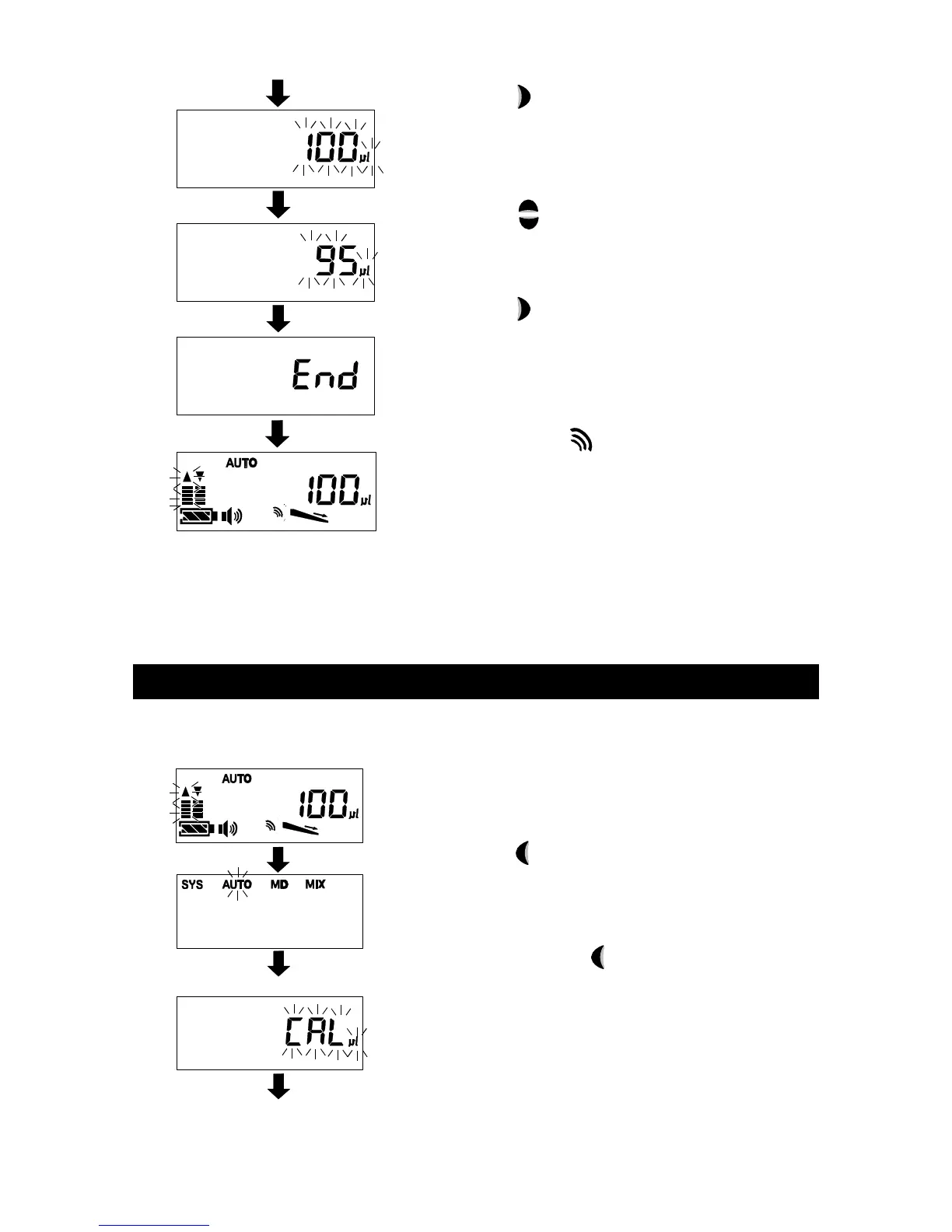
[ 3 ] Press the Enter key to enter μL calibration
mode.
[ 4 ] Press the Up or Down key to alter the value
to the actual dispensed volume.
[ 5 ] Press the Enter key to confirm actual
dispensed volume.
[ 6 ] The notice mark lights up to indicate that
the volume calibration has been performed.
(In this example, the dispensed amount is
corrected and altered to 100μL.)
* After calibrating, a volume range that can be
selected may be limited depending on available
movement range of the piston.
11-2 Resetting the volume calibration
Go through the following procedure to restore the factory default settings for volume
calibration:
(The display is example.)
[ 1 ] Press the Back key.
[ 2 ] Press and hold the Back key for approx.
three seconds while “AUTO” is selected.
(μL calibration mode)



 To Next Page