18
9. FUNCTION AND HOW TO USE
The MPA / MPB series have three modes, the standard mode (AUTO), multiple
dispensing mode (MD) and the mixing mode (MIX).
9-1 Standard mode (AUTO)
1) Operating the standard mode
This is a basic operation for pipetting. Aspirating one time and dispensing one time.
This operation is the same as for a manual pipette.
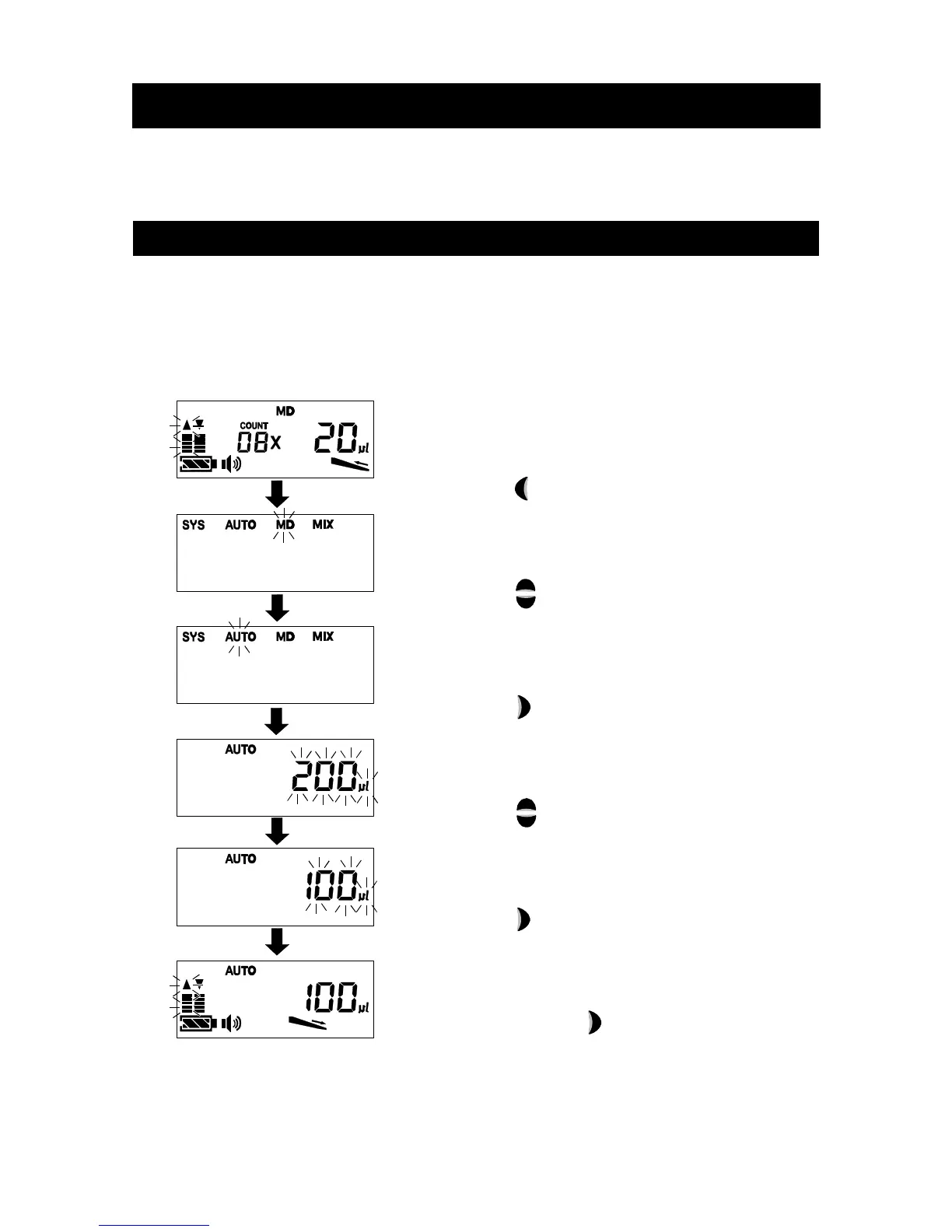
2) Selecting the standard mode
(The display is example.)
[ 1 ] Press the Back key.
[ 2 ] Press the Up or Down key to select ”AUTO”.
[ 3 ] Press the Enter key to select standard mode
(AUTO).
[ 4 ] Press the Up or Down key to change to
volume that you would like to dispense.
[ 5 ] Press the Enter key to confirm dispensing
amount.
If you would like to change the dispensing
amount, Press the Enter key before
aspirating.
When setting, operate from step 4 as described
above.



 To Next Page