23
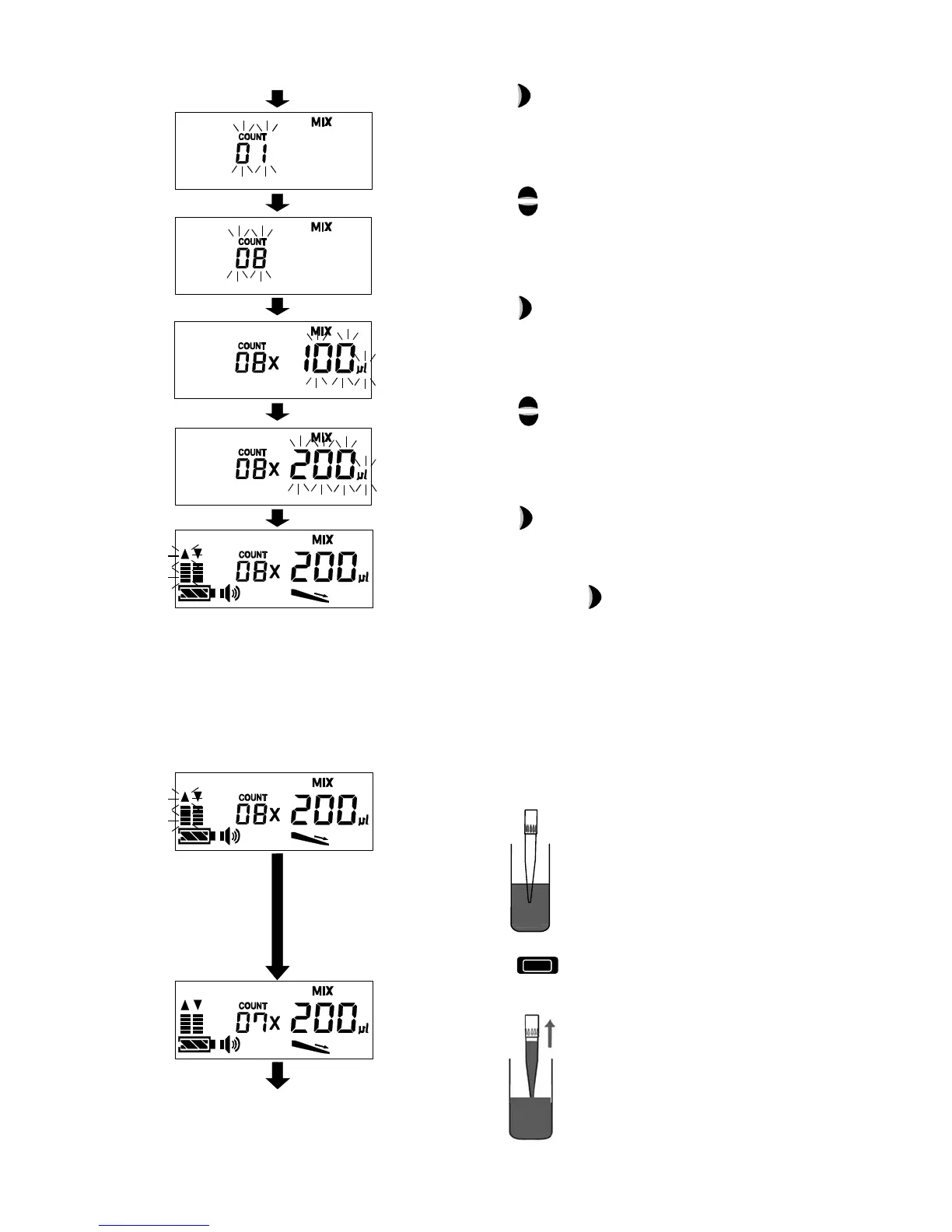
[ 3 ] Press the Enter key to select mixing mode
(MIX).
[ 4 ] Press the Up or Down key to set mixing
count (One set with aspirating and dispensing).
* Ten times maximum
[ 5 ] Press the Enter key to confirm mixing count.
[ 6 ] Press the Up or Down key to set mixing
volume (Volume for aspirating when mixing).
[ 7 ] Press the Enter key to confirm mixing volume.
If you would like to change the mixing count or
amount, press the Enter key before
aspirating.
When setting, operate from step 4 described
above.
3) Operating the mixing mode
[ 1 ] Insert the tip end in the liquid to be mixed.
[ 2 ] Press the Operation key on the pipette to
aspirate the set mixing volume.



 To Next Page