English - 99 -
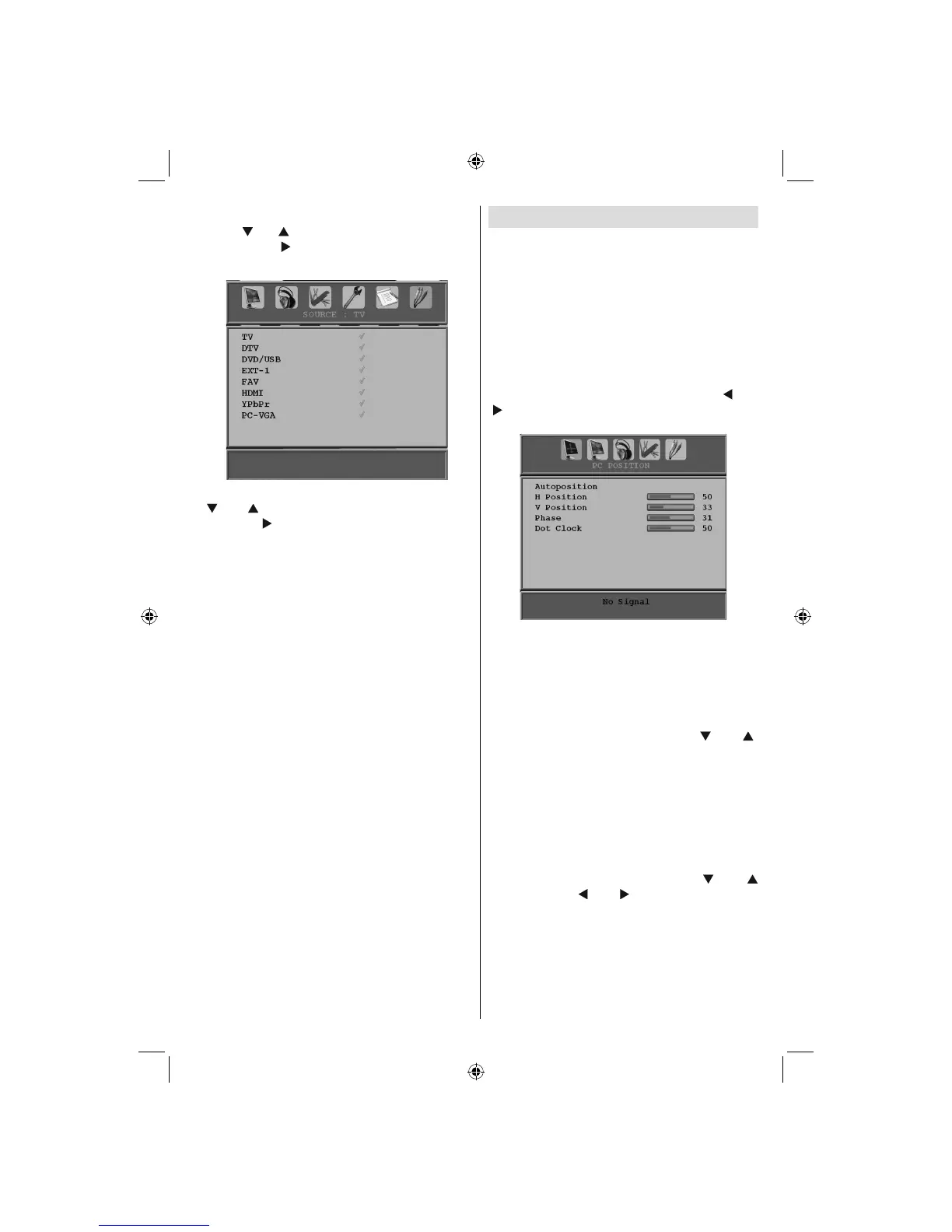
Source Menu
Press “ ” or “ ” button and select the sixth icon.
Then press “ ” or OK button. Source menu
appears on the screen:
In source menu, highlight a source by pressing
“
” or “ ” button and switch to that mode by
pressing “ ” button. Source options are; TV ,
DTV, DVD/USB , EXT-1 , FAV , HDMI , YPbPr
and PC-VGA .
Note : Once you have connected optional equipment
systems to your TV, you should select the required
input to view pictures from that source.
PC Mode Menu System
See “Connecting the LCD TV to a PC” section
for connecting a PC to the TV set.
For switching to PC source, press “SOURCE”
button on your remote control and select PC
input. You can also use “Source” menu to switch
to PC mode.
Note that PC mode menu settings are available only
while the TV is in PC source.
PC Position Menu
Select the first icon by pressing “ ” or
“ ” button. PC Position menu appears on the
screen:
Autoposition
If you shift the picture horizontally or vertically
to an unwanted position, use this item to put
the picture into correct place automatically.
This setting therefore automatically optimizes
the display.
Select Autoposition item by using “
” or “ ”
buttons. Press OK button.
Warning : Please ensure auto adjustment is
performed with a full screen image to ensure
best results.
H (Horizontal) Position
This item shifts the image horizontally to right
hand side or left hand side of the screen.
Select H Position item by using “
” or “
” button. Use “ ” or “ ” button to adjust the
value.
V (Vertical) Position
This item shifts the image vertically towards the
top or bottom of the screen.
A02_MB25 [GB] (01-TV)_19855W_1900UK_IDTV_NICKEL5_10061155_50141077.indd 36A02_MB25 [GB] (01-TV)_19855W_1900UK_IDTV_NICKEL5_10061155_50141077.indd 36 25.02.2009 17:08:2425.02.2009 17:08:24



 To Next Page