English - 96 -
Dolby Virtual Speaker (optional)
This feature is used to create the impression that
sound is coming from around the room instead
of the set speakers. Pressing the “
” or “ ”
buttons will turn the feature on or off.
Effect
If you are watching a mono broadcast, set Effect
on to obtain a better sound effect which will be
more stereo-like. If the current sound system is
stereo, switching this effect on will give a more
spatial effect.
Press “
” or “ ” button to select Effect. Press
“ ” or “ ” button to set as On or Off .
Store
Press “
” or “ ” button to select Store. Press “
” or OK button to store the settings. “ Stored... ”
will be displayed on the screen.
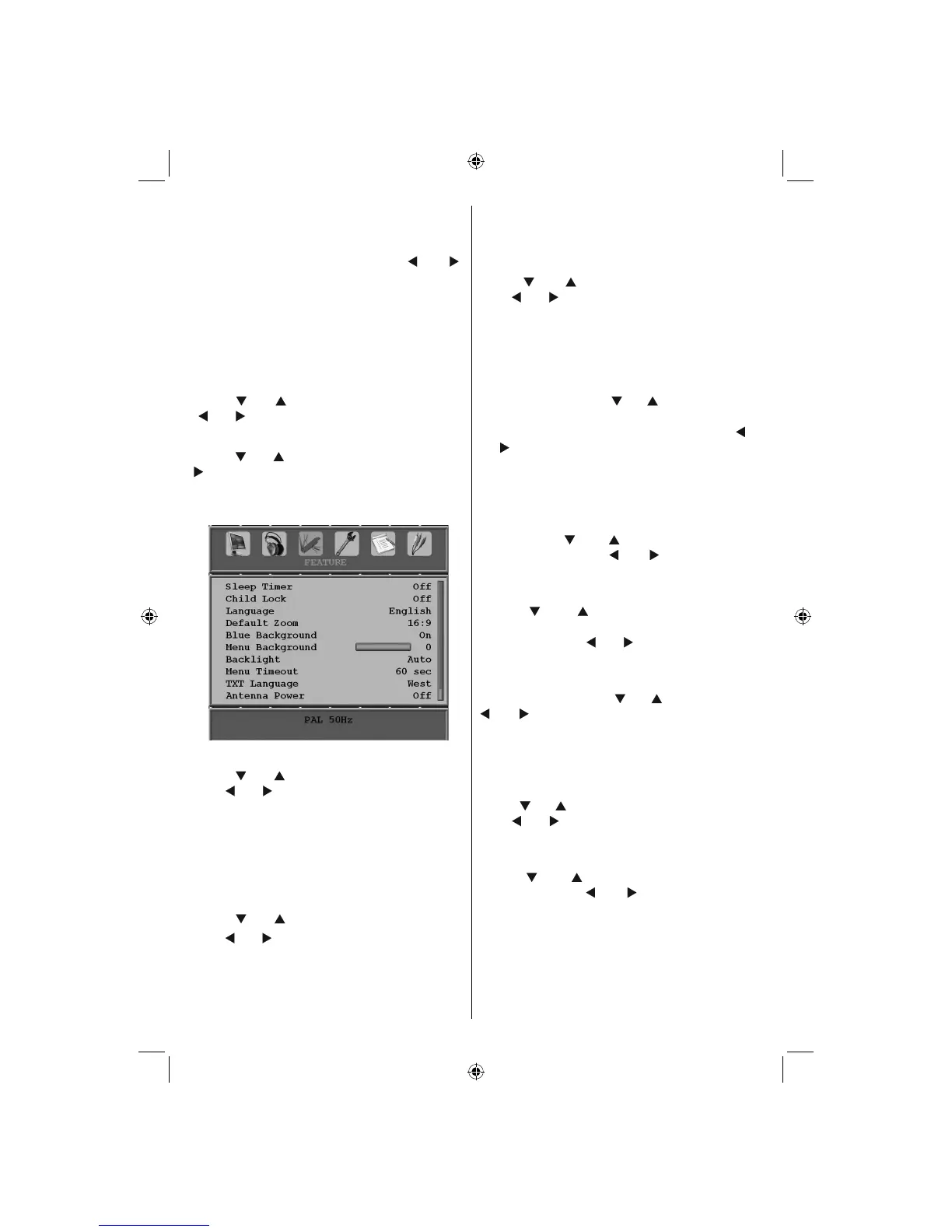
Feature Menu
Sleep Timer
Press “
” or “ ” button to select Sleep Timer .
Use “ ” or “ ” button to set the Sleep Timer.
The timer can be programmed between Off and
120 minutes in steps of 10 minutes.
If Sleep Timer is activated, at the end of the
selected time, the TV goes automatically to
standby mode.
Child Lock
Press “
” or “ ” button to select Child Lock .
Use “ ” or “ ” button to set the Child Lock On
or Off . When On is selected, the TV can only
be controlled by the remote control handset. In
this case the control panel buttons (except for
the Power On/Off button) will not work.
Hence, if one of those buttons is pressed, Child
Lock On will be displayed on the screen when
the menu screen is not visible.
Language
Press “
” or “ ” button to select Language .
Use “ ” or “ ” button to select the Language .
Default Zoom
While zoom mode is set as AUTO , the TV will
set the zoom mode in accordance with the
signal of the broadcast. If there is no WSS or
aspect ratio information, the TV will then use this
setting to adopt. Press “
” or “ ” button to select
Default Zoom . You can set Default Zoom to
Panoramic , 16:9 , 4:3 or 14:9 by pressing “ ”
or “ ” button.
Blue Background
If the signal is weak or absent, the TV will
automatically change to a blue screen. To
enable this, set Blue Background to On .
By pressing “
” or “ ” button, select Blue
Background . Press “ ” or “ ” button to set
Blue Background as On or Off .
Menu Background
Press “
” or “ ” button to select Menu
Background . You can set menu background
level by pressing “ ” or “ ” button.
Backlight
This setting controls the backlight level. Select
Backlight by pressing “
” or “ ” button. Press“
” or “ ” button to set Backlight to Medium ,
Maximum or Minimum .
Menu Timeout
To set a specific display timeout for menu
screens, set a value for this option.
Press “
” or “ ” button to select Menu Timeout .
Use “ ” or “ ” button to change menu timeout
to 15 sec , 30 sec or 60 sec .
Teletext Language
Press “
” or “ ” button to select Teletext
Language . Use “ ” or “ ” button to change
Teletext Language to West, East , Turk/Gre ,
Cyrillic or Arabic .
Antenna Power (optional)
When antenna power option is set as On, +5V
will be transmitted to the antenna output.
A02_MB25 [GB] (01-TV)_19855W_1900UK_IDTV_NICKEL5_10061155_50141077.indd 33A02_MB25 [GB] (01-TV)_19855W_1900UK_IDTV_NICKEL5_10061155_50141077.indd 33 25.02.2009 17:08:2225.02.2009 17:08:22



 To Next Page