English - 93 -
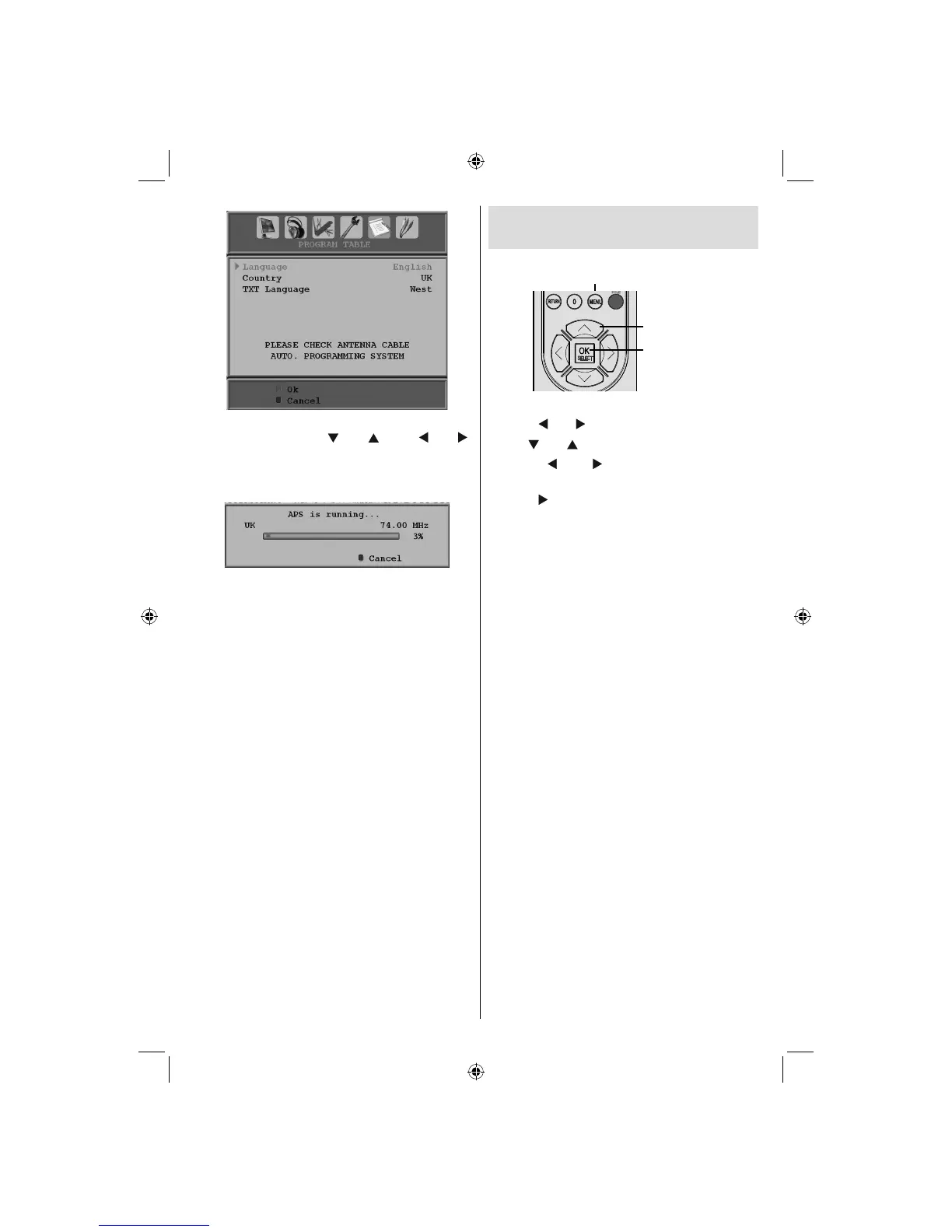
Select your Country , Language and TXT
Language by using “
” or “ ” and “ ” or “ ”
buttons. Press OK or RED button to continue. To
cancel, press BLUE button. The following menu
will be displayed during the automatic tuning:
After APS is fi nalized, the programme table
will appear on the screen. In the programme
table you will see the programme numbers and
names assigned to the programmes.
If you do not accept the locations and/or the
programme names, you can change them via
the program table.
Navigating the Analogue TV
Menu System
For displaying
menu options
Cursor buttons
OK / Select /
Confirm
• Press “ MENU ” to display the main menu.
• Press “
” or “ ” button to select an icon.
• Use “ ” or “ ” button to highlight.
• Press “
” or “ ” buttons to change the
settings.
• Press “ ” for more options.
• Press OK to store.
• To exit the menu or return from sub-menu
screen, press “ MENU ”.
Note : These explanations are valid for the navigation
of the analogue TV menu system. To select options
that are explained in the following parts, refer to
“Navigating the Analogue TV Menu System”.
A02_MB25 [GB] (01-TV)_19855W_1900UK_IDTV_NICKEL5_10061155_50141077.indd 30A02_MB25 [GB] (01-TV)_19855W_1900UK_IDTV_NICKEL5_10061155_50141077.indd 30 25.02.2009 17:08:1925.02.2009 17:08:19



 To Next Page