English - 101 -
• When the AUTO mode does not function
correctly due to poor WSS signal quality or
when you want to change the ZOOM mode,
change to another ZOOM mode manually.
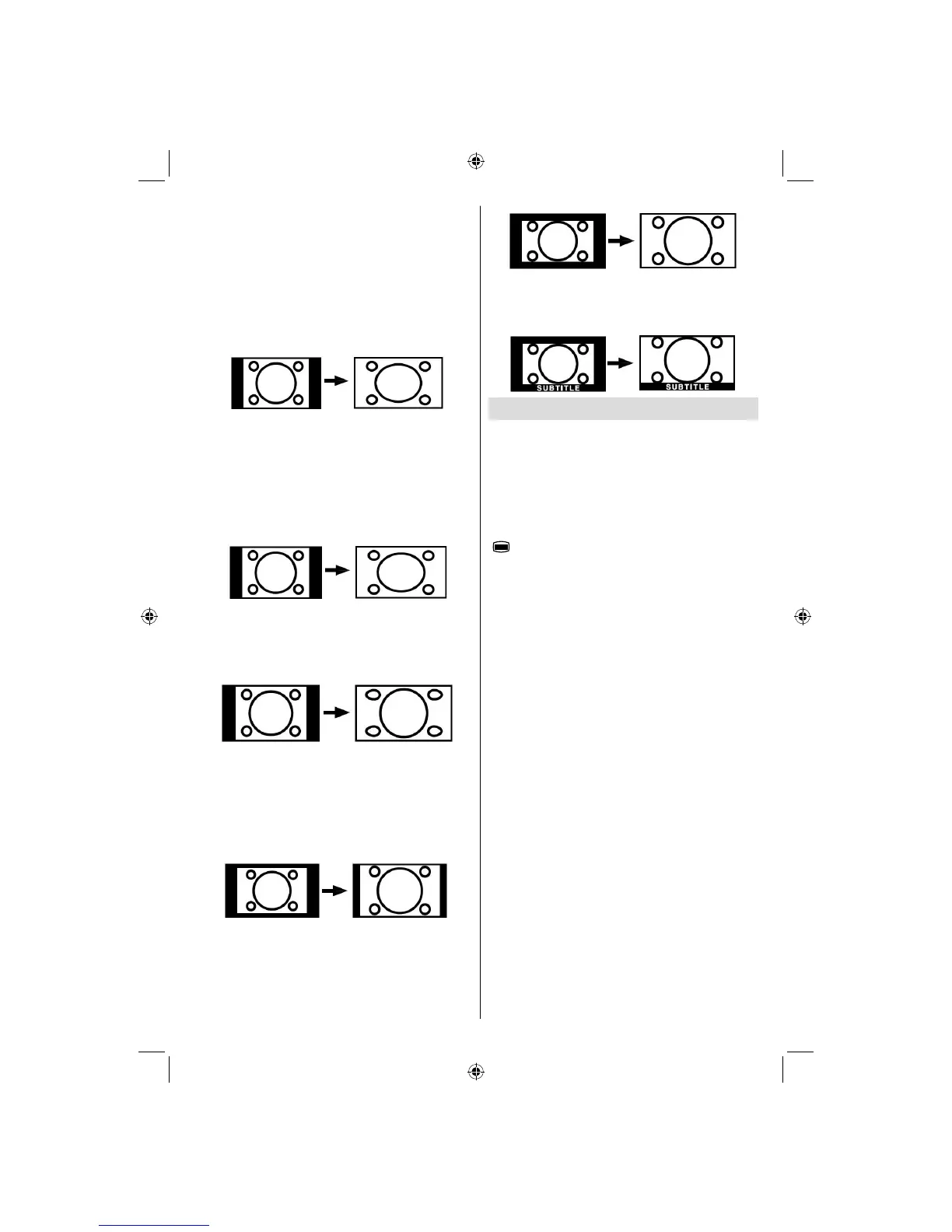
16:9
This uniformly stretches the left and right sides
of a normal picture (4:3 aspect ratio) to fi ll the
wide TV screen.
• For 16:9 aspect ratio pictures that have been
squeezed into a normal picture (4:3 aspect
ratio), use the 16:9 mode to restore the picture
to its original shape.
4:3
Use to view a normal picture (4:3 aspect ratio)
as this is its original size.
Panoramic
This stretches the left and right sides of a normal
picture (4:3 aspect ratio) to fill the screen,
without making the picture appear unnatural.
The top and bottom of the picture are slightly
cut off.
14:9
This zooms up the wide picture (14:9 aspect
ratio) to the upper and lower limits of the
screen.
Cinema
This zooms up the wide picture (16:9 aspect
ratio) to the full screen.
Subtitle
This zooms up the wide picture (16:9 aspect
ratio) with subtitles to the full screen.
Teletext
Teletext system transmits information such as
news, sports and weather on your TV. Note
that is the signal degrades, for example in
poor/adverse weather conditions, some text
errors may occur or the teletext mode may be
aborted.
Teletext function buttons are listed below:
“
” Teletext On-Off
Activates teletext mode when pressed once.
Pressing this button again will mix the TV
broadcast with the teletext info. Pressing again
will quit the teletext mode.
P+ / P- and numbers (0-9)
Press to select a page.
Note : Most TV stations use code 100 for their index
pages.
Coloured Buttons
(RED/GREEN/YELLOW/BLUE)
Your TV supports both FASTEXT and TOP text
systems. When these systems are available, the
pages are divided into groups or topics.
When FASTEXT system is available, sections in
a teletext page will become colour-coded and can
be selected by pressing the coloured buttons.
Press a coloured button that corresponds to
with your needs.
The coloured writings will appear, showing you
which coloured buttons to use when TOP text
transmission is present. Pressing P - or P +
commands will request the next or previous
page respec tively.
A02_MB25 [GB] (01-TV)_19855W_1900UK_IDTV_NICKEL5_10061155_50141077.indd 38A02_MB25 [GB] (01-TV)_19855W_1900UK_IDTV_NICKEL5_10061155_50141077.indd 38 25.02.2009 17:08:2525.02.2009 17:08:25



 To Next Page