English - 78 -
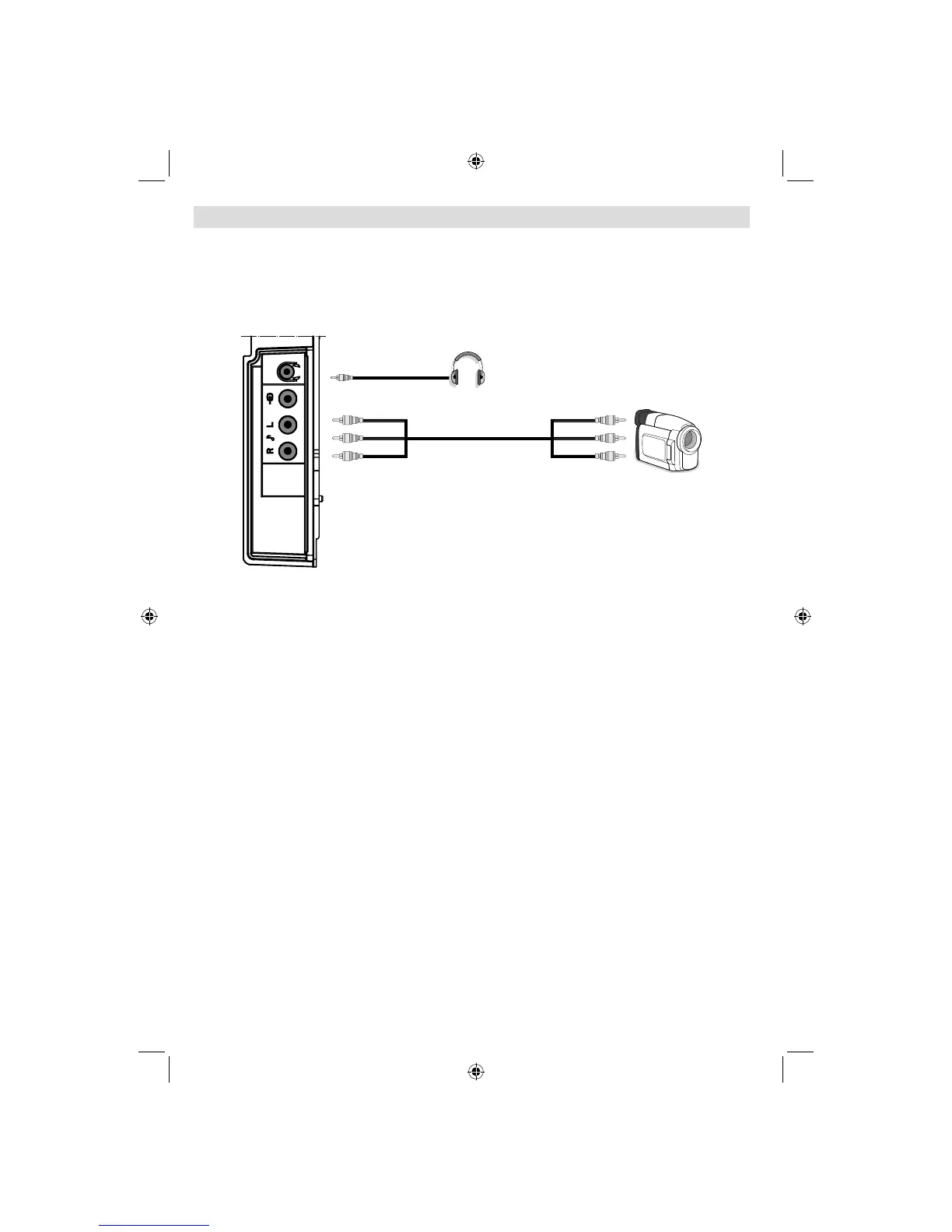
Using Side AV Connectors
You can connect a range of optional equipment to your LCD TV. Possible connections are shown
below. Note that cables shown in the illustration are not supplied.
• For connecting a camcorder, connect to the VIDEO IN socket and the AUDIO SOCKETS. For
selecting the related source, see the section “Input selection” in the following parts.
• To listen the TV sound from headphones, connect to the HEADPHONE jack of theTV.
Camcorder
Headphone
SIDE VIEW
A02_MB25 [GB] (01-TV)_19855W_1900UK_IDTV_NICKEL5_10061155_50141077.indd 15A02_MB25 [GB] (01-TV)_19855W_1900UK_IDTV_NICKEL5_10061155_50141077.indd 15 25.02.2009 17:08:1025.02.2009 17:08:10



 To Next Page