English - 81 -
Inserting Batteries in the
Remote Control Handset
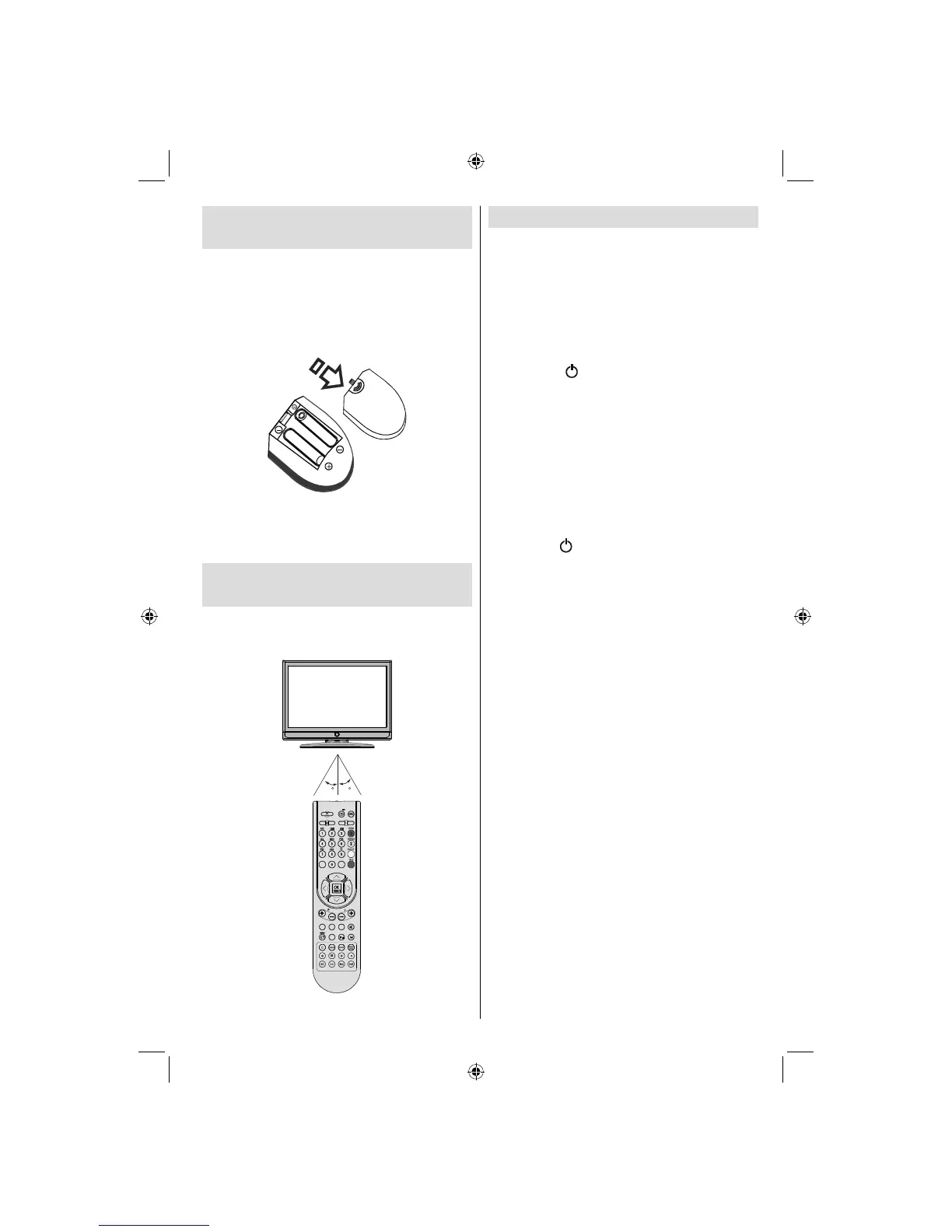
• Remove the battery cover located on the back
of the handset by gently pulling backwards
from the indicated part.
• Insert two AAA/R3 or equivalent type batteries
inside. Place the batteries in the right directions
and replace the battery cover.
Note : Remove the battery from remote control
handset when it is not to be used for a long period.
Otherwise it can be damaged due to any leakage of
batteries.
Operating Range for the
Remote Control
• Point the top of the remote control toward the
LCD TV’s remote sensor LED while pressing
a button.
MENU
/
INFO
EPG
FAV
PRESETS
SUBTITLE
RETURN
SOURCE
SLEEP SCREEN
30
30
LANG.
Remote range is approximately 7m/23ft.
Switching the TV On/Off
To Switch the TV On
Your TV will switch on in two steps:
• Connect the power cord to the system.
• Press POWER ON/OFF switch. Then the
standby LED lights up.
• To switch on the TV from standby mode
either:
• Press the “
” button, P+ / P- or a numeric
button on the remote control.
or, press the -P/CH or P/CH+ button on the TV.
The TV will then switch on.
Note : If you switch on your TV via PROGRAMME
UP/DOWN buttons on the remote control or on the
TV set, the programme that you were watching last
will be reselected.
By either method the TV will switch on.
To Switch the TV Off
• Press the “ ” button on the remote control or
press the POWER ON/OFF switch, so the TV
will switch to standby mode.
Note: If you have switched off the TV set from the
Power On/off button instead of remote control, next
time you press the Power On/off button, the TV set will
switch on without going to the standby mode.
• To power down the TV completely, unplug
the power cord from the mains socket.
A02_MB25 [GB] (01-TV)_19855W_1900UK_IDTV_NICKEL5_10061155_50141077.indd 18A02_MB25 [GB] (01-TV)_19855W_1900UK_IDTV_NICKEL5_10061155_50141077.indd 18 25.02.2009 17:08:1225.02.2009 17:08:12



 To Next Page