CNC Motion Setup/Testing Utility
P/N 70000635C
Detecting the Index Pulse (F3)
Refer to Figure 1, CNC Motion Setup/Testing Screen. When you press
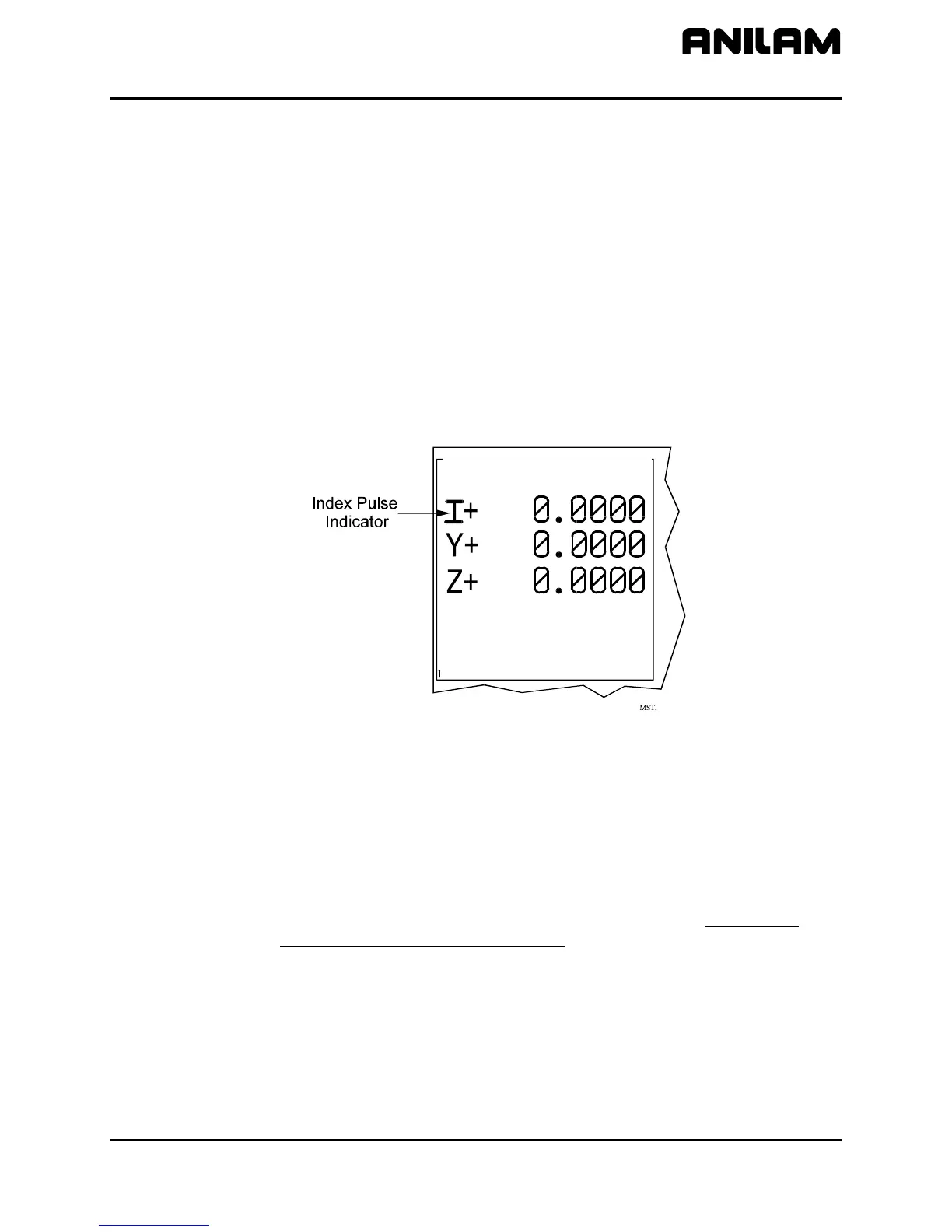
IndexP (F3), the CNC displays a flashing “I” each time it detects an Index
Pulse. The flashing “I” replaces the axis name (X, Y, Z, U, or O) of the
active axis. The index pulse indicator (flashing “I”) for the spindle axis is
displayed on the RPM field. In the figure, an index pulse has been
detected on the X-axis. Refer to Figure 3.
To detect an index pulse:
1. Move the active axis to check for the presence of an index pulse.
2. On systems with rotary encoders with index pulses, the index pulse
should be detected once per revolution.
3. On systems having linear scales, the index pulse should be detected
where the linear scale specifies location of the index pulse.
CNC Ver 3.70H DSP Ver 0.00C
ctive Axis : X HALTED IN-POSN
CNC Ver 3.70H DSP Ver 0.00C
ctive Axis : X
FEED : 0.0 % : 100
RPM : 0 % : 199
DWELL : 0.0 LOOP : 0
Figure 3, Index Pulse Indicator
Canceling the Active MDI or Test Command
Press MANUAL (F4) to cancel an active Manual Data Input (MDI) or test
command.
Activating Manual Data Input Mode (MDI)
Press MDI (F5) to activate the MDI Mode. (Refer to the 3000M CNC
Programming and Operations Manual for information on MDI
programming.)
All rights reserved. Subject to change without notice.
November 2009
7



 To Next Page