CNC Motion Setup/Testing Utility
P/N 70000635C
All rights reserved. Subject to change without notice.
November 2009
29
rea and to
atus of all inputs and outputs for the nodes.
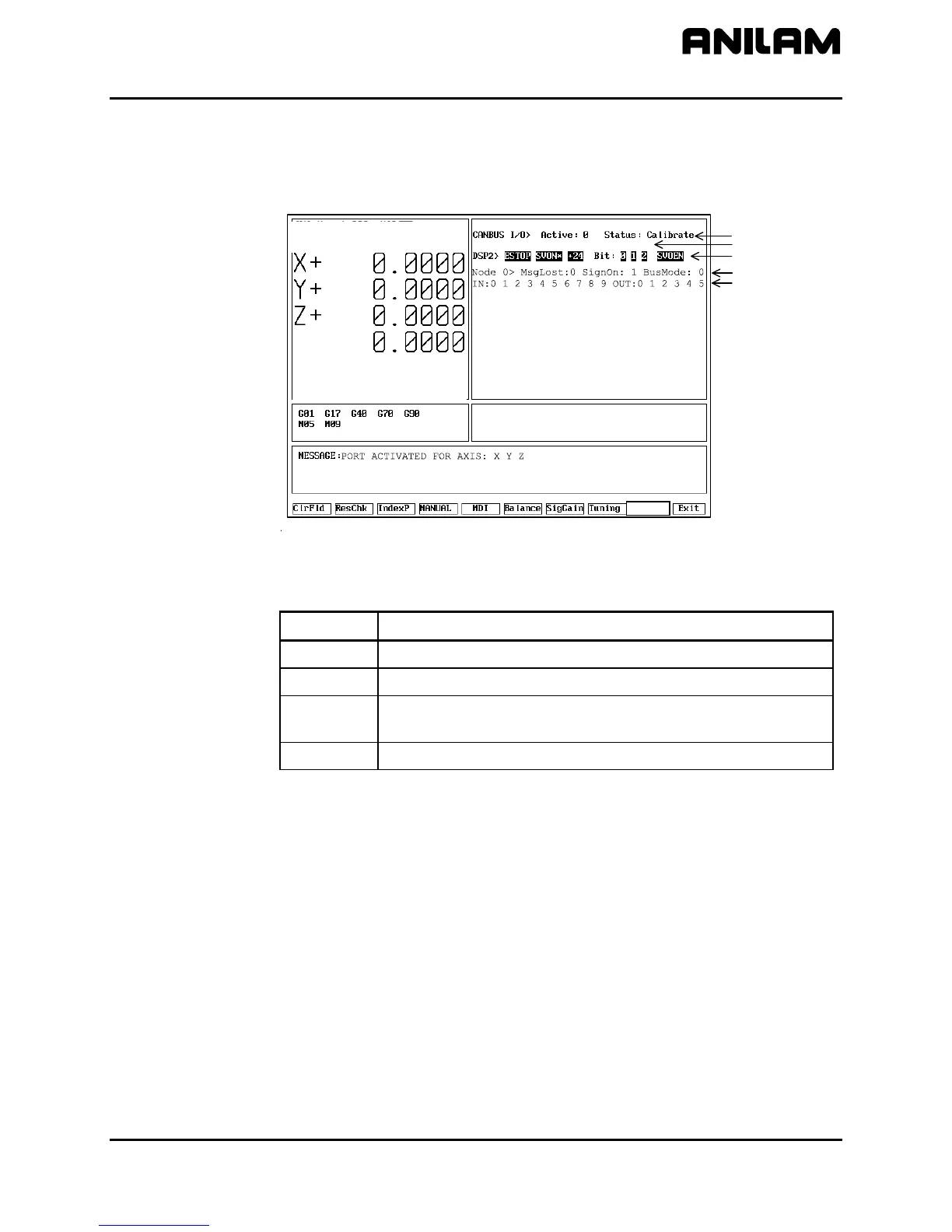
CanBus Test
Refer to Figure 17. Press Misc (F9) to display the Miscellaneous Test
pop-up window. Select CanBus Test to display the graphics a
troubleshoot the st
CanTest
Line 2
Line 3
CNC Ver 3.70H DSP Ver 0.00C
ctive Axis : X
Line 1
Line 4
Line 5
Touch : 0
U+
FEED : 0.0 % : 100
RPM
DWELL
: 0 % : 100
: 0. O0 LO P : 0
anBus Test Screen, AC Systems
Misc
Figure 17, C
Table 8 lists the CanBus test results displays.
Table 8, CanBus Test Results Displays
Display CanBus Status
Normal
Normal operation
Calibrate
Node found and CNC is calibrating
Warning
CNC lost a node and is actively searching for active
nodes.
Bus off
Fatal error. The bus has turned itself off due to errors.
ndicates the number of active CanBus I/O
2. Line 2 of the graph area indicates the state of the touch probe input
when a probe is connected to the Motion Control Board (MCB):
0 Not deflected (touching)
1 Deflected (touching)
3. Line 3 of the graph area indicates the basic machine I/O status.
4. Line 4 of the graph area indicates:
• The address of the active node. Possible values are 0 to 5.
• The number of message packets lost between the node and the
controller. This should be 0.
• The number of times the node has signed on since the control
started. This should be 1 unless power was interrupted.
• The node bus type. This is normally 0.
1. Line 1 of the graph area i
nodes and their status.



 To Next Page