2017/06 Rev. 2.0 93 EN
OptiBean (XL) Touch
5.2.6 Cleaning the touchscreen
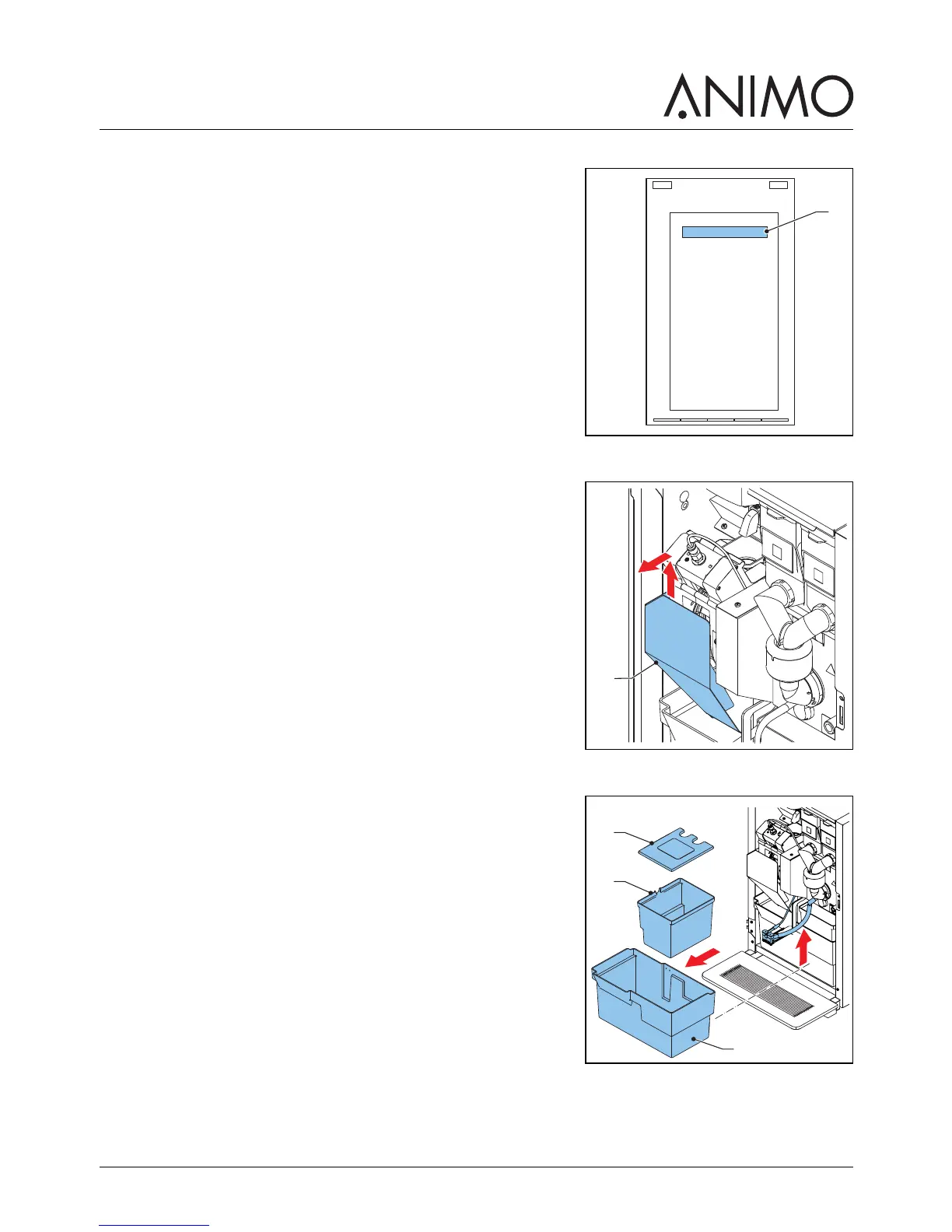
1 On the touchscreen, tap and hold your finger on ’make your
choice’ (A) for several seconds.
2 Tap ’Clean the touchscreen’.
3 Follow the instructions on the touchscreen.
5.2.7 Cleaning the brewer
1 Open the machine door.
2 Switch off the machine.
3 Remove and clean the hood (A).
4 Clean the surface of the brewer with the brush.
5 Replace the hood (A).
5.2.8 Cleaning/Emptying the waste bins
1 Open the machine door.
2 Lift the outlet.
3 Take out the waste bin (C).
4 Remove the cover (A).
5 Clean/Empty the waste bins (B & C).
6 Replace the waste bins.
7 Lower the outlet.
8 Close the machine door.
5.2.9 Cleaning the exterior and interior
1 Clean the exterior and interior with a damp cloth.



 To Next Page