86
03/2010 Rev. 0.1
03/2010 Rev. 0.1
87
4. SOFTWARE
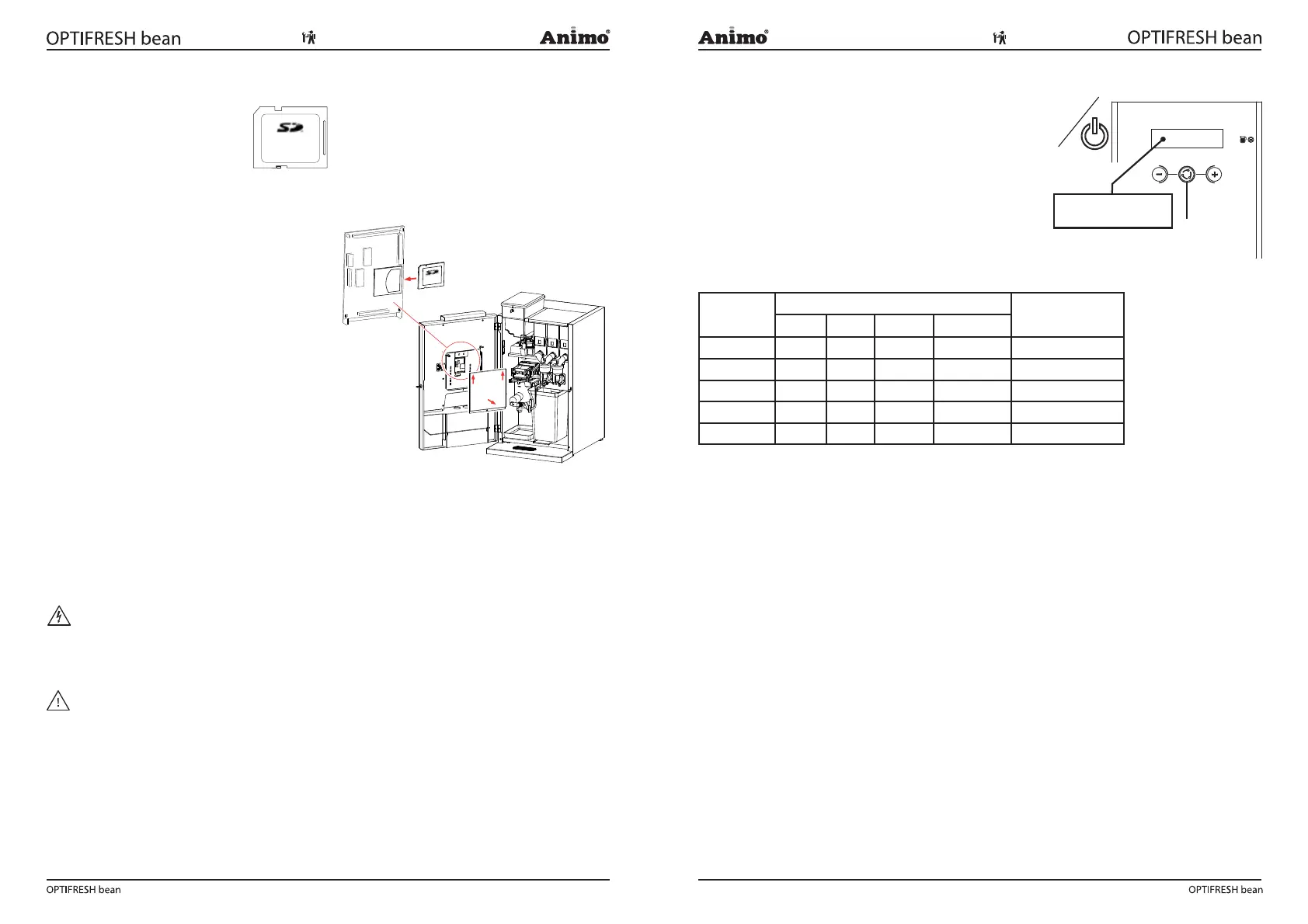
4.1 Memory card
Type: SD
Capacity: 16Mb or bigger
Format: FAT (no FAT32 or NTFS)
4.2 Installing software
The device can easily be installed with new software,
which is made available as follows:
www.Animo.eu / dealer log in: Extranet *
By Email
4.3 Installing a language
The device has four standard languages (NL/GB/
D/F). The device can easily be installed with another
language set (if available). A new language file can
be made available as follows:
www.Animo.eu / dealer log in: Extranet *
By Email
* User manuals, service manuals and software updates can be found on the Extranet section of www.
animo.eu. If you do not have access, please request your personal login code on our website.
5.0 SERVICE
WARNING
• In order to descale the water reservoir, the device must be opened. This will expose live parts of
the machine, which can be touched easily. This may lead to highly dangerous situations!
WARNING
• The device must not be submerged or hosed down.
• Always stay with the device during maintenance work.
&'( )
ON/OFF
5.1 Setting a service parameter
During installation, set a parameter for the device to be
serviced. See Service Menu item 2.8 Descale / lter.
Use the table below to set the correct service parameter.
Service parameter reached?
The dispensed drinks are counted during use. If the service
parameter is reached the display shows the following
message: Descale / fi lter ( g. 21).
The message indicates that the device must be descaled.
If a water lter is tted (recommended), this is also an
indication that the lter must be replaced.
Water hardness table
Water
Quality
Hardness Service Indicator
(cups)
°D °F mmol/l mgCaCo3/l
Very hard 18-30 32-55 3,2-5,3 321- 536 5000
Hard 12-18 22-32 2,2-3,2 214-321 8500
Average 8-12 15-22 1,4-2,2 268-214 12.500*
Soft 4-8 7-15 0,7-1,4 72-268 20.500
Very soft 0-4 0-7 0- 0,7 0-72 0 = off
5.2 Preventative maintenance
5.2.1 Service contracts
Precface
Preventative maintenance will lengthen the life cycle of the device and reduce the chance of
malfunction. Before carrying out maintenance, read the safety instructions in the user manual, service
manual, and recommended cleaning agents.
User manuals, service manuals and software updates can be found on the Extranet section of www.
animo.eu. If you do not have access, please request your personal login code on our website.
Water fi lter
We strongly advise you to use a water softener and/or water lter if the mains water is heavily
chlorinated or is too hard. This increases the quality of the drink and will ensure that you do not have
to descale the device too often.
Brewer unit
In some cases, a substitute brewer is used during maintenance. The brewer removed can then be
repaired in the workshop before being used again during the next service.
Memory Card
Memory Card
Fig. 20
Fig. 21
Table 5













 To Next Page