ML248xA / ML249xA Front Panel Layout and Operation
4-4 13000-00162
September 2005
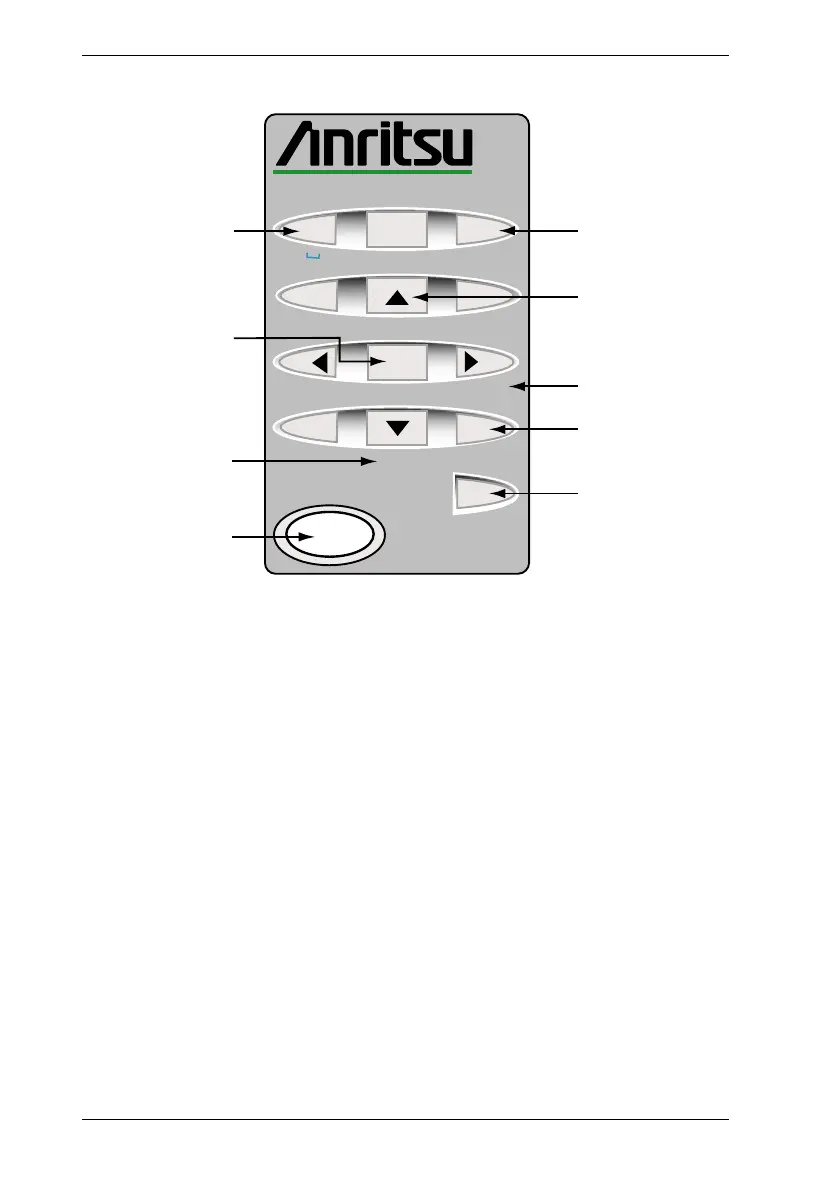
The Numeric Keypad
Exit
ML2488A
Power Meter
7
Back
9
4
6
5
1
3
2
.
0
Sel
+/-
On/Standby
Local
d
e
f
jkl
g
h
i
p
q
r
s
m
n
o
tuv
w
x
y
z
Clr
abc
AB
C
E
F
H
D
G
I
A [Exit]
The [Exit] key is used to close a pop-up dialog and revert to the previous page of
commands. Pressing this key when a field in a dialog has been selected for user
input will result in entry of the number “7” or the entry of a space if the field is non-
numeric.
B [Back]
The [Back] key is used to revert to the previous page of commands. Pressing this
key when a field in a dialog has been selected for user input will result in entry of
the number “9” or the entry of the letter “d’ if the field is non-numeric.
C Arrows
The arrow keys to the top and bottom of the center [Sel] key are used to move
vertically between the entry fields in a dialog. The right and left arrows can be
used to jump between columns in tables that display within a dialog. The arrow
keys can also be used to reposition the active marker.















 To Next Page