Sample Rate ThunderboltTM USB ADAT S/PDIF
32 kHz 32 ch 24 ch 16 ch total / 8 ch per line 2 ch
44.1 kHz 32 ch 24 ch 16 ch total / 8 ch per line 2 ch
48 kHz 32 ch 24 ch 16 ch total / 8 ch per line 2 ch
88.2 kHz 32 ch 24 ch 8 ch total / 4 ch per line 2 ch
96 kHz 32 ch 24 ch 8 ch total / 4 ch per line 2 ch
176.4 kHz 32 ch 24 ch 4 ch total / 2 ch per line 2 ch
192 kHz 32 ch 24 ch 4 ch total / 2 ch per line 2 ch
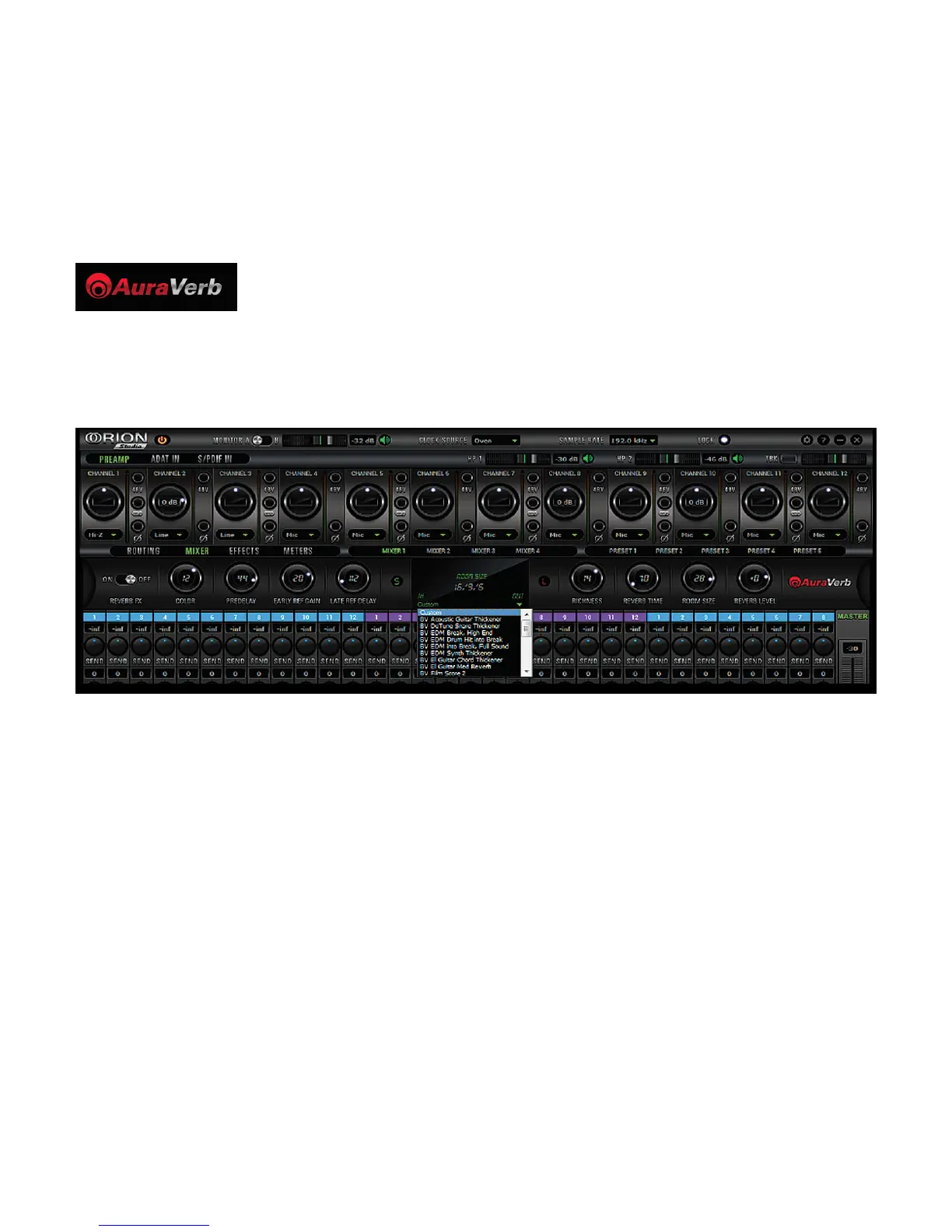
AuraVerb is a powerful and flexible algorithmic reverb effect powered by the Orion Studio that
provides near zero-latency effect monitoring without taxing your computer’s processor. AuraVerb
can also be used as a hardware effect from your DAW, so you can take advantage of its rich and
unique ambience effect while mixing or mastering.
Quick Start
AuraVerb appears as a pre-fader send effect on the Orion Studio’s mixer 1. To send a signal to the
reverb, turn up the send control on a mixer channel and use the reverb output level to adjust the
return to the mixer’s master channel. To hear the reverb, route the mixer output to your monitors by
clicking and dragging MIX 1 [1] [2] to MONITOR [1] [2] on the Orion Studio’s routing matrix. Fine
tune the reverb mix by adjusting the balance between the dry signal on the mixer channel’s fader
and the reverb output level knob.
AuraVerb Parameters
• Color
AuraVerb’s Color control allows you to adjust the overall tone of the reverb. On “0” the space
created is darker, like a lushly carpeted area. On “100” the reverb is brightest, which can add some
sizzle to a lead vocal, for example.
• Predelay
PreDelay is common on most reverbs, and allows you to create a bit of space between the source
and the onset of reverb by controlling the amount of delay time that precedes the initial sound from
the reverb. This parameter is used to place the reverberated signal later in time with respect to the
unprocessed signal. Natural settings for this are based on the size of the environment and range
from 0 to 32 milliseconds. Fine adjustment of this parameter with respect to the tempo of the song









 To Next Page