Owner’s Manual
1. Safety Notes
To reduce the risk of electrical shocks, fire, and related hazards:
●● Do not remove screws, cover, or cabinet. There are no user serviceable parts inside.
Refer servicing to qualified service personnel.
●● Do not expose this device to rain, moisture or spillover of liquid of any kind.
●● Should any form of liquid or a foreign object enter the device, do not use it. Switch off
the device and then unplug it from the power source. Do not operate the device again
until the foreign object is removed or the liquid has completely dried and its residues fully
cleaned up. If in doubt, please consult the manufacturer.
●● Do not handle the power cables with wet hands!
●● Make sure the device is switched off when plugging/unplugging it to/from the power
source.
●● Avoid placing things on the cabinet or using the device in a narrow and poorly
ventilated place which could affect its operation or the operation of other closely located
components.
●● If anything goes wrong, turn off the device first and then unplug the power. Do not
attempt to repair the device yourself: consult authorized service personnel or your dealer.
●● Do not install near any heat sources such as radiators, stoves, or other apparatus
(including amplifiers) that produce heat.
●● Do not use harsh chemicals to clean your unit. Clean only with specialized cleaners for
electronics equipment.
●● Connect all your devices before powering your unit.
●● This unit is connected via its power cord to the mains safety earth.
●● Never operate the unit without this earth connection.
●● DC power supply cable should be routed so that it is not likely to be walked on or
squeezed by items placed upon or against it.
●● To completely turn off the device, unplug the power cable first from the outlet and then
from the rear panel of the unit.
●● Both, occasional and continued exposure to high sound pressure levels can
causepermanent ear damage via headphones and monitors.
●● Your unit should always be un-racked when traveling or in a flight case.
●● The device is designed to operate in a temperate environment, with a correct Operating
Temperature of:
0-50 °C, 32-122 °F
2. Introduction
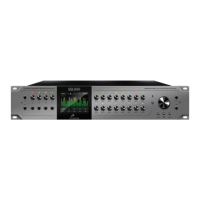
Thank you for purchasing the Orion Studio from Antelope Audio.
Since its release in 2015 Orion Studio has become one of the biggest stars in the Antelope Audio
line of ThunderboltTM & USB audio interfaces. And now we made it even better. With 12 Class
A Mic Pres it’s the one and only piece of gear you’ll need to record a full band and do it like a
pro. Rev. 2017 brought Orion Studio brand new AD converters, raising its dynamic range to an
industry best 124 dB. Now coming in a gorgeous carbon grey faceplate, Orion Studio has a ton
of new features inside its powerful Control Panel, FPGA engine and Antelope’s acclaimed 64-bit
Acoustically Focused Clocking (AFC) jitter management technology. The multiple zero-latency








 To Next Page