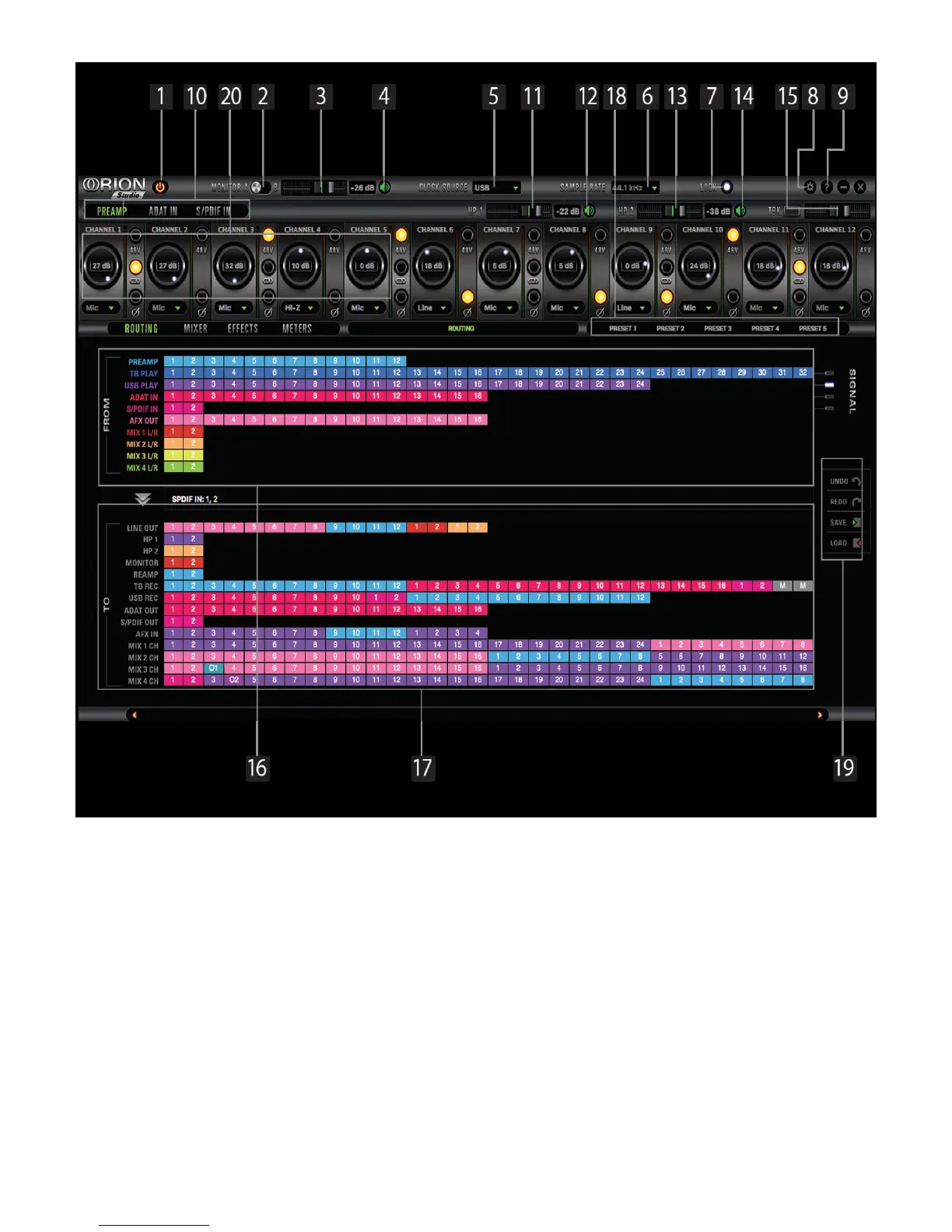
7.1. Routing Tab and Main View options
The universal panel view sits constantly on the upper half of the control panel, allowing for quick
access to the most important features.
Main view:
1. Power/Standby button
2. Monitor A/Monitor B select button
3. Monitor A/Monitor B volume slider
4. Monitor A/Monitor B ‘Mute’ button
5. Clock Source select
This dropdown menu allows you to select how the Orion Studio is to be synchronized. Select
‘Oven’ for internal sync, W.C. (Word Clock) to sync the Orion Studio to an external device through
the Word Clock input, ADAT, S/PDIF for syncing with incoming digital signals, or through USB.








 To Next Page