●● Antelope’s renowned 64-bit Acoustically Focused Clocking Technology
●● Antelope’s proprietary Oven Controlled Oscillator for supreme clocking stability
●● 1 Word Clock Output, 1 Word Clock Input
●● Five presets for fast and easy recall of favorite setups
●● 1U rack size device consuming only 25 Watts keeping the heat low
●● A user friendly desktop application available for both Windows ans OS X
●● Ergonomic software control panel
●● Extremely flexible routing and mixing capabilities
●● Massive parallel DSP and effects processing
●● Talkback function for both headphones and monitor outputs.
4. Installation Guide
Connect to the DC power source via rear panel connector.
Windows:
1. Connect the USB cable to the USB port on your computer.
2. Download and install the Orion Studio software control panel and drivers from www (http://www).
antelopeaudio.com/en/support/downloads This will enable you to control your device
from your computer and select all necessary settings.
3. Open your control panel by double clicking and follow the device activation procedure.
4. Connect your choice of inputs and outputs to Orion Studio.
5. The guest operating system will recognize the new output audio device (Orion Studio).
6. If you want to use the Orion Studio through USB for playback and recording, open your
preferred DAW and make sure the device is selected as an input and output..
Note: Make sure your device has the most recent firmware installed.
Mac OS:
Important Note
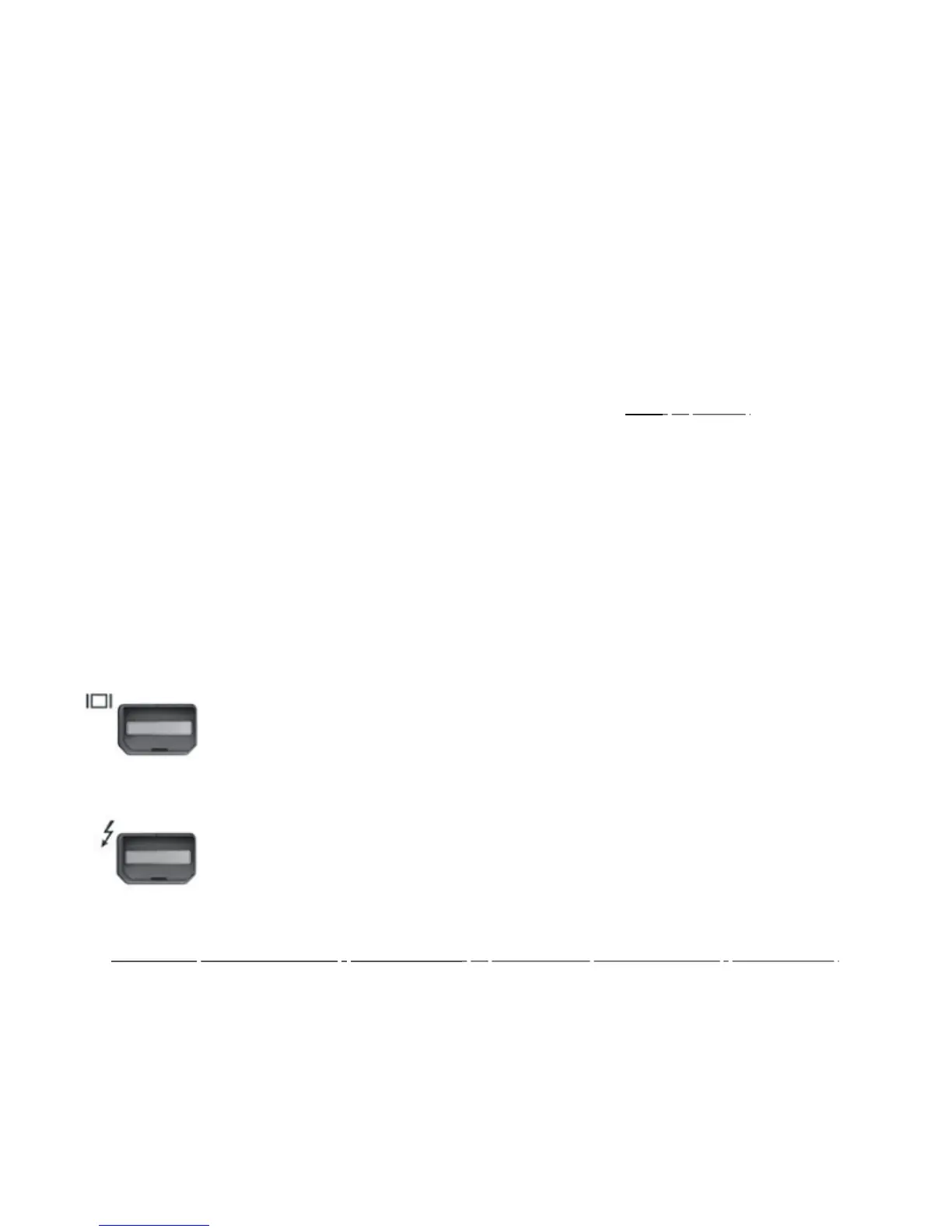
A Mac is compatible with Orion Studio only if it has the ThunderboltTM logo.
Mini Display Port
ThunderboltTM Port
1. Connect the ThunderboltTM cable to the ThunderboltTM port on your computer.
2. Download and install the Orion Studio software control panel and ThunderboltTM driver
from www.antelopeaudio.com/en/support/downloads (http://www.antelopeaudio.com/en/support/downloads) This
will enable you to control your
device from your computer and select all necessary settings.
3. Open your control panel by double clicking and follow the device activation procedure.
4. Connect your choice of inputs and outputs to Orion Studio.
5. The guest operating system will recognize the new output audio device (Orion Studio).
6. If you want to use Orion Studio through ThunderboltTM for playback and recording, open








 To Next Page