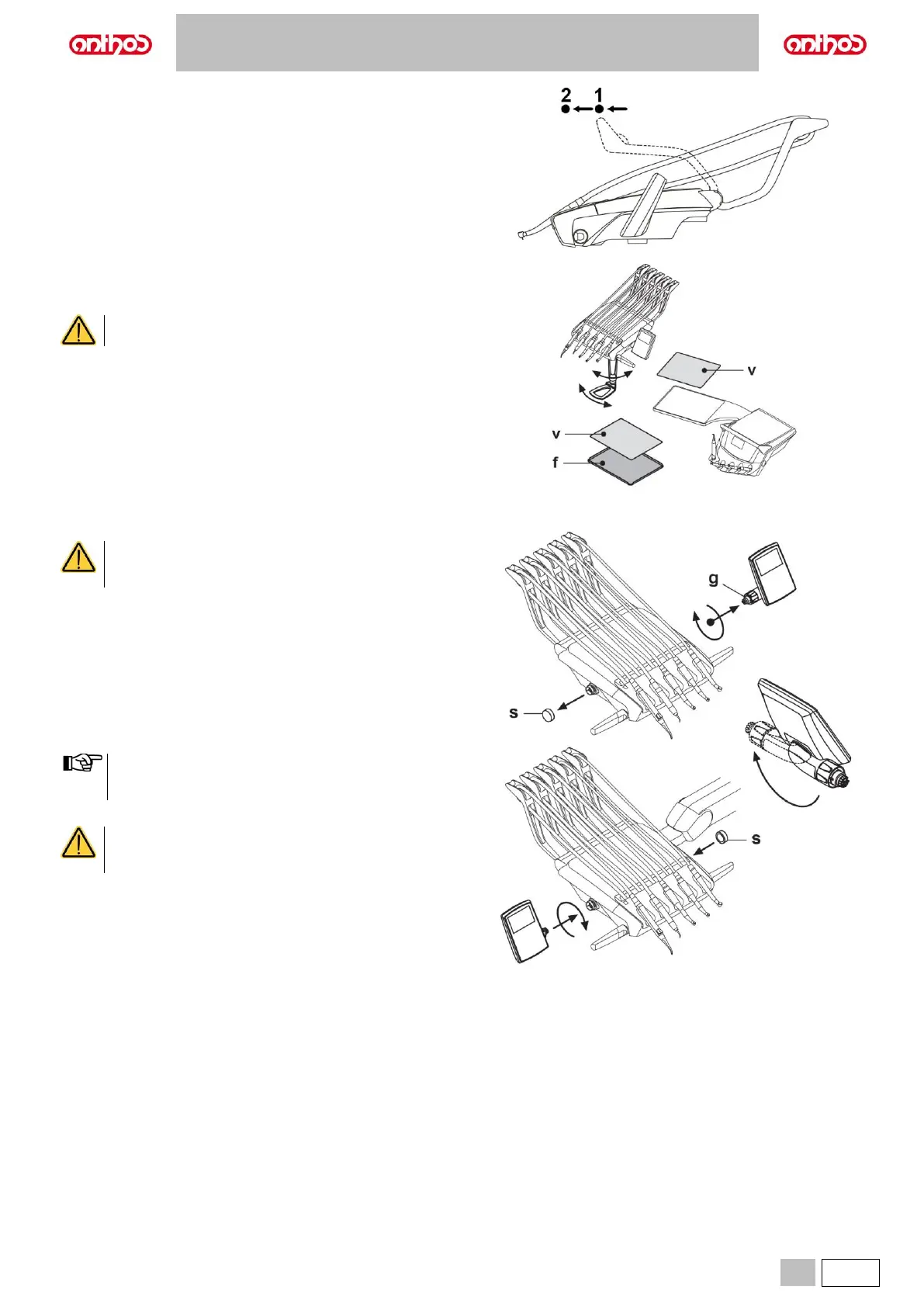
Instrument recall arm lock device (only version with upper recovery
of hoses).
The arm can be locked in the instrument extracted position, by taking it at
2/3 from the limit stop (1).
To go back to the original condition, move the arm to the end of its travel
(2).
Tray holder.
f Stainless steel tray holder that can be separated from its support.
v Silicone protection that can be sterilized in an autoclave at up to 135°C.
Maximum permitted load on the tray holder: 2 kg
distributed.
Console unit position reversal (with reversible console, only).
To reverse console unit position on dentist's board, proceed as follows:
• Remove the console unit after having loosened the relevant ring nut (g) by
turning it counter-clockwise.
• Remove the click-on cap (s) protecting the quick coupling on the left-hand
side, and insert it inside the one on the right-hand side.
• Turn console unit supporting arm by 180°.
• Fit the console unit inside the quick coupling on left-hand side.
• To identify the correct positioning of the console unit, push arm fully down
inside support and, at the same time screw ring nut by approx. 1/3 of a turn
until it locks in place, but without forcing it.
To avoid that dentist's board can escape on the other side, turn
it by approx. 90° compared to its supporting arm position (see
figure) before starting its positioning.
• Now dental unit can be turned on again.
During console cleaning operations, do not exert too
much pressure on control panel to avoid putting stress on
to the connection.
Before carrying out this operation, turn the dental unit off.
NEVER REMOVE THE CONSOLE FROM BOARD IF
DENTAL UNIT IS ON.



 To Next Page