DW channels
Two channels need be pre-stored for dual watch function.
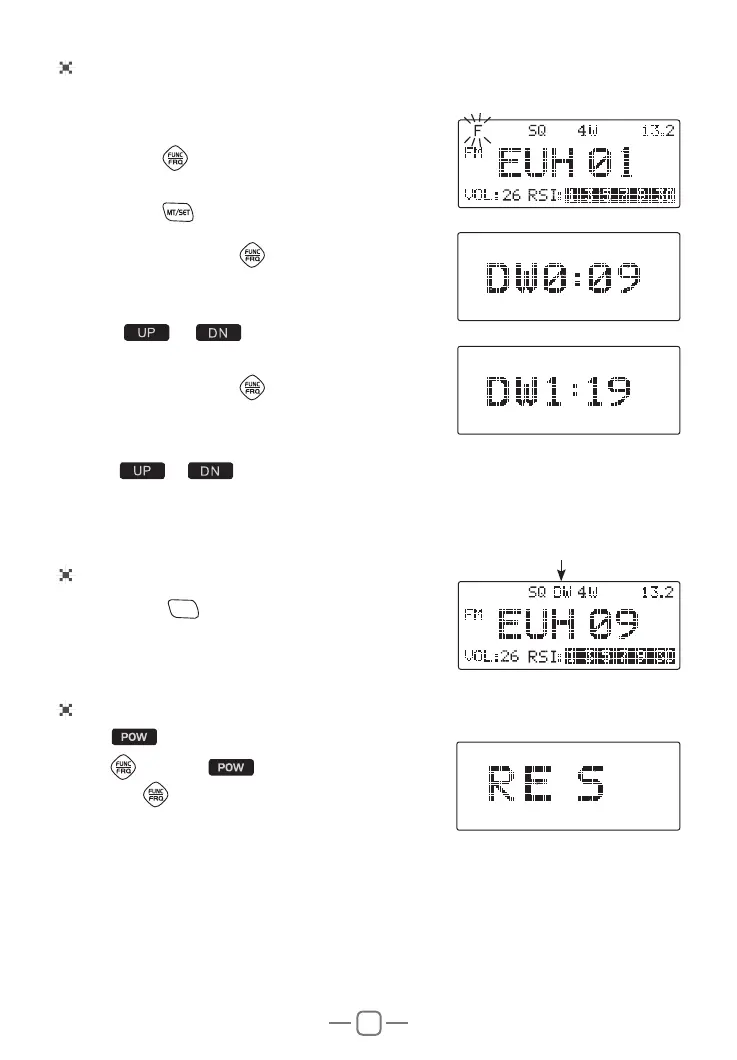
1. Short Press
key, F Icon appear and ashes.
2. Short Press
key to enter Menu.
3. Repeatly short press
key until LCD displays
DW0: XX
4. Press
or to choose rst channel for
DW.
5. Repeatly short press
key until LCD displays
DW1: XX
6. Press
or to choose second channel for DW.
7. Short press any other key to conrm and exit.
Using DW function
1. Short press
DW/M2
key, the DW ashes in LCD, the
radio enter Dual watch mode.
Factory reset
1. Hold to Power off radio
2. Hold
then hold until LCD disaplays RE S
3. Release
, the radio recover to factory defualt
and automatical power off.


 To Next Page