PAGE 54 AR5000 OPERATING MANUAL
12-10 Linking program search banks
When shipped from the factory (using default settings) all
program search banks are UNLINKED so may only be
searched on an individual basis by selecting the search
bank identifier by rotating the SUB DIAL or keying in the two
digit bank identifier via the numeric keypad (“
0000
0000
00”, “
0808
0808
08,
“
1515
1515
15” etc). This is the usual way in which program search
banks would be used.
When in PROGRAM SEARCH MODE, the program
search banks are referred to as SEARCH BANK 00",
SEARCH BANK 08, SEARCH BANK 15 etc rather than
using the full title PROGRAM SEARCH BANK 00,
PROGRAM SEARCH BANK 01 etc. In fact program
search banks below 10 may simply be referred to as
1, 2, 3 etc (missing out the preceding zero). This
terminology has been employed to make the explanation
of and referral to PROGRAM SEARCH BANKS
(SEARCH BANKS) less long-winded.
It is possible to quickly link a number of search banks
together so they will be searched as one group, this can
be useful for dividing large bands (such as UHF military
airband 220 ~ 410 MHz) into smaller, more manageable
sizes. It is possible to select any number from the
20 banks to be searched as a group such as 01, 03, 04,
07, 12, 19.
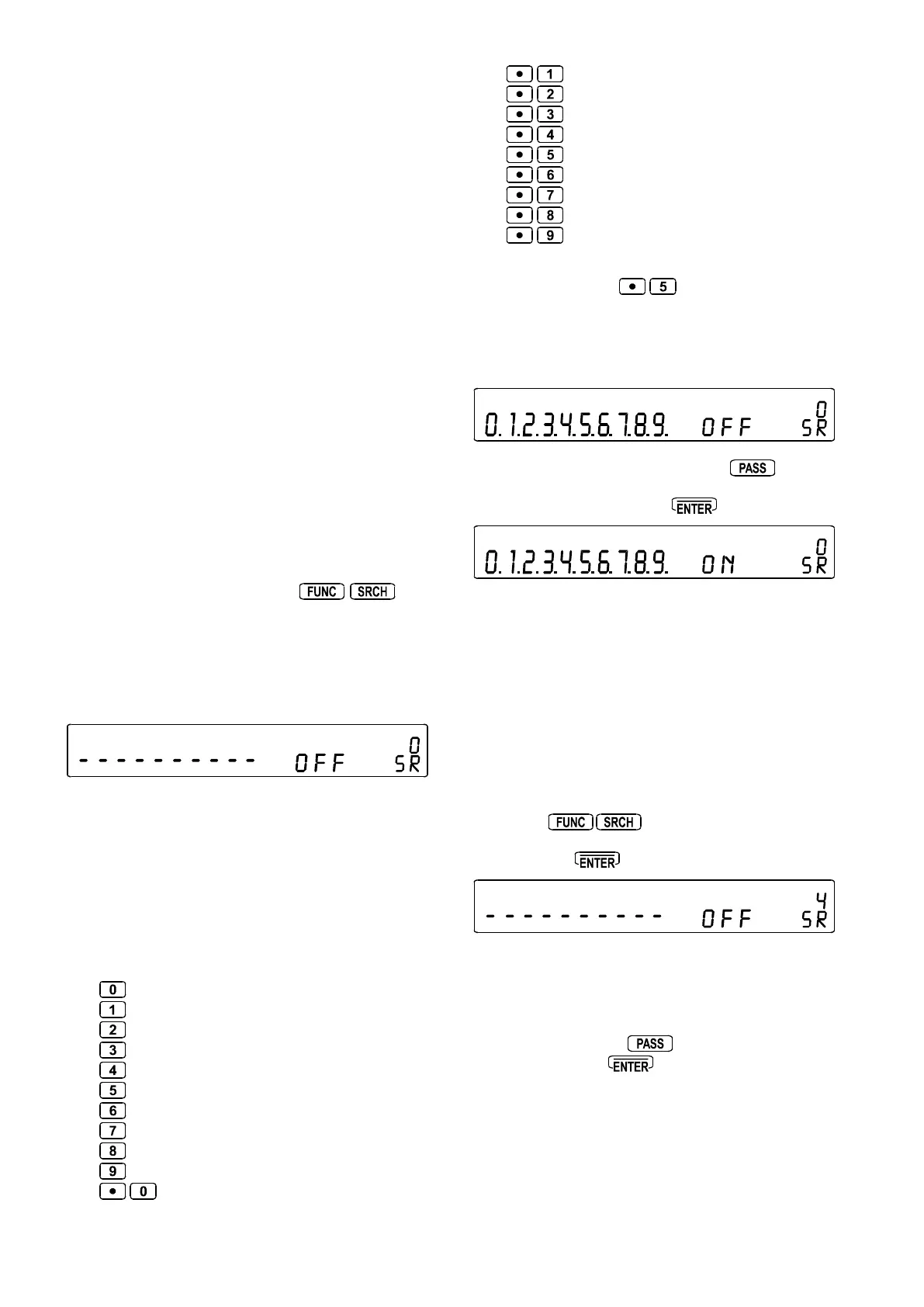
To LINK search banks, the SEARCH SETUP MENU is
used. To access this menu press
(this
may be carried out in SCAN mode, SEARCH mode or
VFO mode).
The flashing legend “
SRSR
SRSR
SR” confirms selection of the search
bank link menu. At default the dominant legend will be
“
OFFOFF
OFFOFF
OFF” to indicate that SEARCH LINK is not active.
There are ten possible PROFILES for BANK LINK which
may be saved for later (fast) retrieval to minimise the
required reprogramming, these are identified by number
0, 1, 2, 3, 4, 5, 6, 7, 8 & 9. The SUB DIAL is used to make
selection of favourite setup.
To link ALL banks, first use the SUB DIAL to choose a bank
link identifier (0 being displayed as default), then to link
ALL search banks press all the identifying numeric keys
for the twenty banks 00 ~ 19:
= search bank 00
= search bank 01
= search bank 02
= search bank 03
= search bank 04
= search bank 05
= search bank 06
= search bank 07
= search bank 08
= search bank 09
= search bank 10
= search bank 11
= search bank 12
= search bank 13
= search bank 14
= search bank 15
= search bank 16
= search bank 17
= search bank 18
= search bank 19
To select search banks 10 to 19, the preceding “.” is used
as the figure TEN, i.e.
= 15
The corresponding bank identifiers will be displayed on
the LCD (where frequency is normally displayed). In the
case of banks 10 to 19, bank link will be indicated by the
display of a decimal point.
To switch BANK LINK ON press the
key, the
legend changes from “
OFFOFF
OFFOFF
OFF” to
ONON
ONON
ON”. To accept the
displayed bank link data press
.
Next time the receiver is returned to PROGRAM SEARCH
MODE, ALL banks containing data will be searched.
Note: The SEARCH BANK LINK / SETUP menu also
provides access to four further parameters to customise
the way in which program search operates. Please refer
to section 12-13 of this manual for further information.
Selecting different favourite bank link identifiers
The AR5000 will use the settings of whichever bank link
identifier is displayed when the bank link menu is accessed
by pressing
, this equates to whichever was
last set. Use the SUB DIAL to select the required identifier
followed by the
key to accept the changes.
Deselecting linked banks
It is not necessary to deselect bank link identifiers if you
wish to scan a single search bank, simply access the bank
link menu and use the
key to switch bank link
OFF followed by the
key to accept the change.



 To Next Page