PAGE 6 AR5000 OPERATING MANUAL
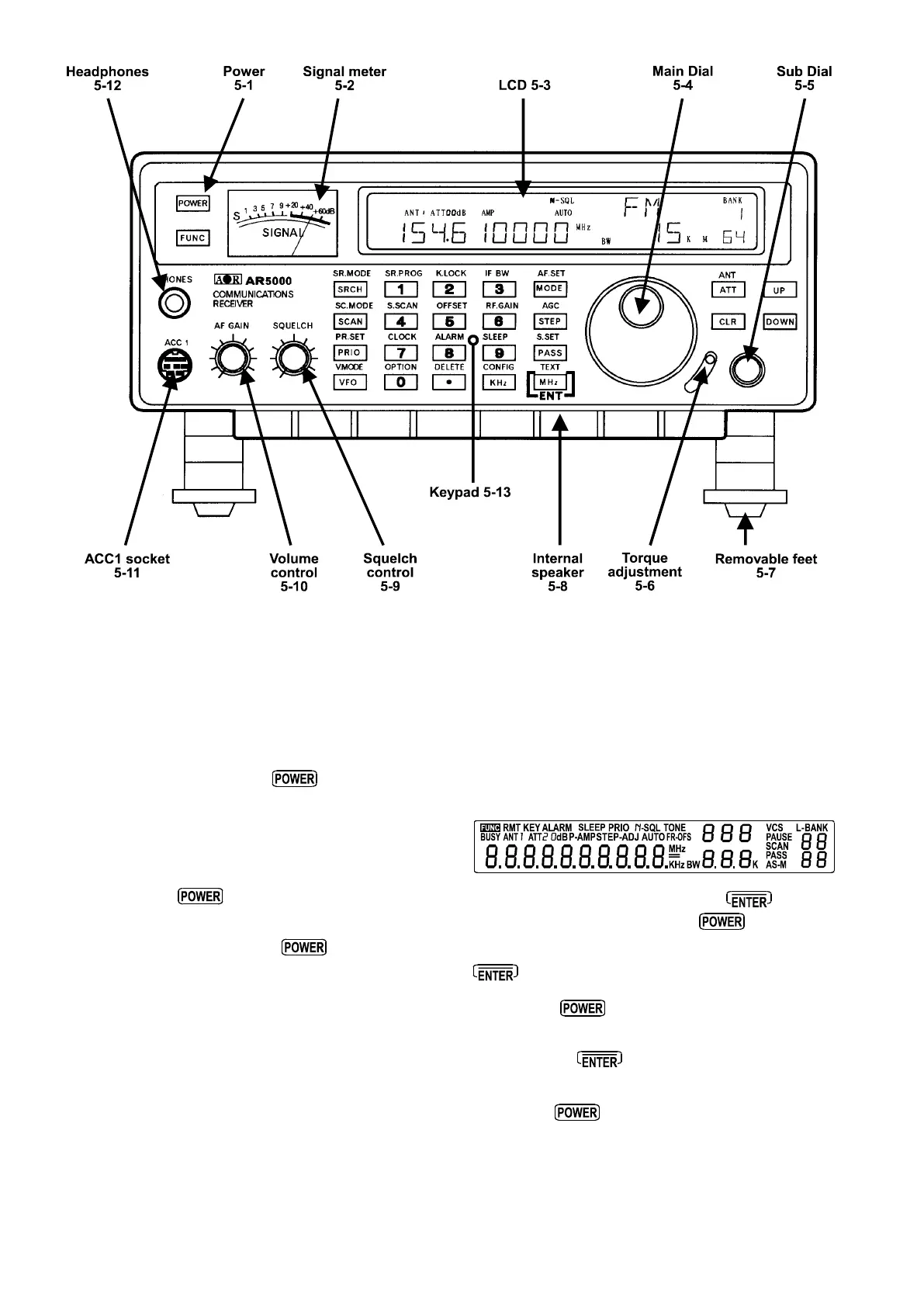
(5) Controls and functions
The AR5000 receiver is housed in a strong metal cabinet.
Controls for operation are located on the front of the
cabinet with connections to the rear.
Front panel
5-1 On/Off power switch
This rectangular shaped plastic button (key) is located in
the top left corner of the front panel and switches the set
On/Off.
To switch the set on, connect a suitable power source
and depress the
switch, the microprocessor will
then power the set up.
To switch the receiver off press the
switch a second
time, the microprocessor will then switch the set off.
5-2 S-meter (signal strength meter)
The rear illuminated analogue SIGNAL METER is located
to the left hand side of the front panel. Relative strength
of incoming signal is indicated in standard S points where
S1 is weak and S9 is strong. Calibration above S9 is in
dB up to +60dB. As with other receivers, the meter is for
relative signal strength comparison and calibration may
not be totally reliable especially on FM mode.
5-3 Liquid Crystal Display (LCD)
Display of operational information is provided via a high
contrast wide angle backlit green LCD, this includes
frequency, mode, bandwidth, alpha-numeric comments
for memory channels and search banks etc.
LCD test
The LCD may be tested by holding the
key while
switching on the receiver using the
key.
1 Ensure that set is switched off. Press and hold the
key... don’t let go of it!
2 Press the
key to switch on the AR5000, this
may be a two handed operation.
3 Release the
key. All LCD characters will be
displayed.
4 Press the
key to restore a normal display.



 To Next Page