1082 Smart Switch Operation Manual
CHA-1082-8000/11
__________________________________________________________________________________________________________
__________________________________________________________________________________________________________
Page 18 of 48
3.5.1.2 Sigma2 Quickset
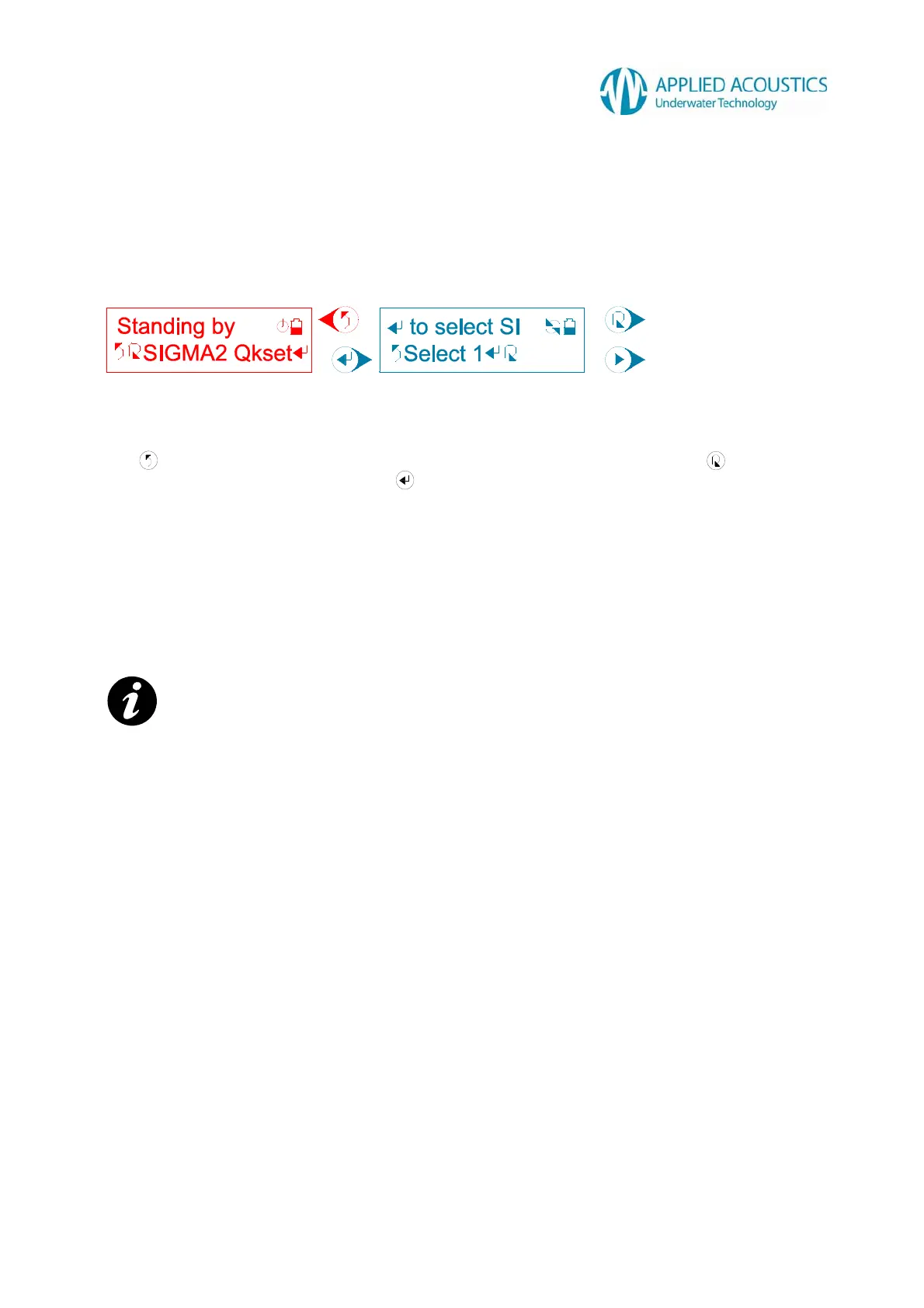
A user selection for AAE Sigma2™ “Quickset“ scheme is displayed: -
Fig. 10
Press to return to the previous tier sub menu option “SIGMA2 Qkset”. Press to change the
“Quickset” scheme 1 through 8. Press to select the “Quickset” scheme. The Smart Switch will
display a “Waiting...” message followed by either a “Selected!” message on confirmation from a
connected beacon that it has configured successfully, or a “Failed!” message for the user to retry
selection.
After a “Selected!” message, the Smart Switch will automatically return to the previous tier sub
menu option “SIGMA2 Qkset” and re-establish communication with a connected beacon. The user
can then verify configuration from the identified beacon model and configuration message. Refer
Section 3.4.1.
NOTE: - For 1000 series beacons that are not AAE Sigma2™ compatible, on selection the Smart
Switch will display “Unavailable!” message.
Change “Quickset” scheme.
Select “Quickset” scheme.



 To Next Page