1082 Smart Switch Operation Manual
CHA-1082-8000/11
__________________________________________________________________________________________________________
__________________________________________________________________________________________________________
Page 23 of 48
to select SW
Select A1
Standing by
SWB Quickset
3.5.1.5 SWB Quickset
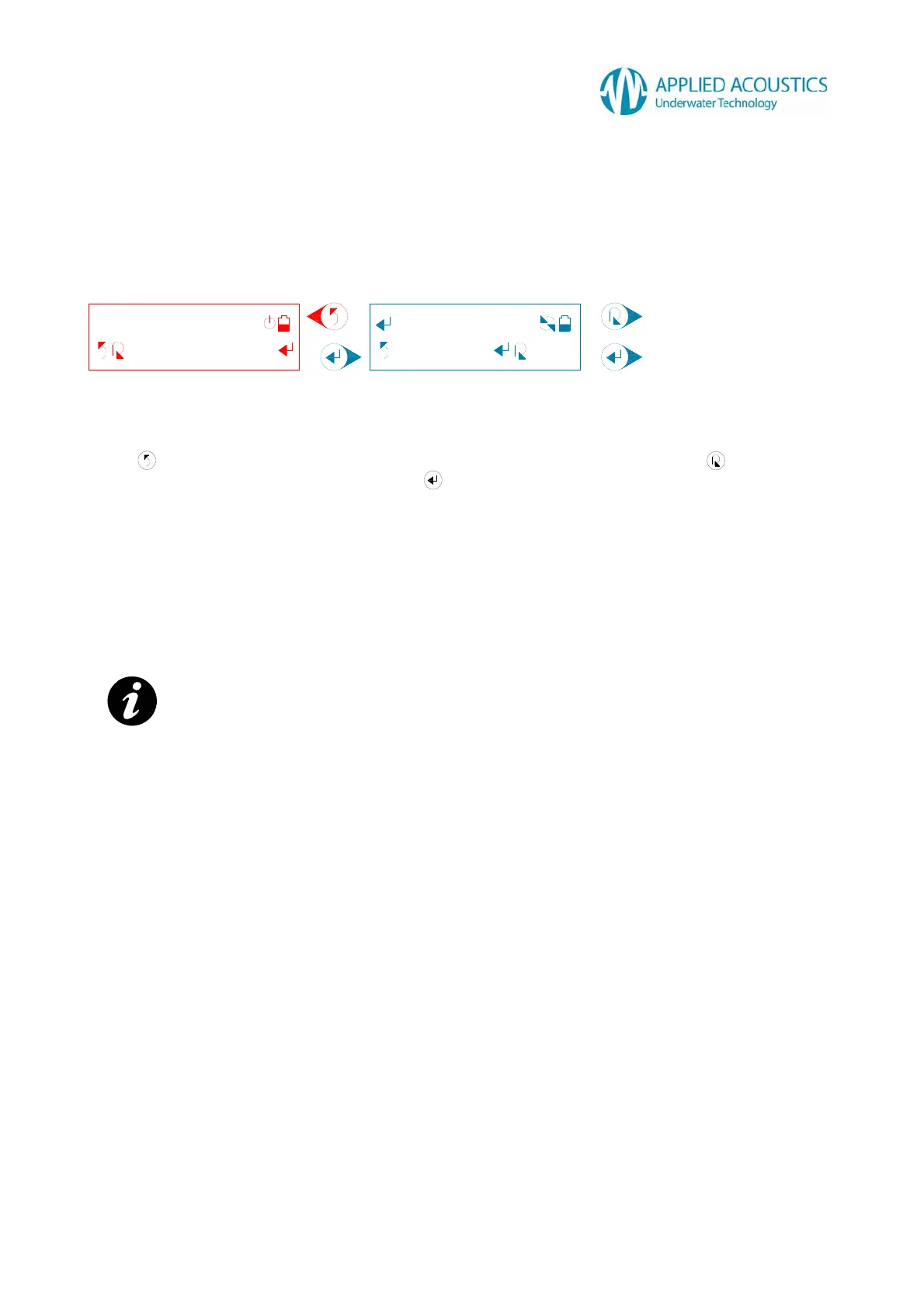
A user selection for Sonardyne Wideband™ compatible “Quickset“ scheme is displayed: -
Fig. 13
Press to return to the previous tier sub menu option “SWB Quickset”. Press to change the
“Quickset” scheme A1 through C3. Press to select the “Quickset” scheme. The Smart Switch
will display a “Waiting...” message followed by either a “Selected!” message on confirmation from a
connected beacon that it has configured successfully, or a “Failed!” message for the user to retry
selection.
After a “Selected!” message, the Smart Switch will automatically return to the previous tier sub
menu option “SWB Quickset” and re-establish communication with a connected beacon. The user
can then verify configuration from the identified beacon model and configuration message. Refer
Section 3.4.1.
NOTE: - For beacons that are not Sonardyne Wideband™ compatible, on selection the Smart Switch
will display “Unavailable!” message.
Change “Quickset” scheme.
Select “Quickset” scheme.



 To Next Page