1082 Smart Switch Operation Manual
CHA-1082-8000/11
__________________________________________________________________________________________________________
__________________________________________________________________________________________________________
Page 26 of 48
MDL=1019D
Depth Status
Depth=OFF
Select OFF
MDL=1019D
Serial Number
to exit
S/N 1234567
3.5.3 Depth Status
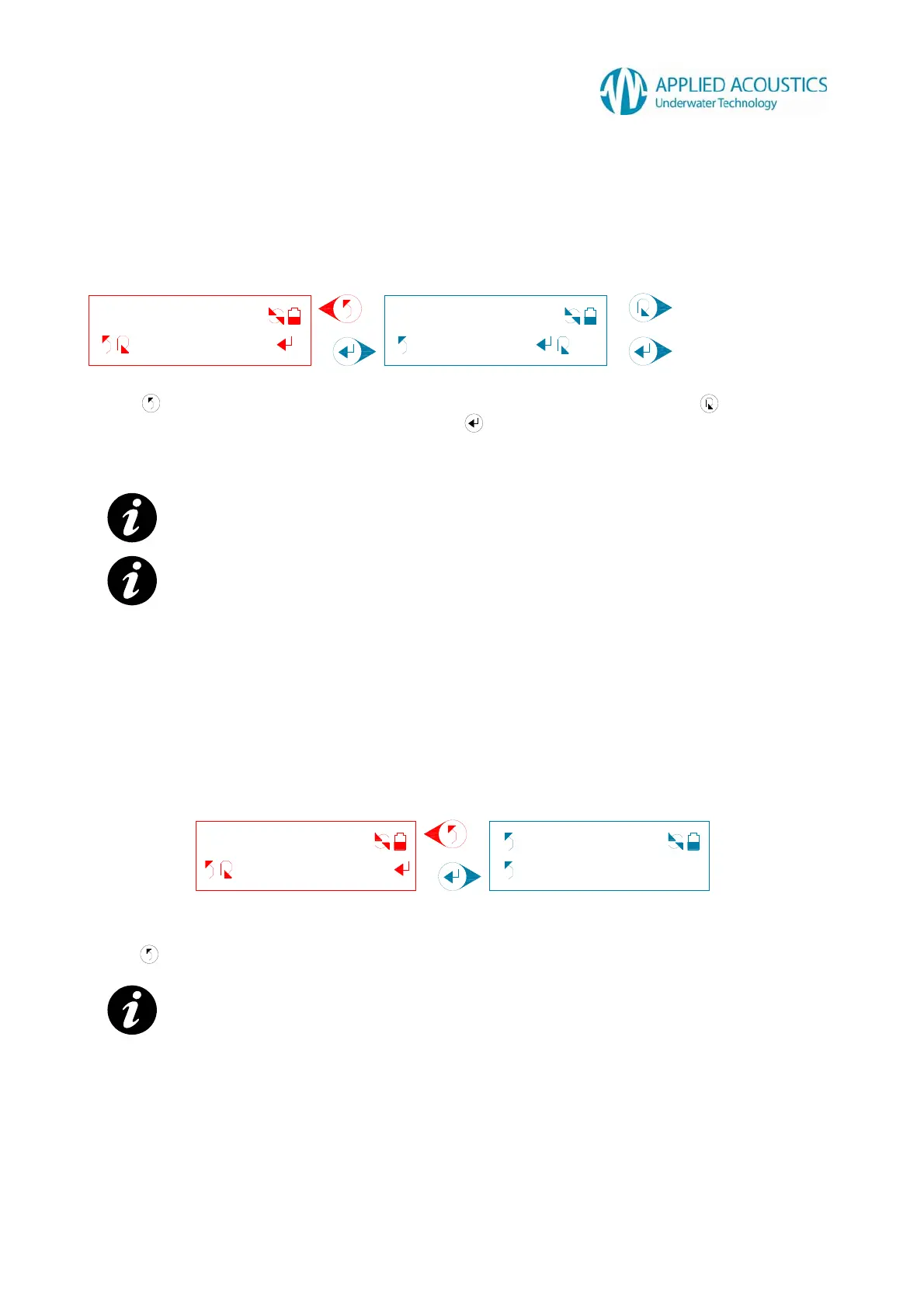
A connected beacons depth telemetry transmission status and a user selection are displayed: -
Fig. 16
Press to return to the previous tier sub menu option “Depth Status”. Press to change the
selection OFF (disabled) or ON (enabled). Press to select depth telemetry transmission status.
The Smart Switch will display a “Selected!” message on receiving confirmation from the connected
beacon that it has configured successfully.
NOTE:
- Fig. 16 beacon model and depth telemetry transmission status for example only.
NOTE:
- For non-‘D’ suffix beacons, on selection the Smart Switch will display “Unavailable!”
message.
3.5.4 Serial Number
A connected beacons serial number is displayed: -
Fig. 17
Press to return to the previous tier sub menu option “Serial Number”.
NOTE:
- Fig. 17 beacon model and serial number for example only.
Change ON or OFF.
Select depth telemetry
transmission status.



 To Next Page