1082 Smart Switch Operation Manual
CHA-1082-8000/11
__________________________________________________________________________________________________________
__________________________________________________________________________________________________________
Page 24 of 48
3.5.1.6 SWB Channel
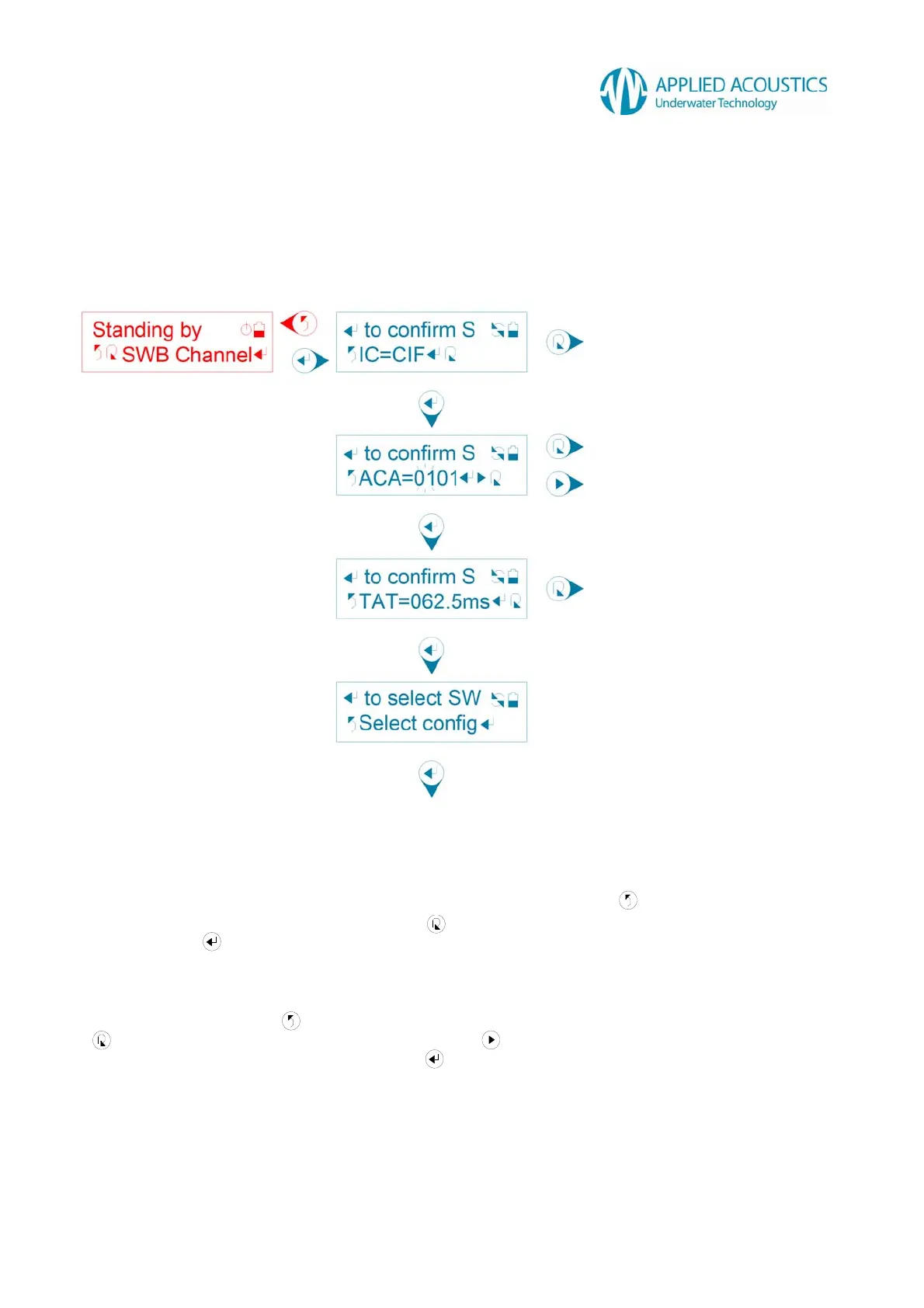
Sonardyne Wideband™ compatible configuration consists of confirming an Interrogate Channel
(IC), Acoustic Command Address (ACA) and Turn-Around-Time (TAT) in sequence before
selecting the confirmed configuration: -
Fig. 14
First, a user selection for Interrogate Channel (IC) is displayed. Press to return to the previous
tier sub menu option “SWB Channel”. Press to change the Interrogate Channel (IC) CIF through
MF14. Press to confirm the Interrogate Channel (IC). The Smart Switch will display a
“Confirmed!” message.
Next, a user selection for Acoustic Command Address (ACA) with flashing cursor highlighting two
digits is displayed. Press to return to the previous tier sub menu option “SWB Channel”. Press
to change the highlighted decimal digits. Press to shift the flashing cursor to highlight the
next two digits of the user selection. Press to confirm the Acoustic Command Address (ACA).
The Smart Switch will display a “Confirmed!” message.
Confirm Interrogate Channel (IC)
Confirm Acoustic Command Address (ACA)
Confirm Turn-Around-Time (TAT)
Select configuration
Change Interrogate Channel (IC)
Change digits
Shift flashing cursor
Change Turn-Around-Time (TAT)



 To Next Page